
MichelleHudson23 - Minecraft Skins & Skin History
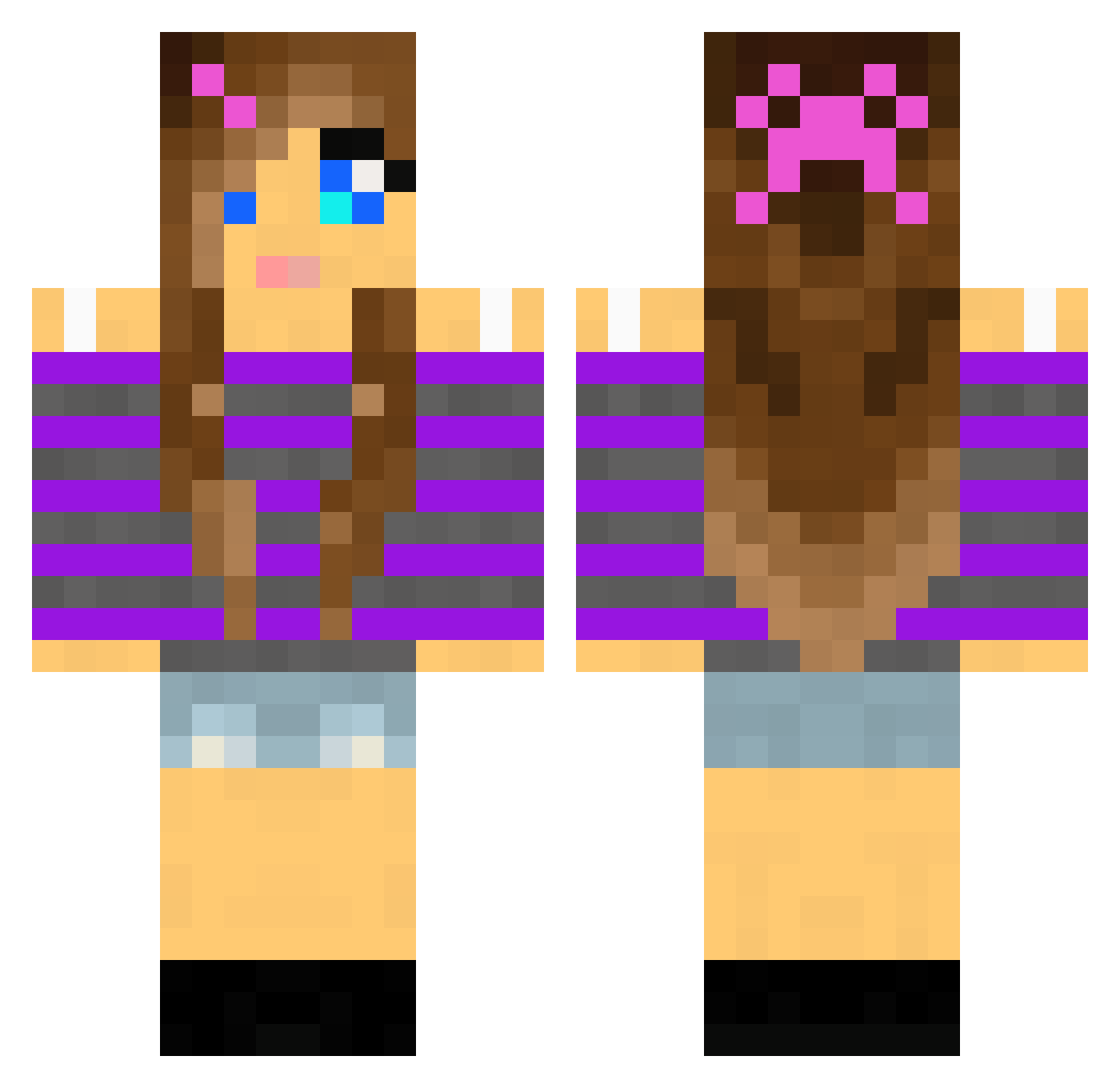
Current Minecraft skin of the player MichelleHudson23, loaded from the official Mojang API. Rotate the 3D model with your mouse or finger, then download the skin as a PNG file and use it in Minecraft: Bedrock Edition or Java Edition for free. When MichelleHudson23 changes their skin, this page updates automatically and the old skin stays in the history below.
Other players with this skin (2004)
MichelleHudson23 was the 1775th player we have seen with this skin, first spotted on 24.10.2026. The same skin was seen on these players. Open a nickname to see their current skin and skin history.
 emmaboii mig999 JackieFlint bluemunky klein_big nicole9aber beckahamster holly_bear10 betty118 bootje2719 Telepenguin cakeboss4 peaceoutizzy lunabeemine _Maelee_ Reaching_Stars Sophie_Kropp MissRose90 NikeNys IVI3XiCaNAlien volksen cheetah8353 GokuTime12 madison852 BreoMcGuinness wembley2003 Celesley22 patriciapupo Tglass avebug11 Loren615 GabsterMonster bosse00 Cutecupcake6 brautigamj Lexi17268 lusesita190 oneluckyguess drhummer akwtumbles Bianac 1012mm ashleybug1234 Mackenzie4567 Hanny_panny bella1rockstar Gianna11 Vebrown Mango1234AK mallorycc2004 DieZibbe Dozard doggygirl11 DigitalDavo Eocpro1 Pandamonion adidush789 hollywood88888 SmileGal LaLaLaCupcake
More Girl Minecraft skins
How to install the MichelleHudson23 skin
- Press the Download button above to save the skin as a PNG file.
- Minecraft: Bedrock Edition (PE): open the Dressing Room from the main menu (or tap your character → Edit Character), go to Classic Skins → Owned, press the + (new skin) button, choose the downloaded PNG and pick the Classic (Steve) model. Works on PC and mobile; consoles cannot import custom skins.
- Minecraft: Java Edition: open the Minecraft Launcher, go to the Skins tab, click New Skin, load the PNG, pick the Classic (Steve) model and press Save & Use. You can also upload it at minecraft.net → Profile → Change Skin.
The skin does not show up after import - what should I do?
Restart Minecraft and open the Dressing Room again - imported skins sometimes appear only after a restart. Also make sure you selected the imported skin and picked the Classic (Steve) model.
Which model should I choose, Classic or Slim?
This skin is designed for the Classic (Steve) model. If you pick the wrong model, the arms of the skin will look stretched or squeezed.
Is the skin of MichelleHudson23 free to download?
Yes. Press Download, save the PNG file and use it in Minecraft: Bedrock Edition or Java Edition - no payment or registration needed. The skin also works on multiplayer servers and Realms.
More skins
Looking for more? Go back to all Minecraft skins and check the top skins of the week, month and all time, or find any player's skin by nickname.