
MegaKnight420 - Minecraft Skins & Skin History
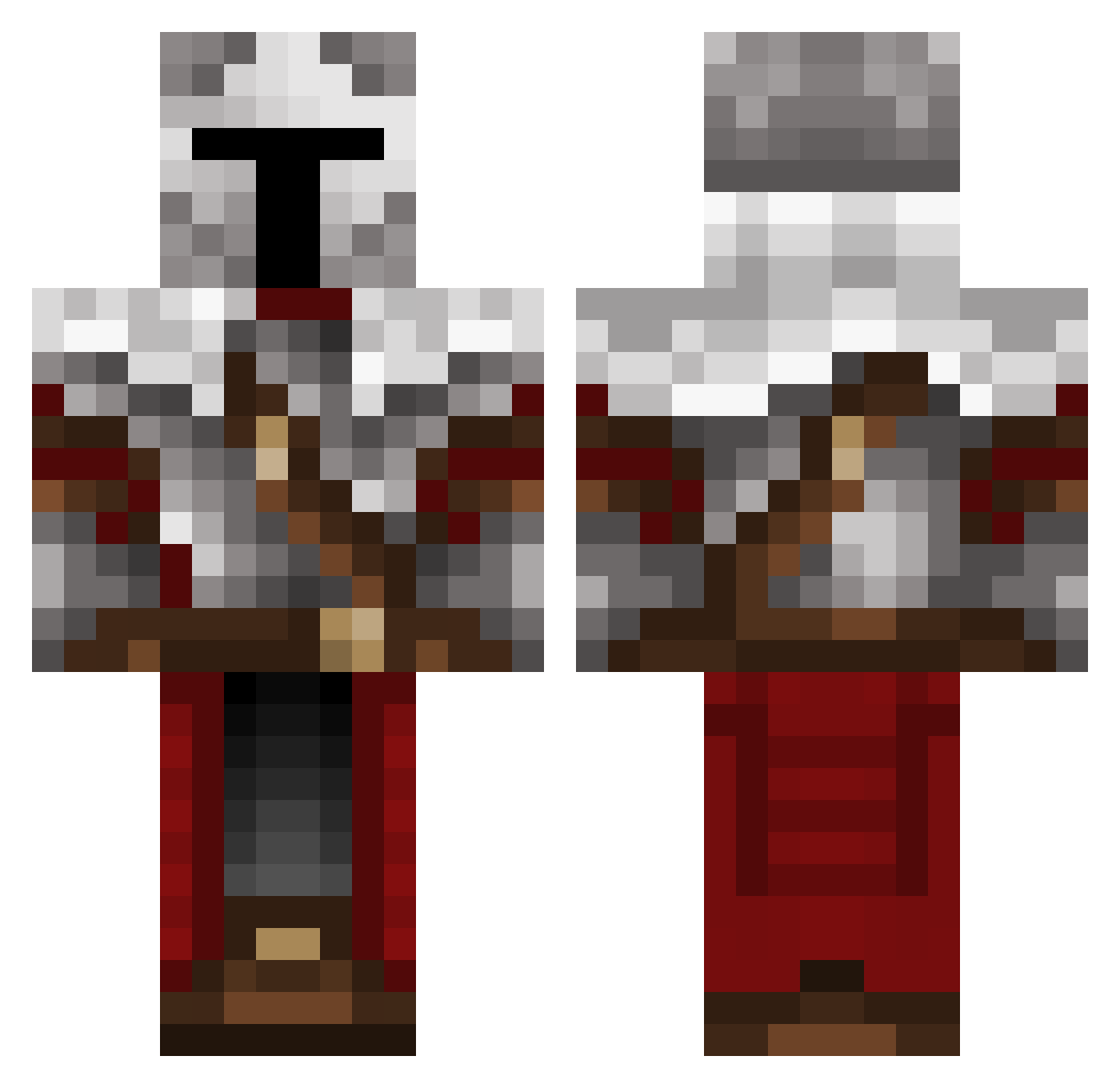
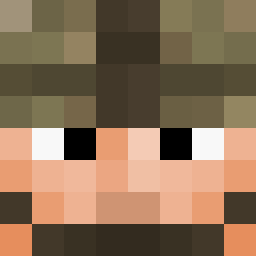
Current Minecraft skin of the player MegaKnight420, loaded from the official Mojang API. Rotate the 3D model with your mouse or finger, then download the skin as a PNG file and use it in Minecraft: Bedrock Edition or Java Edition for free. When MegaKnight420 changes their skin, this page updates automatically and the old skin stays in the history below.
Other players with this skin (372)
MegaKnight420 was the 65th player we have seen with this skin, first spotted on 15.08.2026. The same skin was seen on these players. Open a nickname to see their current skin and skin history.
 _Ravert_ FrankDillinger89 Dr_B0ba BlockMuster32 GingerNinjaaahhh mento_beast_sd drachenmonster Albeyor
 YT_Nettmax DCBatman2_0 0670568470986 Trenbolono Pepeganion MinorityHater69
 peakingduck12345 papas44 XLEBBKYSH Randomness11 grouchydino Kotibo21 darknaibet Ethan424 Dellltoid AranBw9 Reasoner1 inoue9697 Hottdish KoWalla_Bear Tattilou Vinic2505 Windsteam gamerplanet25
 MNPeter SCROLLVII Wacker777 RashetHashet Nandi684 AvalonLeFay13 The_HiveMind42 MedelZ3 PapiJacob305 Slimyflag_88 Bytell3 Haidonut AlfonzoBean9 SpookyShark777 RayZinh00 Kasoulle nothingofimport Fungus2006 Marshadow90 KeyDRAGONFIRE _t_c Isaiahdagr8t SenanM32 Trapster0
 ReachSpace Vauli XRentoX Mix20ffd
More Crusader Minecraft skins
How to install the MegaKnight420 skin
- Press the Download button above to save the skin as a PNG file.
- Minecraft: Bedrock Edition (PE): open the Dressing Room from the main menu (or tap your character → Edit Character), go to Classic Skins → Owned, press the + (new skin) button, choose the downloaded PNG and pick the Classic (Steve) model. Works on PC and mobile; consoles cannot import custom skins.
- Minecraft: Java Edition: open the Minecraft Launcher, go to the Skins tab, click New Skin, load the PNG, pick the Classic (Steve) model and press Save & Use. You can also upload it at minecraft.net → Profile → Change Skin.
The skin does not show up after import - what should I do?
Restart Minecraft and open the Dressing Room again - imported skins sometimes appear only after a restart. Also make sure you selected the imported skin and picked the Classic (Steve) model.
Which model should I choose, Classic or Slim?
This skin is designed for the Classic (Steve) model. If you pick the wrong model, the arms of the skin will look stretched or squeezed.
Is the skin of MegaKnight420 free to download?
Yes. Press Download, save the PNG file and use it in Minecraft: Bedrock Edition or Java Edition - no payment or registration needed. The skin also works on multiplayer servers and Realms.
More skins
Looking for more? Go back to all Minecraft skins and check the top skins of the week, month and all time, or find any player's skin by nickname.