
Meatlofe - Minecraft Skins & Skin History
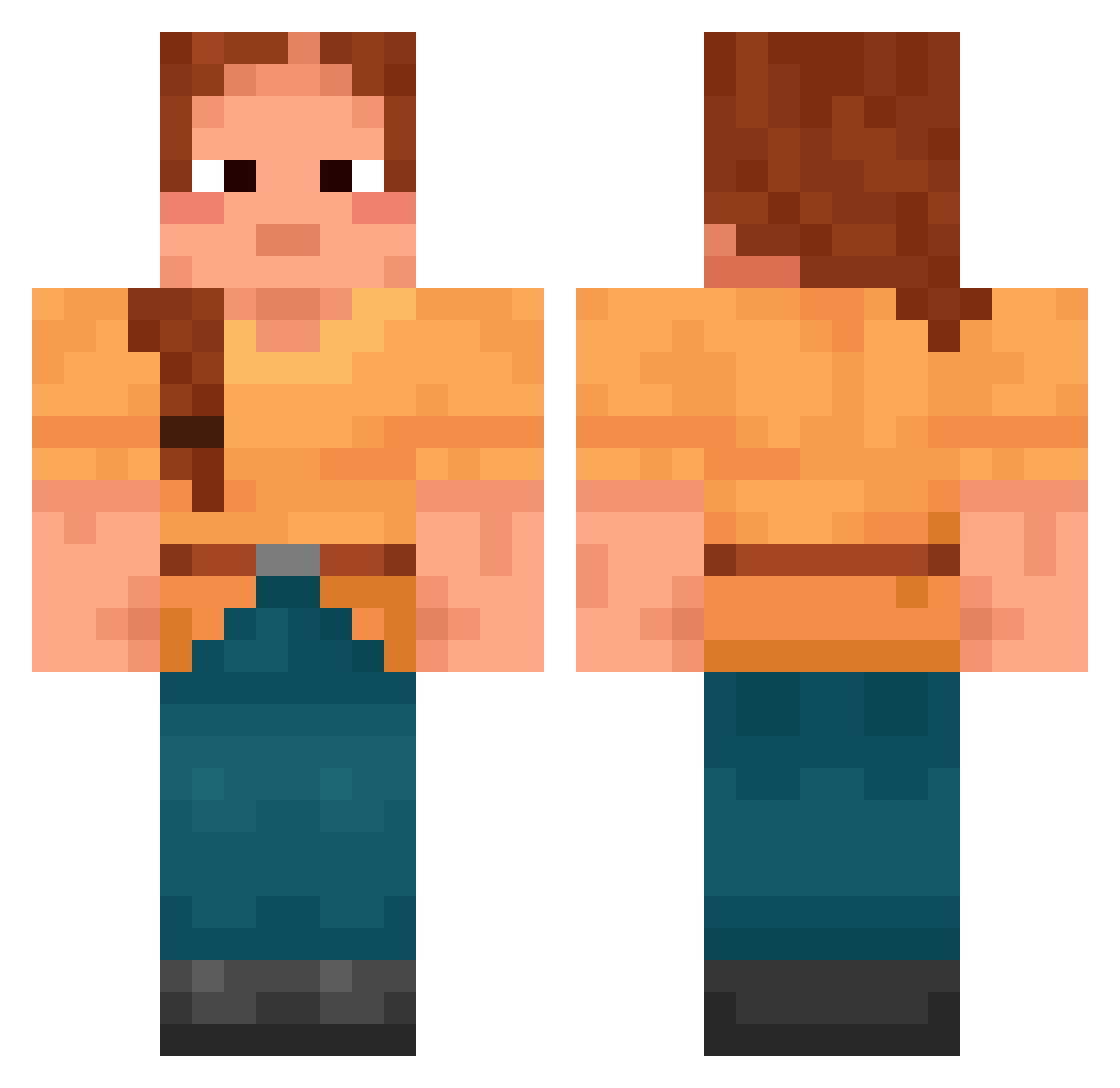
Current Minecraft skin of the player Meatlofe, loaded from the official Mojang API. Rotate the 3D model with your mouse or finger, then download the skin as a PNG file and use it in Minecraft: Bedrock Edition or Java Edition for free. When Meatlofe changes their skin, this page updates automatically and the old skin stays in the history below.
Other players with this skin (1419)
Meatlofe was the 528th player we have seen with this skin, first spotted on 27.08.2026. The same skin was seen on these players. Open a nickname to see their current skin and skin history.
 Snaphance Maddog4906 Auntey TFL_GUUH Polygenic Chromophore redelivery Chromatin ungrudging Mymmmy Marblewood bootheel xlentoo Twiddles Amspam Keagster31 ColonelRift sechivo Teutonia Alex98678 Interplay Livia_2 Gloudice
 NavaMBT Flectra Freewheel Epic_Bagels Briter 404Clutch nis inaner SFTVRE Goffer31 xXKbuzyXx unworthy_globe brandonta98 opprobriate QBMaddi megan6748 dubmanda xxsatomixx LegitNotice Bontee MALCHOVY AThing Rozele BigManGandhi IamLeo venom_kittyy Ferrochromium MURlL0 Rectilinearly Supercilious Diamondzlaya_101 Footrests Bottlebrush porty Tendrel GuiTobias Chitito_23K
More Cottagecore Minecraft skins
See all 5597 Cottagecore skins
How to install the Meatlofe skin
- Press the Download button above to save the skin as a PNG file.
- Minecraft: Bedrock Edition (PE): open the Dressing Room from the main menu (or tap your character → Edit Character), go to Classic Skins → Owned, press the + (new skin) button, choose the downloaded PNG and pick the Classic (Steve) model. Works on PC and mobile; consoles cannot import custom skins.
- Minecraft: Java Edition: open the Minecraft Launcher, go to the Skins tab, click New Skin, load the PNG, pick the Classic (Steve) model and press Save & Use. You can also upload it at minecraft.net → Profile → Change Skin.
The skin does not show up after import - what should I do?
Restart Minecraft and open the Dressing Room again - imported skins sometimes appear only after a restart. Also make sure you selected the imported skin and picked the Classic (Steve) model.
Which model should I choose, Classic or Slim?
This skin is designed for the Classic (Steve) model. If you pick the wrong model, the arms of the skin will look stretched or squeezed.
Is the skin of Meatlofe free to download?
Yes. Press Download, save the PNG file and use it in Minecraft: Bedrock Edition or Java Edition - no payment or registration needed. The skin also works on multiplayer servers and Realms.
More skins
Looking for more? Go back to all Minecraft skins and check the top skins of the week, month and all time, or find any player's skin by nickname.