
 Cancer211 constr HongLkaHorse LuckyCrafter16 laurioo7 sproglet0605 Meteorites Courtier McNim rvsky sh2shy Rostilu4 sageofflower Bopbumble Sawnder wldn0 Sigillum _theux_x Starkyas binSensei calthrops selva jackaroo1793 __MrVision__ Nobree NoHacksJustMtDew Stabilising sosoX4444 eveline Cle100 S_uper carrick greywulf Harriet1066 knockoutbeetle8 SoleroExotico KittyIsABurrito elopidae Bluecrew8 _iiFlame LumSave monkra87 Sorbin_ discordia maddens ThiccBush69 horizonfire creeses Kloixsz Unvoluble Emmaplayz2013 Photokinetic uhhjasper sijojo15 Abbademdon chloroauric AlexDWorld junCastle Blade_92 Switcher89
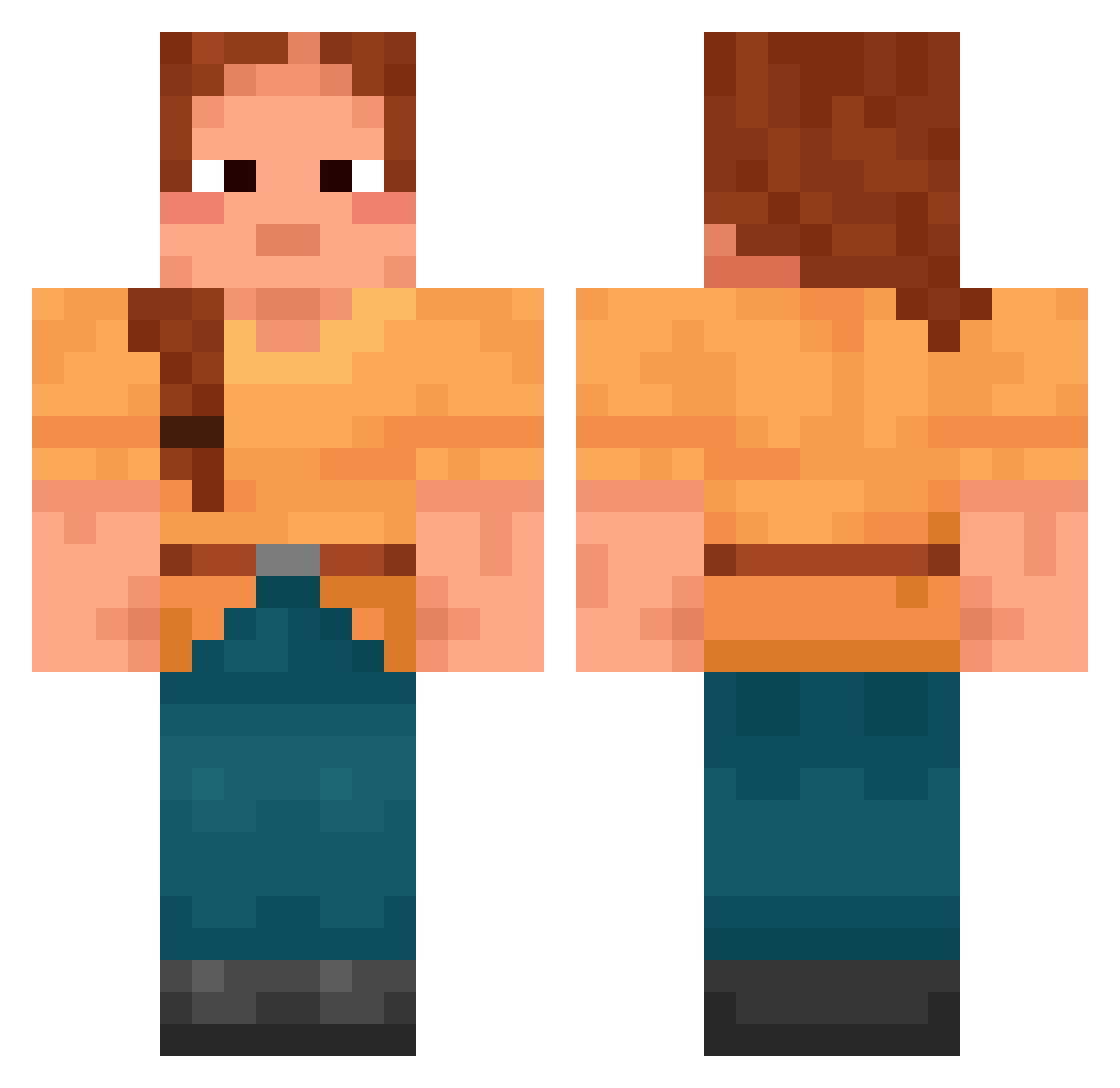
Minecraft skin of Agnese. Rotate the 3D model with your mouse or finger to view the skin from every angle, then download it as a PNG file and use it in Minecraft: Bedrock Edition or Java Edition for free. Rate the skin with stars to help other players find the best skins in our collection.
How to install the Agnese skin
- Press the Download button above to save the skin as a PNG file.
- Minecraft: Bedrock Edition (PE): open the Dressing Room from the main menu (or tap your character → Edit Character), go to Classic Skins → Owned, press the + (new skin) button, choose the downloaded PNG and pick the Classic (Steve) model. Works on PC and mobile; consoles cannot import custom skins.
- Minecraft: Java Edition: open the Minecraft Launcher, go to the Skins tab, click New Skin, load the PNG, pick the Classic (Steve) model and press Save & Use. You can also upload it at minecraft.net → Profile → Change Skin.
The skin does not show up after import - what should I do?
Restart Minecraft and open the Dressing Room again - imported skins sometimes appear only after a restart. Also make sure you selected the imported skin and picked the Classic (Steve) model.
Which model should I choose, Classic or Slim?
This skin is designed for the Classic (Steve) model. If you pick the wrong model, the arms of the skin will look stretched or squeezed.
Is this skin free to use?
Yes. Press Download, save the PNG file and use it in Minecraft: Bedrock Edition or Java Edition - no payment or registration needed. The skin also works on multiplayer servers and Realms.
More Cottagecore Minecraft skins
See all 6700 Cottagecore skins
More skins
Looking for more? Go back to all Minecraft skins and check the top skins of the week, month and all time, or find any player's skin by nickname.