
Mayflower_1 - Minecraft Skins & Skin History
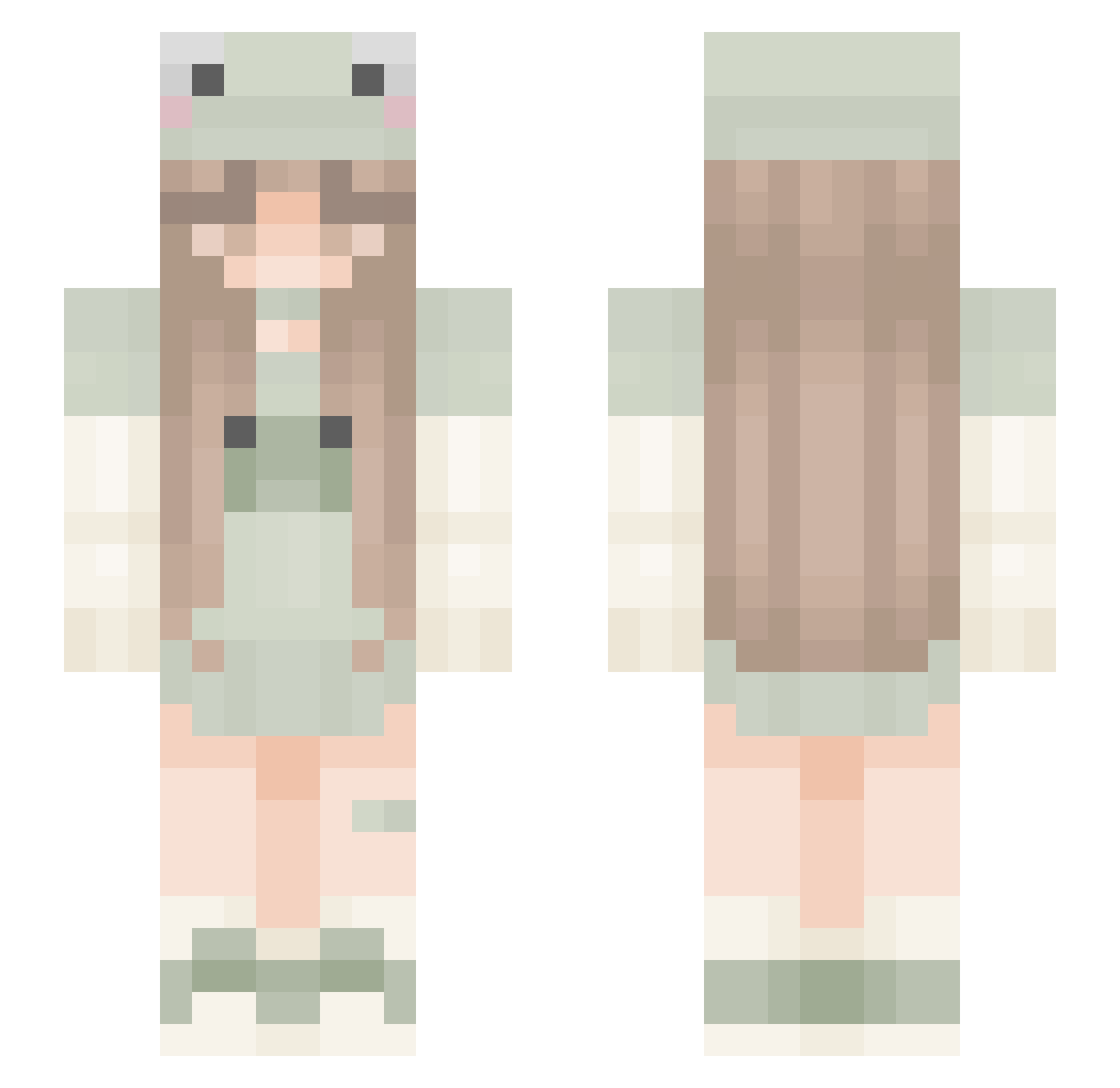
Current Minecraft skin of the player Mayflower_1, loaded from the official Mojang API. Rotate the 3D model with your mouse or finger, then download the skin as a PNG file and use it in Minecraft: Bedrock Edition or Java Edition for free. When Mayflower_1 changes their skin, this page updates automatically and the old skin stays in the history below.
Other players with this skin (296)
Mayflower_1 was the 205th player we have seen with this skin, first spotted on 06.10.2026. The same skin was seen on these players. Open a nickname to see their current skin and skin history.
 batkitkat kandiedgal kyunyuu kxmmylynn AL31307 PandaBuster2010 Ferbs loverrrr lichipichi D01LF7C3 Bloxcat TehEpicDuck05 LuMo2017 aannsn xmzrta yvshoo overpossession JavaSDK madysonplays EinfachJohannaaa lariioana Flanellen hallyce aim_frog06 RachM stiffcaesar Gradate KiwiTheOne Sxnset_roo SftBallPrincess Hurluberlue_ simity7890 swahiliswaglord carlottachan mackk18 stickqwar aLeafeon Akikiari Emxppc PearlXII yaminiaa junepufff sisixx jesss9956 Christa247 sxftcoree Nulcia010 Xx_MollieFrog_xX DapperJungle70 boatmeal x4nn1e Flugstrom Gestwrtes warmachine00012 annaoffline taylah1234 TigerTigerTiger Raverlyi 41_ atiredperson
More Frog Hat Minecraft skins
How to install the Mayflower_1 skin
- Press the Download button above to save the skin as a PNG file.
- Minecraft: Bedrock Edition (PE): open the Dressing Room from the main menu (or tap your character → Edit Character), go to Classic Skins → Owned, press the + (new skin) button, choose the downloaded PNG and pick the Slim (Alex) model. Works on PC and mobile; consoles cannot import custom skins.
- Minecraft: Java Edition: open the Minecraft Launcher, go to the Skins tab, click New Skin, load the PNG, pick the Slim (Alex) model and press Save & Use. You can also upload it at minecraft.net → Profile → Change Skin.
The skin does not show up after import - what should I do?
Restart Minecraft and open the Dressing Room again - imported skins sometimes appear only after a restart. Also make sure you selected the imported skin and picked the Slim (Alex) model.
Which model should I choose, Classic or Slim?
This skin is designed for the Slim (Alex) model. If you pick the wrong model, the arms of the skin will look stretched or squeezed.
Is the skin of Mayflower_1 free to download?
Yes. Press Download, save the PNG file and use it in Minecraft: Bedrock Edition or Java Edition - no payment or registration needed. The skin also works on multiplayer servers and Realms.
More skins
Looking for more? Go back to all Minecraft skins and check the top skins of the week, month and all time, or find any player's skin by nickname.