
Matty_ICE777 - Minecraft Skins & Skin History
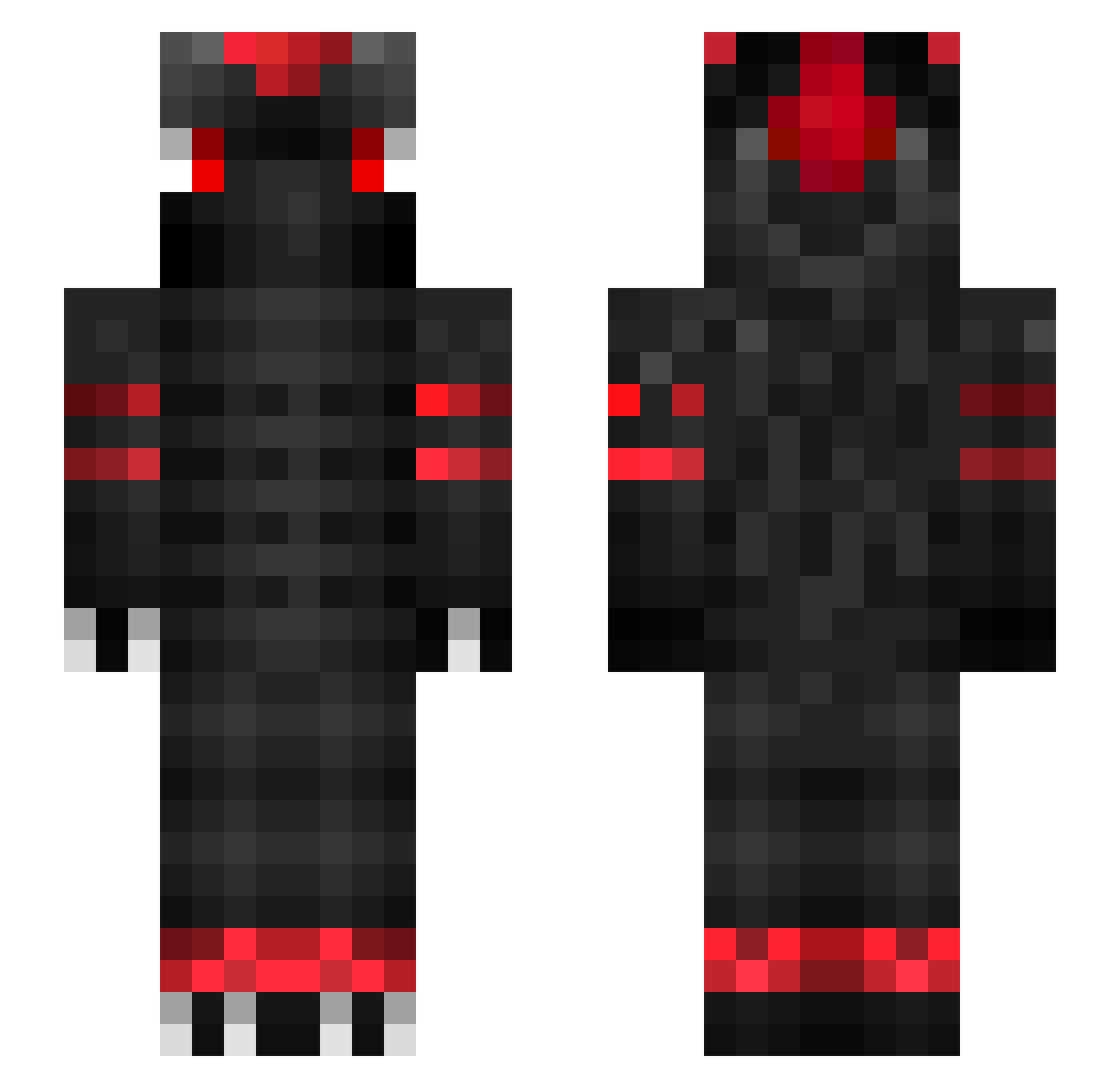
Current Minecraft skin of the player Matty_ICE777, loaded from the official Mojang API. Rotate the 3D model with your mouse or finger, then download the skin as a PNG file and use it in Minecraft: Bedrock Edition or Java Edition for free. When Matty_ICE777 changes their skin, this page updates automatically and the old skin stays in the history below.
Other players with this skin (106)
Matty_ICE777 was the 63rd player we have seen with this skin, first spotted on 01.10.2026. The same skin was seen on these players. Open a nickname to see their current skin and skin history.
 _thememefrog_ Pogra aiTomiii ayemyasin kanecxx rix_hi 619_ dood_the_demon SrCrashz cuztom16 Paaax MineCrafter_X ManowBrayan drago_n TheIncredibleMrG THD_ImLquty ckwild94 Godus_ BerkaayDeniz Jarumel Alex_Kantel TheAvenger1 xMoriarty IchSpielePUBG KaktusOnFire Twanoo Swapmen xmalazgirt zSynexOG SilenceNL laxman500 JonasAlmaas 77jakey Arkyios 1st_ts1 BazMonkey gaylove1234 SuchsSpeed mo_sully7 Nikoro526 Akku_leer Dab_hi DitchSky NapiXFTW Ging3rPho3nix Chadford1324 _Smoku_ DisnesXPlus NoHaxJustRt flypower MuratReizTR JoranBoyyy Sindorman SmileyPvP MutedPermamently Pentdragon _Exes Schwerzy HieuMiner_TV Darugar
More Dragon Minecraft skins
How to install the Matty_ICE777 skin
- Press the Download button above to save the skin as a PNG file.
- Minecraft: Bedrock Edition (PE): open the Dressing Room from the main menu (or tap your character → Edit Character), go to Classic Skins → Owned, press the + (new skin) button, choose the downloaded PNG and pick the Slim (Alex) model. Works on PC and mobile; consoles cannot import custom skins.
- Minecraft: Java Edition: open the Minecraft Launcher, go to the Skins tab, click New Skin, load the PNG, pick the Slim (Alex) model and press Save & Use. You can also upload it at minecraft.net → Profile → Change Skin.
The skin does not show up after import - what should I do?
Restart Minecraft and open the Dressing Room again - imported skins sometimes appear only after a restart. Also make sure you selected the imported skin and picked the Slim (Alex) model.
Which model should I choose, Classic or Slim?
This skin is designed for the Slim (Alex) model. If you pick the wrong model, the arms of the skin will look stretched or squeezed.
Is the skin of Matty_ICE777 free to download?
Yes. Press Download, save the PNG file and use it in Minecraft: Bedrock Edition or Java Edition - no payment or registration needed. The skin also works on multiplayer servers and Realms.
More skins
Looking for more? Go back to all Minecraft skins and check the top skins of the week, month and all time, or find any player's skin by nickname.