
Matrixus27 - Minecraft Skins & Skin History
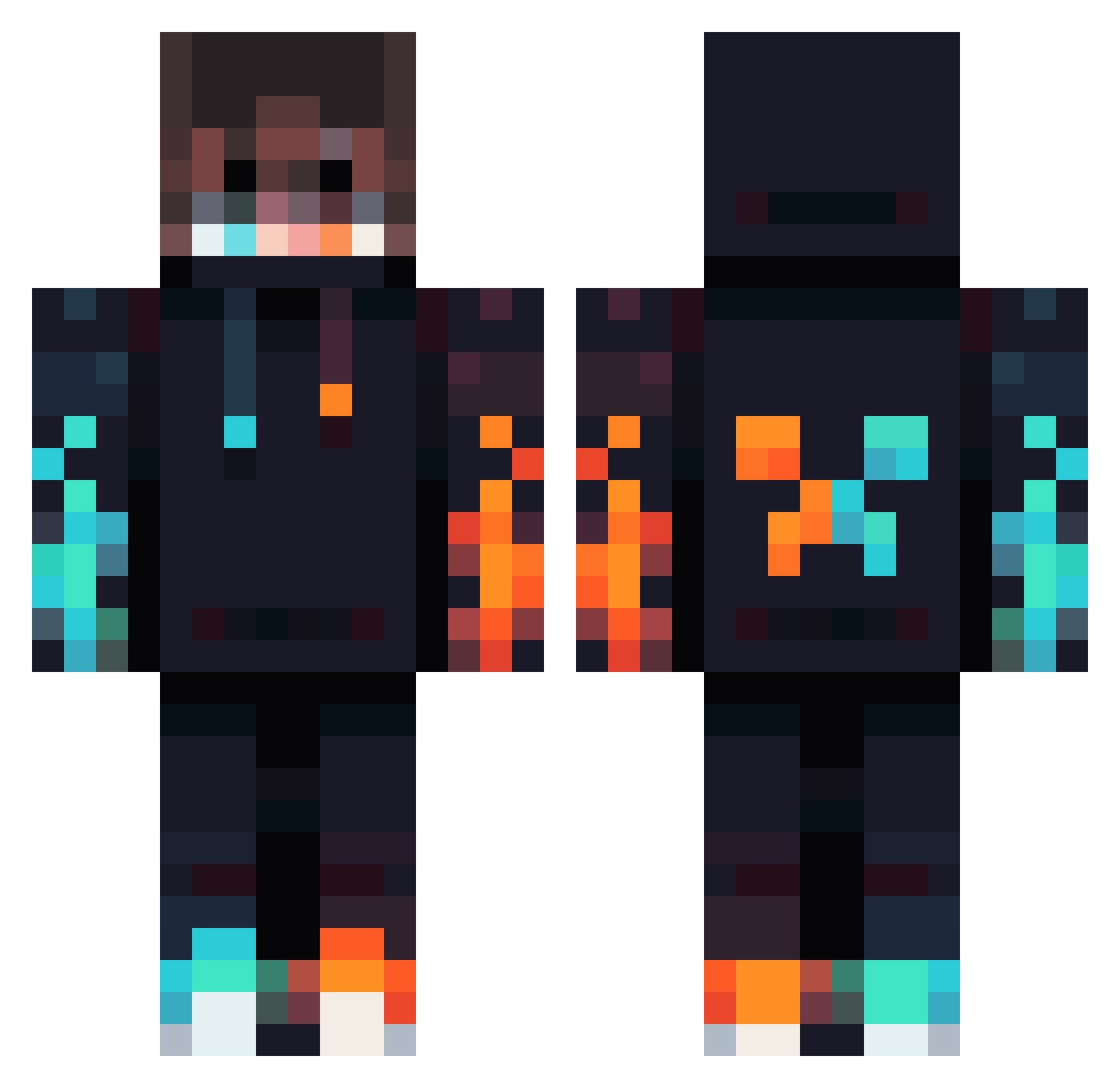
Current Minecraft skin of the player Matrixus27, loaded from the official Mojang API. Rotate the 3D model with your mouse or finger, then download the skin as a PNG file and use it in Minecraft: Bedrock Edition or Java Edition for free. When Matrixus27 changes their skin, this page updates automatically and the old skin stays in the history below.
Other players with this skin (834)
Matrixus27 was the 505th player we have seen with this skin, first spotted on 30.09.2026. The same skin was seen on these players. Open a nickname to see their current skin and skin history.
 gherkin20001015 Loganster13 Blue_Ranger2000 Yuo13 This_guy37955 spxkezy Unfortunate207 jemeri EG7iscool blackwall85 csyong20220623 TomateDxrk Royjan Berserker_9722 SineQzEU SmoczekPL TocoBrasil WILDSWITCH zudaire11 oekeedoekee PRODIGYGAME Giedr1usgg Coprankno proman69420 Trxit21 Yooogy Th3Birb QniiP TraLegendary Hea1bot zeldafan2199 Shadaum KapparinoX MisterDrag0n CaptainCrunchXD Niggo26 Vinc1805 SANCLER21 andre6017 Axciin Kanfisk DriftyCheetah51 jeastG Akamuro ChickyBricky_69 xShikumi Monkeeyy32xd Andy9283 Xxby_rubenxX CHRIS_NR4 FrauMinchen Max_So Ruben270493 Slimkick_HD Black_Panther_99 king_mines safaridash Horimax Medvetojas Buschkinder
More Fire Minecraft skins
How to install the Matrixus27 skin
- Press the Download button above to save the skin as a PNG file.
- Minecraft: Bedrock Edition (PE): open the Dressing Room from the main menu (or tap your character → Edit Character), go to Classic Skins → Owned, press the + (new skin) button, choose the downloaded PNG and pick the Classic (Steve) model. Works on PC and mobile; consoles cannot import custom skins.
- Minecraft: Java Edition: open the Minecraft Launcher, go to the Skins tab, click New Skin, load the PNG, pick the Classic (Steve) model and press Save & Use. You can also upload it at minecraft.net → Profile → Change Skin.
The skin does not show up after import - what should I do?
Restart Minecraft and open the Dressing Room again - imported skins sometimes appear only after a restart. Also make sure you selected the imported skin and picked the Classic (Steve) model.
Which model should I choose, Classic or Slim?
This skin is designed for the Classic (Steve) model. If you pick the wrong model, the arms of the skin will look stretched or squeezed.
Is the skin of Matrixus27 free to download?
Yes. Press Download, save the PNG file and use it in Minecraft: Bedrock Edition or Java Edition - no payment or registration needed. The skin also works on multiplayer servers and Realms.
More skins
Looking for more? Go back to all Minecraft skins and check the top skins of the week, month and all time, or find any player's skin by nickname.