
MasterofRandomK - Minecraft Skins & Skin History
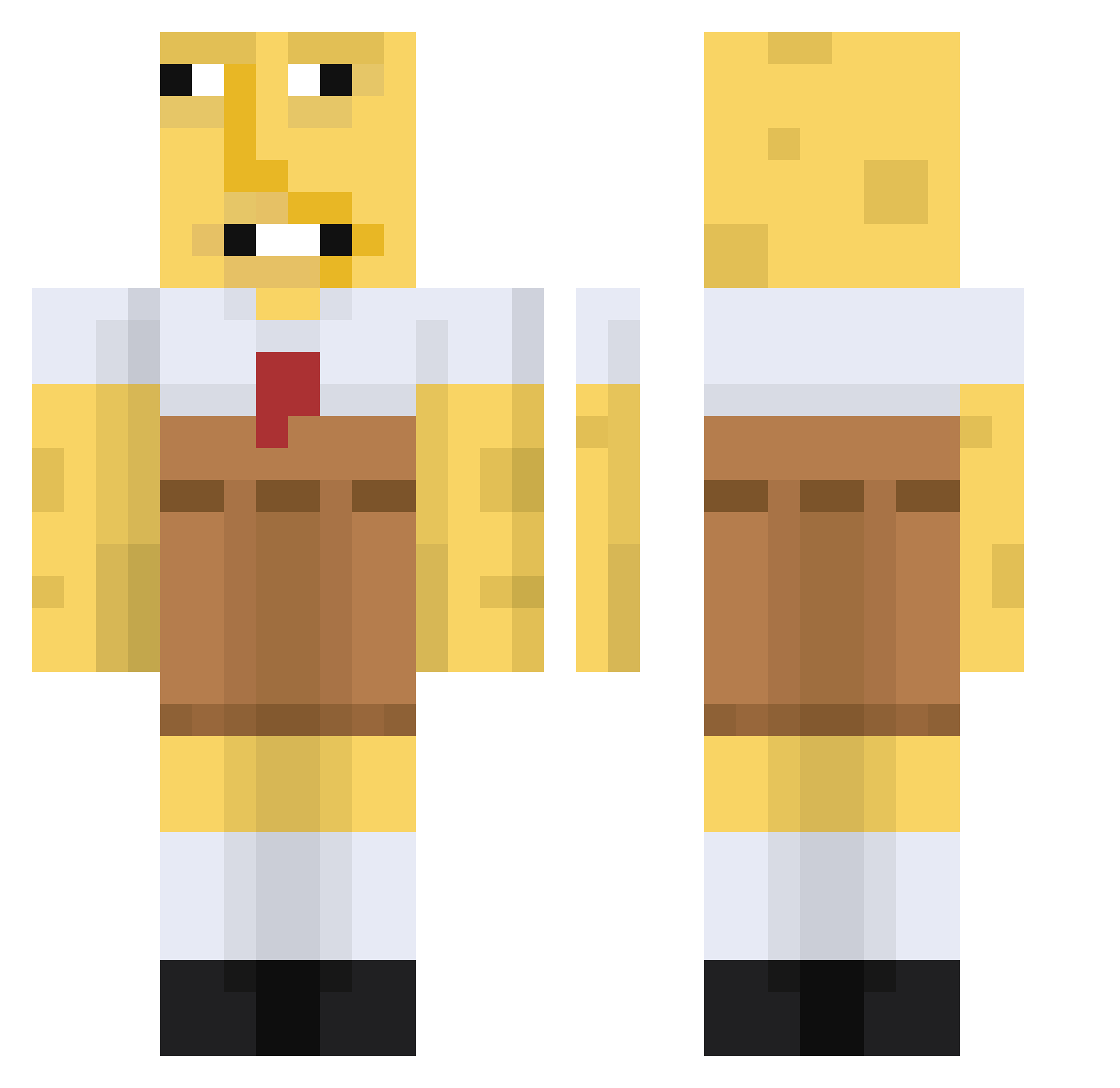
Current Minecraft skin of the player MasterofRandomK, loaded from the official Mojang API. Rotate the 3D model with your mouse or finger, then download the skin as a PNG file and use it in Minecraft: Bedrock Edition or Java Edition for free. When MasterofRandomK changes their skin, this page updates automatically and the old skin stays in the history below.
Other players with this skin (670)
MasterofRandomK was the 132nd player we have seen with this skin, first spotted on 12.08.2026. The same skin was seen on these players. Open a nickname to see their current skin and skin history.
 Uddop1 Evensa FFdog91 DxntFall Atrilla LiquidWat3r ItsNotMurphy Daniel679 RentnerSau AlfiePlumbsBum onemoegenn N1gh7_MO0NL1GH7 JripGaming Theo_GO HyeonBin74 zerotwoik SHIN0BIcz BreadBussy arro28597 RsBria OwnedByGustavo Yessir999 ExtremelyMan RedKatana714 Salifras Banarox LoveYouAllMyLife Luiphest TrollFraceur sommarbjorn MichaelWazowskii Jordan_Aus levelrice PrinceLucki Darnoc_Bokaj Its_Nub GKoo EdgyName69420 Lumassemoi aradsh98 MailMan7244 makosang dunnotbh6510 WhosMod kimhyeowoo11 kullivideo NotFinnaCap nNickdic nptune Nussman funnynoobkiller beannub DJJK666 SeaFlower5322 Busengrabscher major_selfish 1aihpos1 SanityDecays gustavovd Cronobruh
More Spongebob Minecraft skins
How to install the MasterofRandomK skin
- Press the Download button above to save the skin as a PNG file.
- Minecraft: Bedrock Edition (PE): open the Dressing Room from the main menu (or tap your character → Edit Character), go to Classic Skins → Owned, press the + (new skin) button, choose the downloaded PNG and pick the Classic (Steve) model. Works on PC and mobile; consoles cannot import custom skins.
- Minecraft: Java Edition: open the Minecraft Launcher, go to the Skins tab, click New Skin, load the PNG, pick the Classic (Steve) model and press Save & Use. You can also upload it at minecraft.net → Profile → Change Skin.
The skin does not show up after import - what should I do?
Restart Minecraft and open the Dressing Room again - imported skins sometimes appear only after a restart. Also make sure you selected the imported skin and picked the Classic (Steve) model.
Which model should I choose, Classic or Slim?
This skin is designed for the Classic (Steve) model. If you pick the wrong model, the arms of the skin will look stretched or squeezed.
Is the skin of MasterofRandomK free to download?
Yes. Press Download, save the PNG file and use it in Minecraft: Bedrock Edition or Java Edition - no payment or registration needed. The skin also works on multiplayer servers and Realms.
More skins
Looking for more? Go back to all Minecraft skins and check the top skins of the week, month and all time, or find any player's skin by nickname.