
Mast3r_B8ter - Minecraft Skins & Skin History
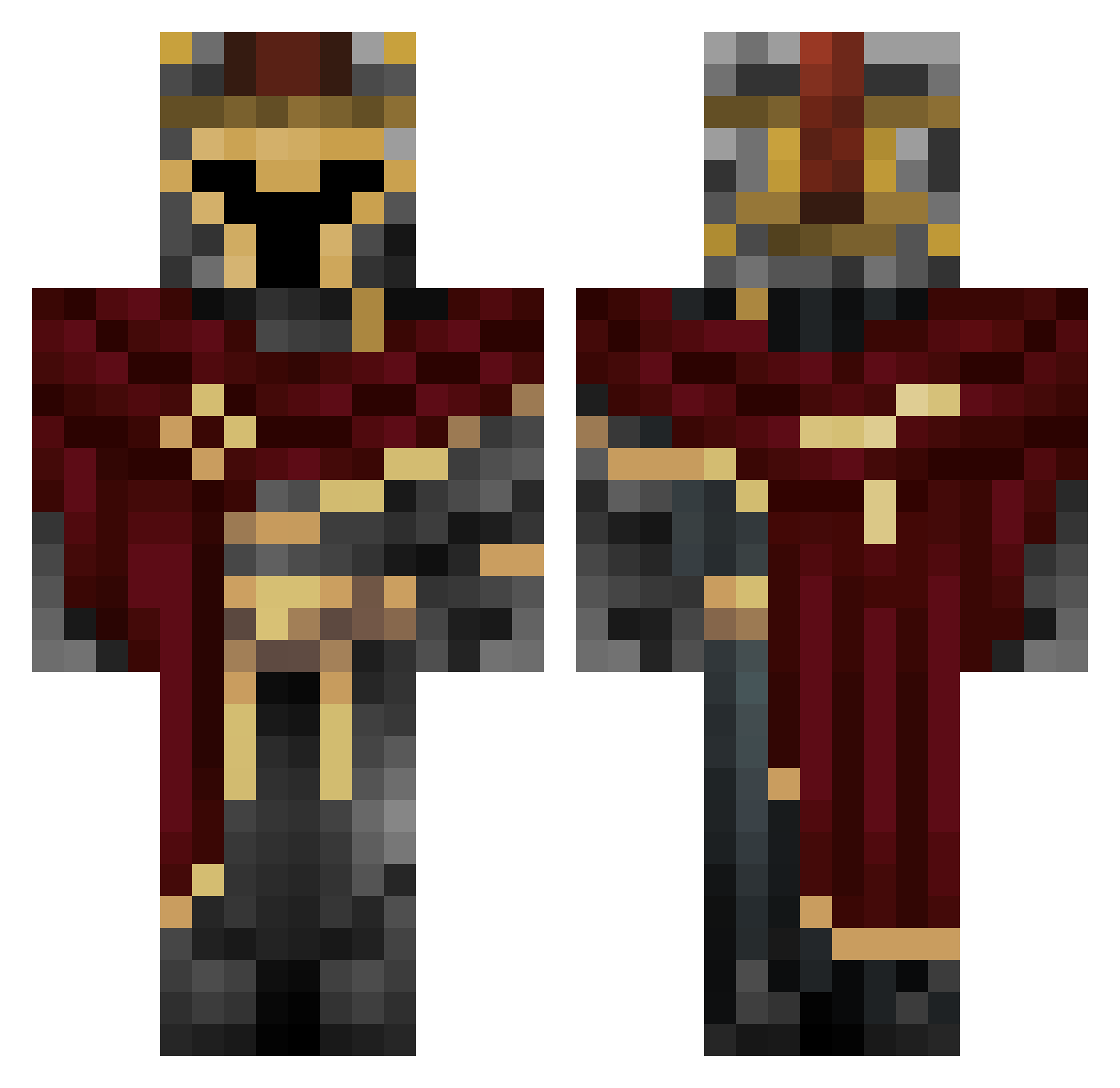
Current Minecraft skin of the player Mast3r_B8ter, loaded from the official Mojang API. Rotate the 3D model with your mouse or finger, then download the skin as a PNG file and use it in Minecraft: Bedrock Edition or Java Edition for free. When Mast3r_B8ter changes their skin, this page updates automatically and the old skin stays in the history below.
Other players with this skin (454)
Mast3r_B8ter was the 60th player we have seen with this skin, first spotted on 06.08.2026. The same skin was seen on these players. Open a nickname to see their current skin and skin history.
 OjectR RedCyanide_ Paopao8689 kriver17 Gold3n_Kn1ght taudinol Artix_PL ZN2898
 Evildrifteruk YungCarbo DUSISI DamiTambu HuhDuhSixHungeos O_CTL SpiderPrincess20 MyPull leleltd Wolfe2ev0
 tyleriswashed hype1536 Vendorr HotRodReaper U_N_KNO_W_N KevinVoo Steelbum Ivaxxa KVATH Pillager_officer Tymek721 AEB_shadow New20110810 Morfinafaso Keirushin Maliibi Oubei1 67BigC SrFreeDub Jaiden0417 Ultima_Xeno Junconeitor Lyre333
 Tonin_69 Maturbating VojtaO LegitTHANOS69 ParallelChain56 Astr0spy skibidiabmains Mashmacster Star_Fighter2006 stn_55 AlexplayzMC20 iHOO1 NotJimit Pan_mizeriak0 Youiter1 mgvg TRAVELEROP rougemerle Korvex158
More Spartan Minecraft skins
How to install the Mast3r_B8ter skin
- Press the Download button above to save the skin as a PNG file.
- Minecraft: Bedrock Edition (PE): open the Dressing Room from the main menu (or tap your character → Edit Character), go to Classic Skins → Owned, press the + (new skin) button, choose the downloaded PNG and pick the Classic (Steve) model. Works on PC and mobile; consoles cannot import custom skins.
- Minecraft: Java Edition: open the Minecraft Launcher, go to the Skins tab, click New Skin, load the PNG, pick the Classic (Steve) model and press Save & Use. You can also upload it at minecraft.net → Profile → Change Skin.
The skin does not show up after import - what should I do?
Restart Minecraft and open the Dressing Room again - imported skins sometimes appear only after a restart. Also make sure you selected the imported skin and picked the Classic (Steve) model.
Which model should I choose, Classic or Slim?
This skin is designed for the Classic (Steve) model. If you pick the wrong model, the arms of the skin will look stretched or squeezed.
Is the skin of Mast3r_B8ter free to download?
Yes. Press Download, save the PNG file and use it in Minecraft: Bedrock Edition or Java Edition - no payment or registration needed. The skin also works on multiplayer servers and Realms.
More skins
Looking for more? Go back to all Minecraft skins and check the top skins of the week, month and all time, or find any player's skin by nickname.