
Martooooo_ - Minecraft Skins & Skin History
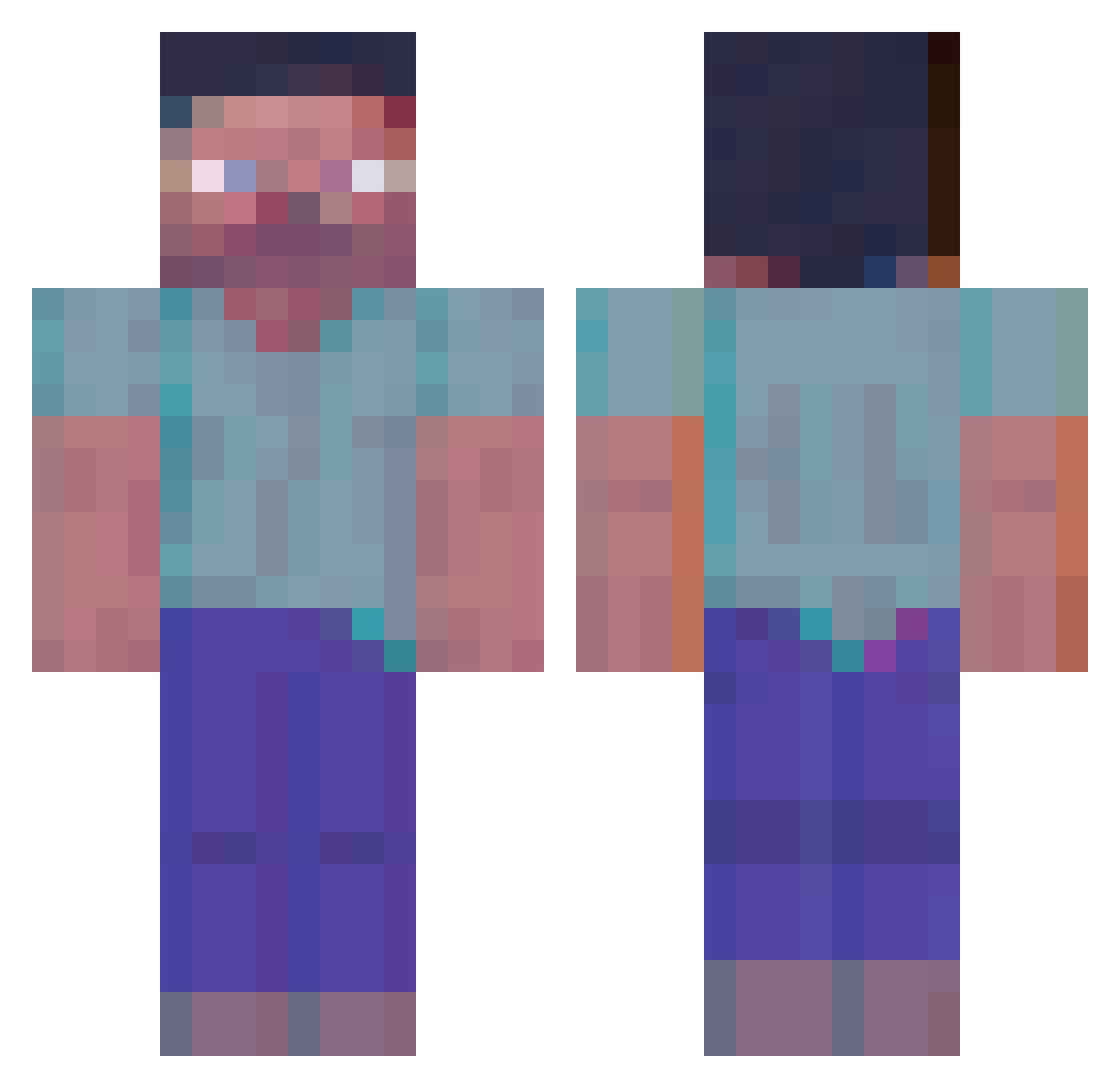
Current Minecraft skin of the player Martooooo_, loaded from the official Mojang API. Rotate the 3D model with your mouse or finger, then download the skin as a PNG file and use it in Minecraft: Bedrock Edition or Java Edition for free. When Martooooo_ changes their skin, this page updates automatically and the old skin stays in the history below.
Other players with this skin (364)
Martooooo_ was the 74th player we have seen with this skin, first spotted on 13.08.2026. The same skin was seen on these players. Open a nickname to see their current skin and skin history.
 Pro_S rupc bRaWn_99 CHead666 Taerp rooo1ee JoKab_irl Je_sse_ hexdu Wredengrad tanakahiroto NANDO7 TinkiWinki34 Pascaloubicou softmall SPUTNIK1027 Endre021 JACKPOST D0baking FoCuStjk irongolem498 GGAMJ calamon123 Bonker715 Spiritualbody babnyami Sloh realsili wioslo Mathi3uuu Safurai_Gold DyDou14 xImFreeZze NASTNAD SinMFive Vaiooo HalaDuriann imagineusinbed MJB1001 Fixfel Deerhunter131 Kamberlawww xPierreG0D Marijiuana Vanda_fbx Ekstaz Hopeye PearlLynx350471 ichang0 Lv_777 KubaBuleczka Held1236 moonfraek KalebC14 Skaaalll Vevonis hora2008 comtoo113 Nuttunkl WhitelistToday
More Herobrine Minecraft skins
How to install the Martooooo_ skin
- Press the Download button above to save the skin as a PNG file.
- Minecraft: Bedrock Edition (PE): open the Dressing Room from the main menu (or tap your character → Edit Character), go to Classic Skins → Owned, press the + (new skin) button, choose the downloaded PNG and pick the Classic (Steve) model. Works on PC and mobile; consoles cannot import custom skins.
- Minecraft: Java Edition: open the Minecraft Launcher, go to the Skins tab, click New Skin, load the PNG, pick the Classic (Steve) model and press Save & Use. You can also upload it at minecraft.net → Profile → Change Skin.
The skin does not show up after import - what should I do?
Restart Minecraft and open the Dressing Room again - imported skins sometimes appear only after a restart. Also make sure you selected the imported skin and picked the Classic (Steve) model.
Which model should I choose, Classic or Slim?
This skin is designed for the Classic (Steve) model. If you pick the wrong model, the arms of the skin will look stretched or squeezed.
Is the skin of Martooooo_ free to download?
Yes. Press Download, save the PNG file and use it in Minecraft: Bedrock Edition or Java Edition - no payment or registration needed. The skin also works on multiplayer servers and Realms.
More skins
Looking for more? Go back to all Minecraft skins and check the top skins of the week, month and all time, or find any player's skin by nickname.