
MariaFox - Minecraft Skins & Skin History
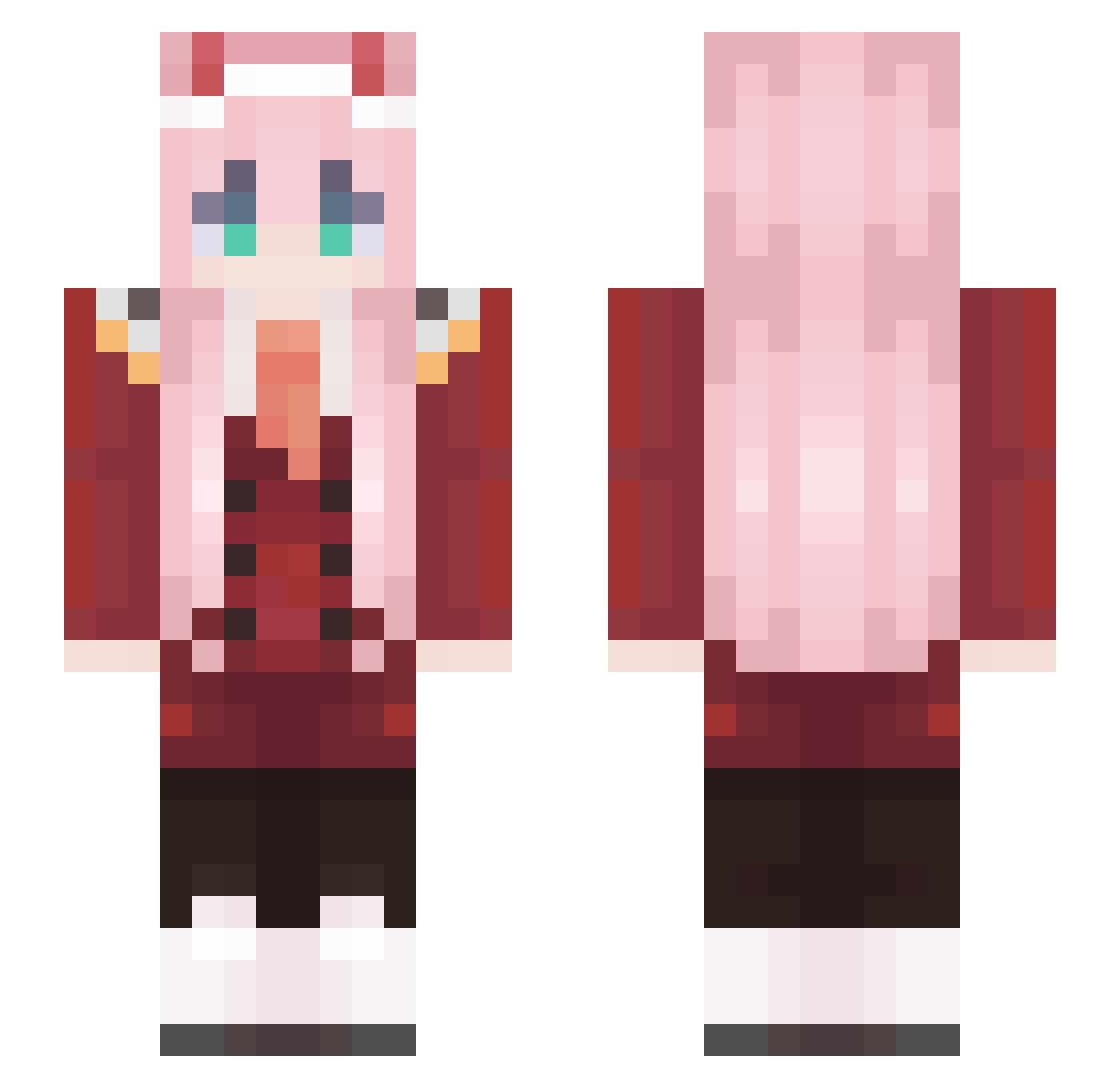
Current Minecraft skin of the player MariaFox, loaded from the official Mojang API. Rotate the 3D model with your mouse or finger, then download the skin as a PNG file and use it in Minecraft: Bedrock Edition or Java Edition for free. When MariaFox changes their skin, this page updates automatically and the old skin stays in the history below.
Other players with this skin (574)
MariaFox was the 298th player we have seen with this skin, first spotted on 22.09.2026. The same skin was seen on these players. Open a nickname to see their current skin and skin history.
 Feldmarszalek04 RSupriM KaykeWizarD matthi0u opa_gijs Ptys1a jessica030327 HEUNJJANG jiwoo091425 n7_osaOnInstgram AinaKa_ Hidden0401 AKidWithGlasses NLoLFo TseHsuan abab123417 Huuaaaaa Bopedebapi18 Pxmplxnxs iamdaisy126 M1tsuba Harley0947 drorito innoreen akang520 Shadow_wolf___ GuangTou0421 NPCSSSS Crazycraft08 Jake10 iDimsumi Gabrix_MC Senju_Sensei Triakho WangMilkSukiii BSPT85 Takanashii02 snoopprincess420 TheTommy360 Whatever_IX LucaWatt Gingito_Bandito 02Stepbro Dars567 HeroKang Angel_Dust002 Nico_Robin05 apple_detective listradoHD Healae_ TUzui Schermx NoobCola_tw Eman07123 LIDRIA beginner1991 slyde_E ZONCHITO barbarlehelal akkakka
More Zero Two Minecraft skins
How to install the MariaFox skin
- Press the Download button above to save the skin as a PNG file.
- Minecraft: Bedrock Edition (PE): open the Dressing Room from the main menu (or tap your character → Edit Character), go to Classic Skins → Owned, press the + (new skin) button, choose the downloaded PNG and pick the Slim (Alex) model. Works on PC and mobile; consoles cannot import custom skins.
- Minecraft: Java Edition: open the Minecraft Launcher, go to the Skins tab, click New Skin, load the PNG, pick the Slim (Alex) model and press Save & Use. You can also upload it at minecraft.net → Profile → Change Skin.
The skin does not show up after import - what should I do?
Restart Minecraft and open the Dressing Room again - imported skins sometimes appear only after a restart. Also make sure you selected the imported skin and picked the Slim (Alex) model.
Which model should I choose, Classic or Slim?
This skin is designed for the Slim (Alex) model. If you pick the wrong model, the arms of the skin will look stretched or squeezed.
Is the skin of MariaFox free to download?
Yes. Press Download, save the PNG file and use it in Minecraft: Bedrock Edition or Java Edition - no payment or registration needed. The skin also works on multiplayer servers and Realms.
More skins
Looking for more? Go back to all Minecraft skins and check the top skins of the week, month and all time, or find any player's skin by nickname.