
MarGRoll - Minecraft Skins & Skin History
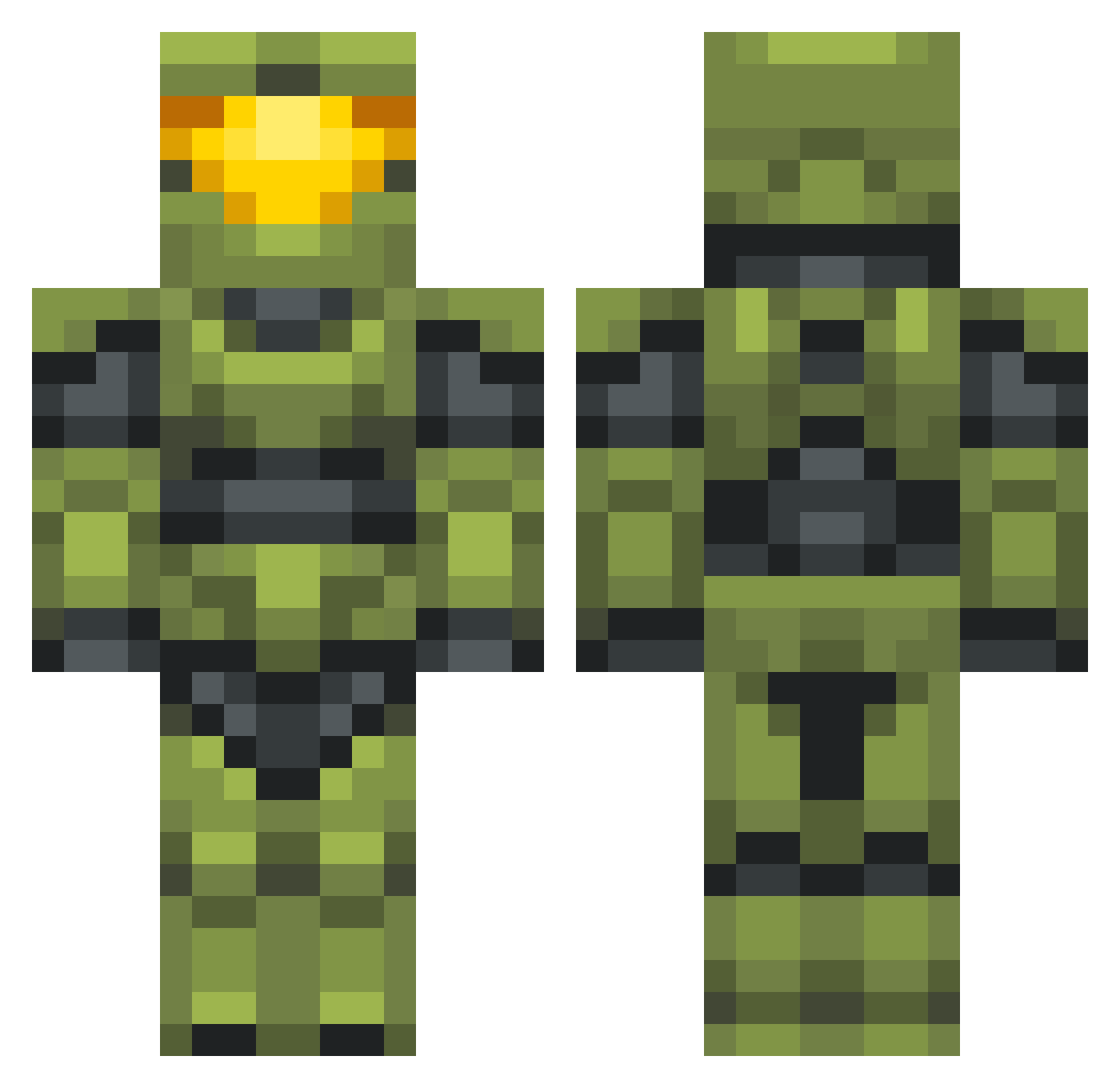
Current Minecraft skin of the player MarGRoll, loaded from the official Mojang API. Rotate the 3D model with your mouse or finger, then download the skin as a PNG file and use it in Minecraft: Bedrock Edition or Java Edition for free. When MarGRoll changes their skin, this page updates automatically and the old skin stays in the history below.
Other players with this skin (702)
MarGRoll was the 303rd player we have seen with this skin, first spotted on 14.09.2026. The same skin was seen on these players. Open a nickname to see their current skin and skin history.
 EpicGazelle Happy_Cakes06 michrw Fireysanwich Casual_Senpai Fred_the_Dragon Dust_Storm bfpb_777 dragon_lord_404 GruntledSpartan marley625 IronicDeath420 ShadeSlayer85 YaBoiPengu CaptainBDE TS251 ryan9292 _Fudgerino_ Juanp_3122 CobaHusky Mastercheifbro GodOfRainbows DBZaddict SrMuffinMan El_Scorcho_84 MintDonkey GBC_Artorias lufus1 daigual200 figsnewtons _Sureshot ComputerHax0r GAVOZI Booger21 TICKLEBISCUIT phantasma7 NAaronn YoungBook FuguFergo papeQc KardiacKemba jens_ed02 Americanb TacticalDog CrazyAspie FranPepper Johnnybro6 CobDAws2018 Yepainto SaudadeDreamz KallMeDub realequartz EdX51 Kancoia2 Jaredino8 PrinceOfBara AXL909 RobertCollins97 Reclaimer2677 nXLiZ4rD
More Master Chief Minecraft skins
See all 538 Master Chief skins
How to install the MarGRoll skin
- Press the Download button above to save the skin as a PNG file.
- Minecraft: Bedrock Edition (PE): open the Dressing Room from the main menu (or tap your character → Edit Character), go to Classic Skins → Owned, press the + (new skin) button, choose the downloaded PNG and pick the Classic (Steve) model. Works on PC and mobile; consoles cannot import custom skins.
- Minecraft: Java Edition: open the Minecraft Launcher, go to the Skins tab, click New Skin, load the PNG, pick the Classic (Steve) model and press Save & Use. You can also upload it at minecraft.net → Profile → Change Skin.
The skin does not show up after import - what should I do?
Restart Minecraft and open the Dressing Room again - imported skins sometimes appear only after a restart. Also make sure you selected the imported skin and picked the Classic (Steve) model.
Which model should I choose, Classic or Slim?
This skin is designed for the Classic (Steve) model. If you pick the wrong model, the arms of the skin will look stretched or squeezed.
Is the skin of MarGRoll free to download?
Yes. Press Download, save the PNG file and use it in Minecraft: Bedrock Edition or Java Edition - no payment or registration needed. The skin also works on multiplayer servers and Realms.
More skins
Looking for more? Go back to all Minecraft skins and check the top skins of the week, month and all time, or find any player's skin by nickname.