
MR2Z1 - Minecraft Skins & Skin History
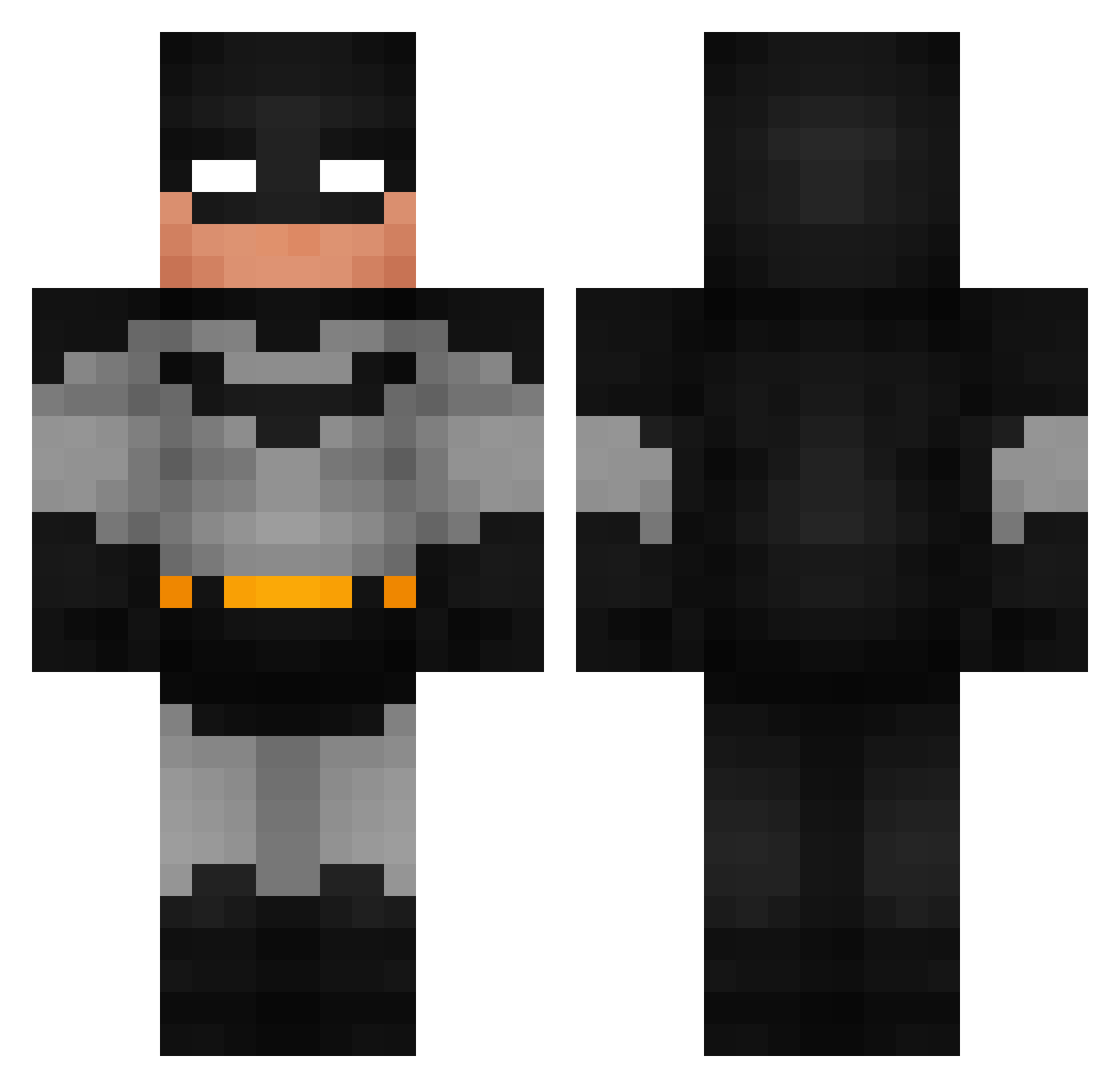
Current Minecraft skin of the player MR2Z1, loaded from the official Mojang API. Rotate the 3D model with your mouse or finger, then download the skin as a PNG file and use it in Minecraft: Bedrock Edition or Java Edition for free. When MR2Z1 changes their skin, this page updates automatically and the old skin stays in the history below.
Other players with this skin (946)
MR2Z1 was the 417th player we have seen with this skin, first spotted on 16.09.2026. The same skin was seen on these players. Open a nickname to see their current skin and skin history.
 Harm725 GoldenFelix7 xElmo_o pscch Besucher_FD walllex DarkNight_125 FLIPMANDHADERMIG D70_ CaptainCuchee Miuko16 Aureliefei ELSSUMASTER soupboi420 LeLiam333 Sokis7 luhnazzy OrangeJuice0980 ItsNashu24 Hadleybot nitroclaps LauToon joseeee24 n3yozin ToTheMaaaaax J3_Sepa K_mum BroHoes EZforKizzi trentongay Fohemiq SawCisseee batman9531 Mago_Loco DqKujo ChampiKch WyrrZzz Narak835 LlamaLord2530 Tayur2 Arthemus3 Felecx Shenix56 wrightpa JoacoG12 the_bean579 Aivin1007 NotchsLawyer Marteboss LaFlamaBlancaX ArthurABH MrAlex56 lPhxntoml JaydensMe atemircraft papo_1234 BakedBean010 DonMarqui EzraSmokinMyau kaled27
More Batman Minecraft skins
How to install the MR2Z1 skin
- Press the Download button above to save the skin as a PNG file.
- Minecraft: Bedrock Edition (PE): open the Dressing Room from the main menu (or tap your character → Edit Character), go to Classic Skins → Owned, press the + (new skin) button, choose the downloaded PNG and pick the Classic (Steve) model. Works on PC and mobile; consoles cannot import custom skins.
- Minecraft: Java Edition: open the Minecraft Launcher, go to the Skins tab, click New Skin, load the PNG, pick the Classic (Steve) model and press Save & Use. You can also upload it at minecraft.net → Profile → Change Skin.
The skin does not show up after import - what should I do?
Restart Minecraft and open the Dressing Room again - imported skins sometimes appear only after a restart. Also make sure you selected the imported skin and picked the Classic (Steve) model.
Which model should I choose, Classic or Slim?
This skin is designed for the Classic (Steve) model. If you pick the wrong model, the arms of the skin will look stretched or squeezed.
Is the skin of MR2Z1 free to download?
Yes. Press Download, save the PNG file and use it in Minecraft: Bedrock Edition or Java Edition - no payment or registration needed. The skin also works on multiplayer servers and Realms.
More skins
Looking for more? Go back to all Minecraft skins and check the top skins of the week, month and all time, or find any player's skin by nickname.