
MIGUELTALK - Minecraft Skins & Skin History
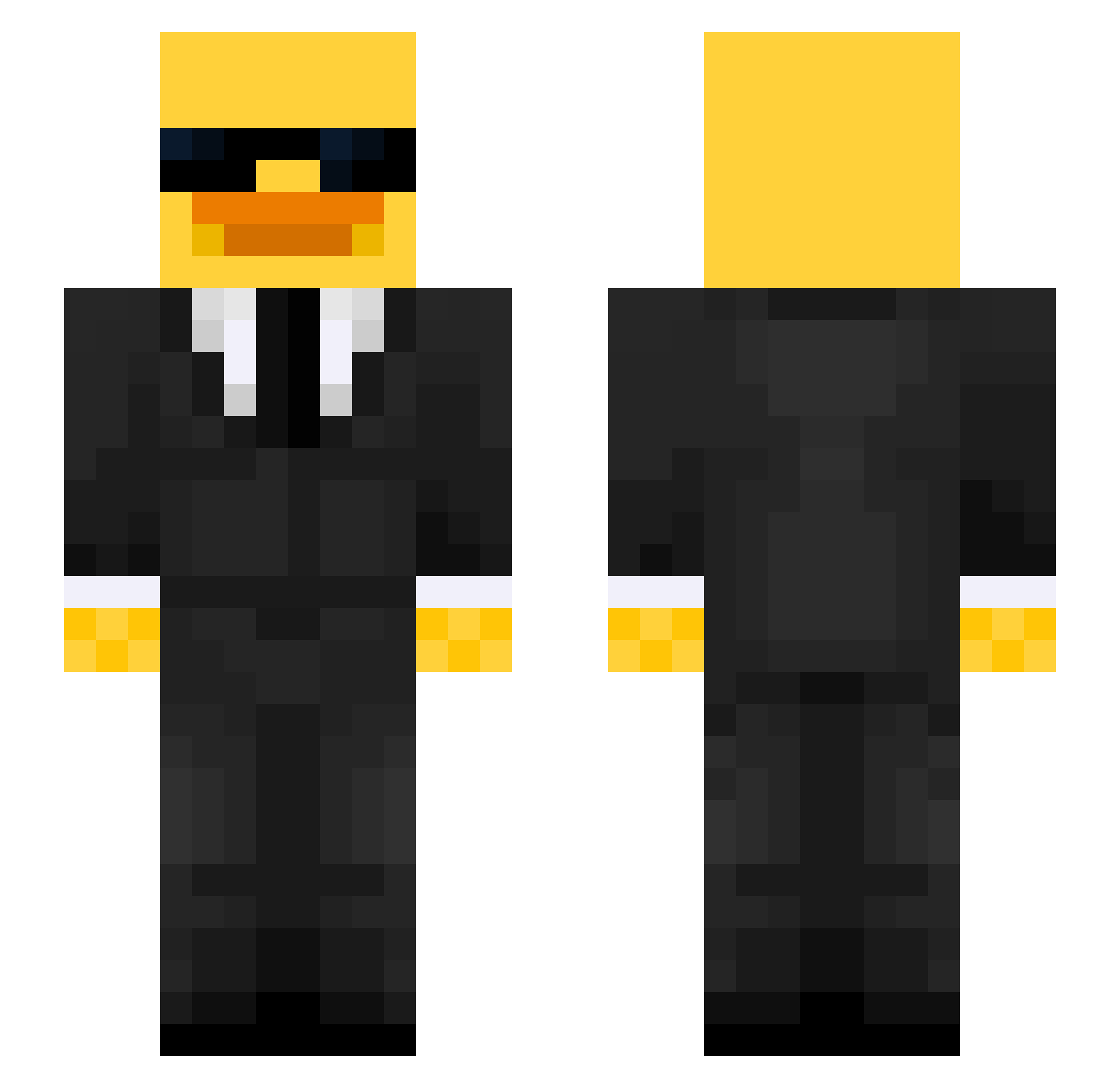
Current Minecraft skin of the player MIGUELTALK, loaded from the official Mojang API. Rotate the 3D model with your mouse or finger, then download the skin as a PNG file and use it in Minecraft: Bedrock Edition or Java Edition for free. When MIGUELTALK changes their skin, this page updates automatically and the old skin stays in the history below.
Other players with this skin (517)
MIGUELTALK was the 237th player we have seen with this skin, first spotted on 12.09.2026. The same skin was seen on these players. Open a nickname to see their current skin and skin history.
 verrallv ArrozCnPoll0 Flying_Fudge Ersanege victoria7853 Rocket453 Fishy_123456 Tommy24_LIVE bodencant X_Kacper_X XeG03 DRWISE Paprika_22 KillerMcPerrito Gabibourrin wqe3dq YoungZibi xtomb36 NEISH15 N1TR0_HADES 0MonkY0 Dede44 Mates_33 DDuDDii SUPERS13 EsMuyRapido MaiiTrolll Lemonyeti6 FabiPatocks its_blade707 MorgieMoooo Baseballkid2758 VoltVZN SavageBasil skxrta Mustang537 CraftyCorn101 jannik_1337 Restato21 FausTiX_ E7ACR om3r12 Shruben lingjue112 FANRONALDO2009 BUSEECAT da1uss norungji Santiago40394 Plume_14 nt_zak guigo12321 Eggfriedr1ce Franek_33 ansleyr16 ZH3N21 majmok432 Tanjisclif RickyBobby6090 Gh4zin444
More Duck Minecraft skins
How to install the MIGUELTALK skin
- Press the Download button above to save the skin as a PNG file.
- Minecraft: Bedrock Edition (PE): open the Dressing Room from the main menu (or tap your character → Edit Character), go to Classic Skins → Owned, press the + (new skin) button, choose the downloaded PNG and pick the Slim (Alex) model. Works on PC and mobile; consoles cannot import custom skins.
- Minecraft: Java Edition: open the Minecraft Launcher, go to the Skins tab, click New Skin, load the PNG, pick the Slim (Alex) model and press Save & Use. You can also upload it at minecraft.net → Profile → Change Skin.
The skin does not show up after import - what should I do?
Restart Minecraft and open the Dressing Room again - imported skins sometimes appear only after a restart. Also make sure you selected the imported skin and picked the Slim (Alex) model.
Which model should I choose, Classic or Slim?
This skin is designed for the Slim (Alex) model. If you pick the wrong model, the arms of the skin will look stretched or squeezed.
Is the skin of MIGUELTALK free to download?
Yes. Press Download, save the PNG file and use it in Minecraft: Bedrock Edition or Java Edition - no payment or registration needed. The skin also works on multiplayer servers and Realms.
More skins
Looking for more? Go back to all Minecraft skins and check the top skins of the week, month and all time, or find any player's skin by nickname.