
MARI0247 - Minecraft Skins & Skin History
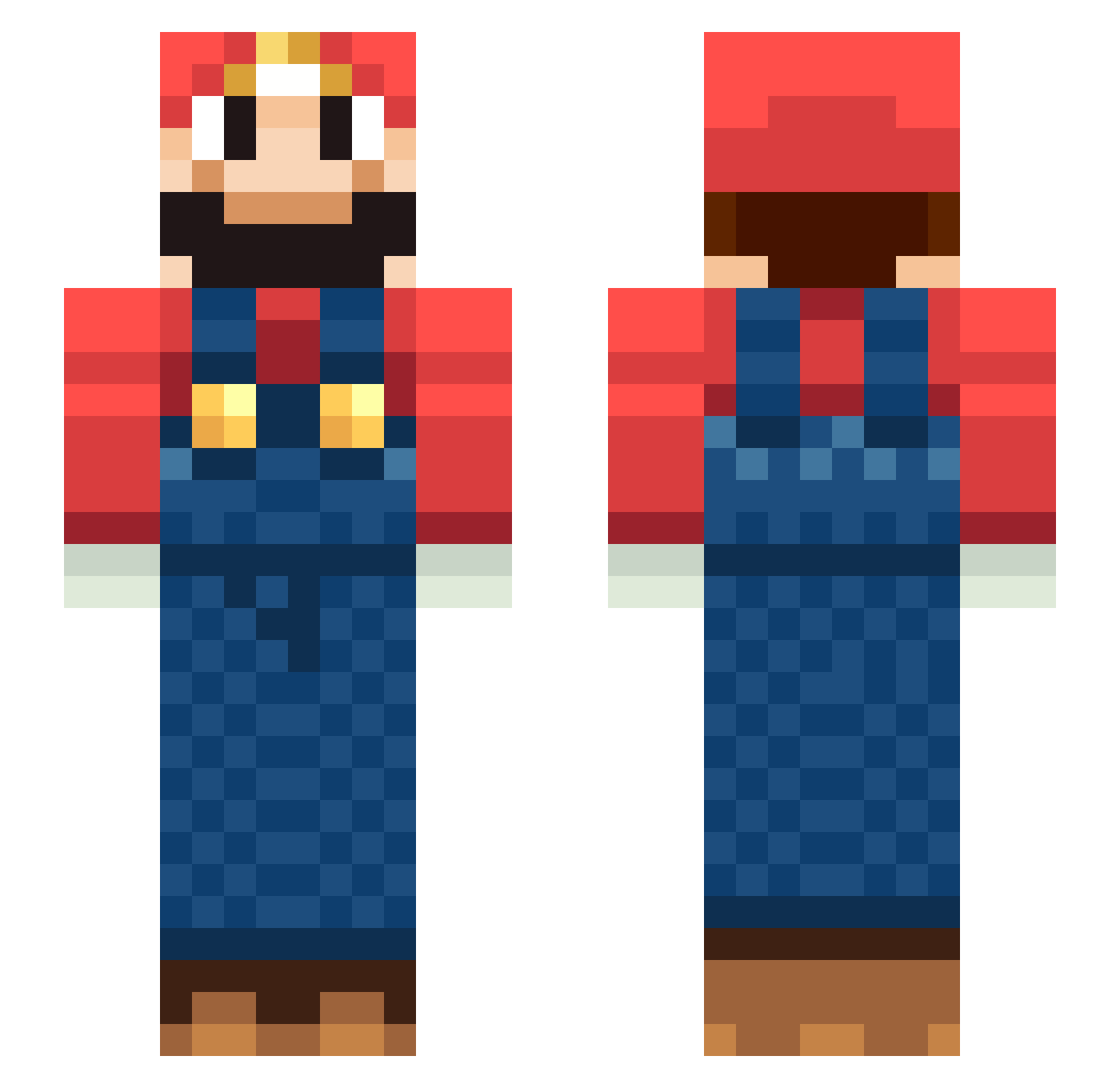
Current Minecraft skin of the player MARI0247, loaded from the official Mojang API. Rotate the 3D model with your mouse or finger, then download the skin as a PNG file and use it in Minecraft: Bedrock Edition or Java Edition for free. When MARI0247 changes their skin, this page updates automatically and the old skin stays in the history below.
Other players with this skin (229)
MARI0247 was the 36th player we have seen with this skin, first spotted on 10.08.2026. The same skin was seen on these players. Open a nickname to see their current skin and skin history.
 TheArbitar117 ga_sco 6alalloo L44ks JB__24 CANDYFOKIDS Jummmi Gartenschlauch88 QuelTipoAlPC T6Jonas soda8138 7188 Zilies raph992 Leah59 Najman1721 ylaoshi Tommy_139 seosangbyung Don_Maxime PlatinumPotato17 cicero090 rista7767 marioluigi64 spike202 INANNA2070 Takeos93 gonobobel Itsmr1
 yakisobapan23 Drg23 NoMore_Caffeine Derek30 Gucheng123 shin2820 _Lenny_x herculess255 cuscuz404 DomassKimchi poopddd kedmoteen ImYasser vitteshthedog Circuite paolo062 gmc011 TalhaX Wikey1 Different_Heaven baba77127 TheRemarkable1 Jhonvict Mario_Ibz hogarden9 grodanbollan Yasumiya RM0910 MarioMCL_ HardBulion Burak_Usta
More Nintendo Minecraft skins
How to install the MARI0247 skin
- Press the Download button above to save the skin as a PNG file.
- Minecraft: Bedrock Edition (PE): open the Dressing Room from the main menu (or tap your character → Edit Character), go to Classic Skins → Owned, press the + (new skin) button, choose the downloaded PNG and pick the Slim (Alex) model. Works on PC and mobile; consoles cannot import custom skins.
- Minecraft: Java Edition: open the Minecraft Launcher, go to the Skins tab, click New Skin, load the PNG, pick the Slim (Alex) model and press Save & Use. You can also upload it at minecraft.net → Profile → Change Skin.
The skin does not show up after import - what should I do?
Restart Minecraft and open the Dressing Room again - imported skins sometimes appear only after a restart. Also make sure you selected the imported skin and picked the Slim (Alex) model.
Which model should I choose, Classic or Slim?
This skin is designed for the Slim (Alex) model. If you pick the wrong model, the arms of the skin will look stretched or squeezed.
Is the skin of MARI0247 free to download?
Yes. Press Download, save the PNG file and use it in Minecraft: Bedrock Edition or Java Edition - no payment or registration needed. The skin also works on multiplayer servers and Realms.
More skins
Looking for more? Go back to all Minecraft skins and check the top skins of the week, month and all time, or find any player's skin by nickname.