
M4tty_00 - Minecraft Skins & Skin History
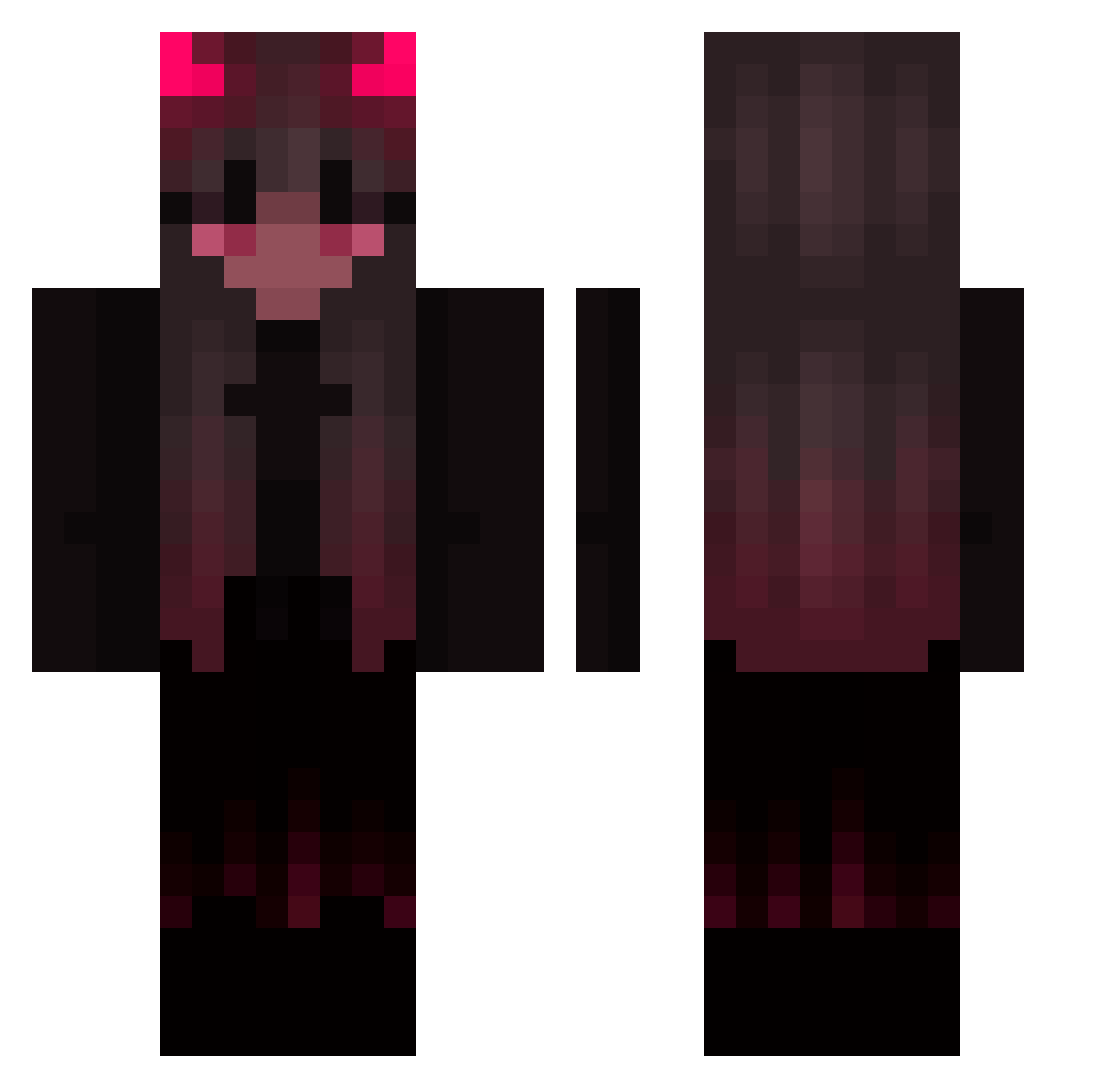
Current Minecraft skin of the player M4tty_00, loaded from the official Mojang API. Rotate the 3D model with your mouse or finger, then download the skin as a PNG file and use it in Minecraft: Bedrock Edition or Java Edition for free. When M4tty_00 changes their skin, this page updates automatically and the old skin stays in the history below.
Other players with this skin (422)
M4tty_00 was the 397th player we have seen with this skin, first spotted on 26.10.2026. The same skin was seen on these players. Open a nickname to see their current skin and skin history.
 sickkibou bobo7179 Ninja763 werkove Jbeezy_23 infamousresT Luxury1609 LilaGL Higginsville retsuomaru_ DevilGuy666 Ray_Akiyama Nora9soi ShroudOS Grizmous EdenFafa naqano zatrhsitheiqolpt MrsBlank21 raeox NotarLy xImPrinze bazukha sarah2hoe Skootish Lieden82 UR4chan IGLERENCAKIR marry3021 Saku_chan tteresu justinmfk PapaLynch GGWARP Ghxzi SkaEwe Itz_Kaneki Shy_x3 bonikssv 4923 Wasoxx 9J9 Justixx000 Falor12 CatLoaf03 Mikasax3 Kayy516 Vynja JoinMyCult69 EasedBuckle1861 _MoonBerryy LittleCrawFish Diabouh Cyberpunk_live GALNERU poopinuvo EmilyBlonde Zoe_crystal SelicaIX XEL_YT
More Demon Minecraft skins
How to install the M4tty_00 skin
- Press the Download button above to save the skin as a PNG file.
- Minecraft: Bedrock Edition (PE): open the Dressing Room from the main menu (or tap your character → Edit Character), go to Classic Skins → Owned, press the + (new skin) button, choose the downloaded PNG and pick the Classic (Steve) model. Works on PC and mobile; consoles cannot import custom skins.
- Minecraft: Java Edition: open the Minecraft Launcher, go to the Skins tab, click New Skin, load the PNG, pick the Classic (Steve) model and press Save & Use. You can also upload it at minecraft.net → Profile → Change Skin.
The skin does not show up after import - what should I do?
Restart Minecraft and open the Dressing Room again - imported skins sometimes appear only after a restart. Also make sure you selected the imported skin and picked the Classic (Steve) model.
Which model should I choose, Classic or Slim?
This skin is designed for the Classic (Steve) model. If you pick the wrong model, the arms of the skin will look stretched or squeezed.
Is the skin of M4tty_00 free to download?
Yes. Press Download, save the PNG file and use it in Minecraft: Bedrock Edition or Java Edition - no payment or registration needed. The skin also works on multiplayer servers and Realms.
More skins
Looking for more? Go back to all Minecraft skins and check the top skins of the week, month and all time, or find any player's skin by nickname.