
Luka52 - Minecraft Skins & Skin History
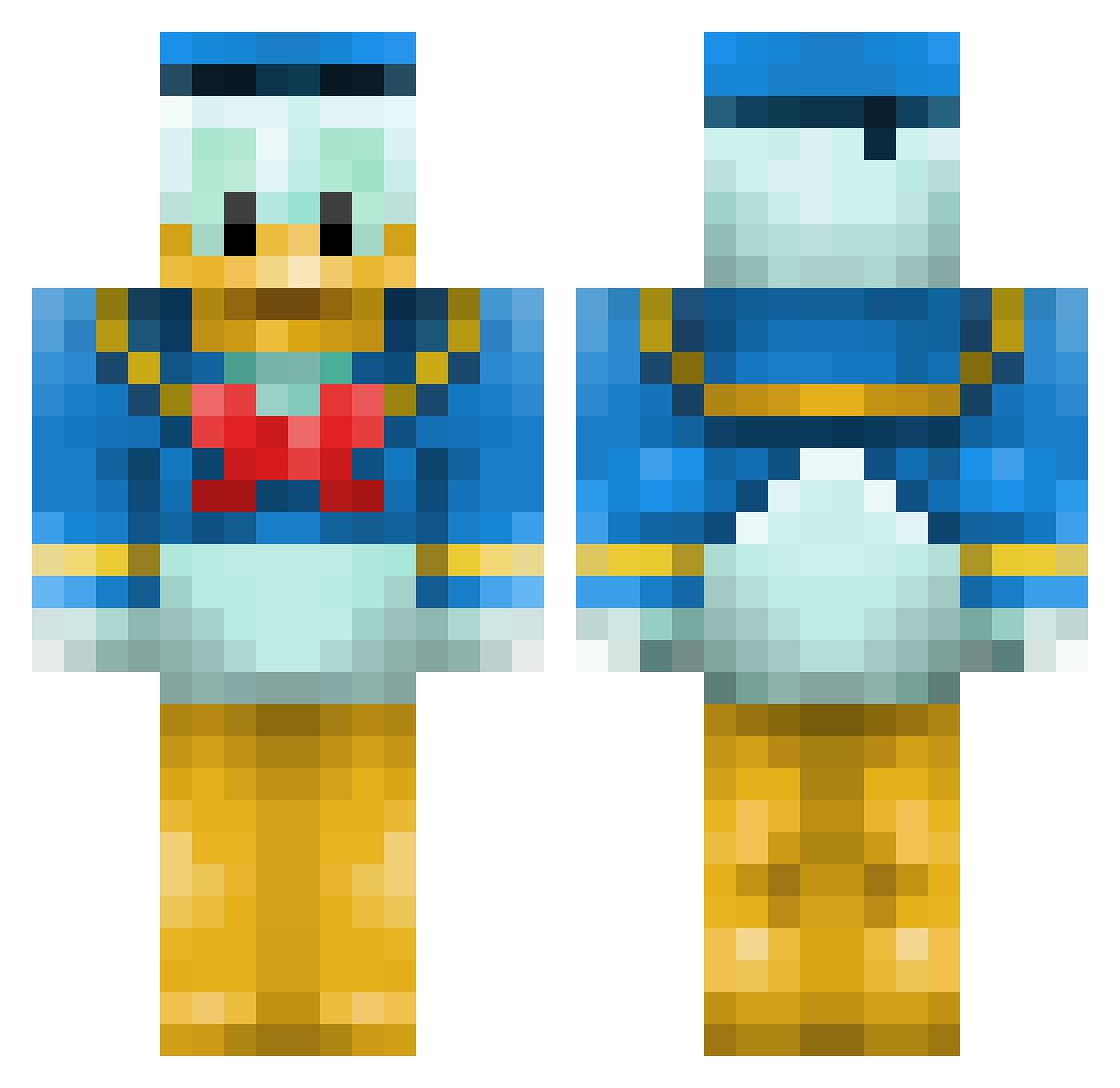
Current Minecraft skin of the player Luka52, loaded from the official Mojang API. Rotate the 3D model with your mouse or finger, then download the skin as a PNG file and use it in Minecraft: Bedrock Edition or Java Edition for free. When Luka52 changes their skin, this page updates automatically and the old skin stays in the history below.
Other players with this skin (660)
Luka52 was the 239th player we have seen with this skin, first spotted on 01.09.2026. The same skin was seen on these players. Open a nickname to see their current skin and skin history.
 himawari555 mlorp kasspop Grroom Oggmonster raianbronson WilleW2000 zsiicom Borchi33 hikkel EviISquirreI Craft3r Phoenixente Niels_Danmark ant0n1999 Likios pierroth tta003 Salat_Pirat Lukeiiz yd1143 typravi mcandelori33 Schwelli860 DOKTORGRANTELBAR chubby_skeletor Enalya NESGirl MonsieurCanard PackGod rjreed Danieljakobsen1 hibiki_s SkowsiQ duckspike Aequalix CliveBarker sillyboy38 Gtotherant Wijnaldinho jakomolot yahii mtrevisan rise_gu3sh M4GiiZz Gamer6065 DarkRuler1990 Y32p0rr JonesXYZ DevanDaBomb cf7dxx WarioxHd gtofan74 Frostlord321 SirNibs23 Pemttax lukeslaya7 AMuffinMassacre Bloupiou b0rkeh
More Donald Duck Minecraft skins
How to install the Luka52 skin
- Press the Download button above to save the skin as a PNG file.
- Minecraft: Bedrock Edition (PE): open the Dressing Room from the main menu (or tap your character → Edit Character), go to Classic Skins → Owned, press the + (new skin) button, choose the downloaded PNG and pick the Classic (Steve) model. Works on PC and mobile; consoles cannot import custom skins.
- Minecraft: Java Edition: open the Minecraft Launcher, go to the Skins tab, click New Skin, load the PNG, pick the Classic (Steve) model and press Save & Use. You can also upload it at minecraft.net → Profile → Change Skin.
The skin does not show up after import - what should I do?
Restart Minecraft and open the Dressing Room again - imported skins sometimes appear only after a restart. Also make sure you selected the imported skin and picked the Classic (Steve) model.
Which model should I choose, Classic or Slim?
This skin is designed for the Classic (Steve) model. If you pick the wrong model, the arms of the skin will look stretched or squeezed.
Is the skin of Luka52 free to download?
Yes. Press Download, save the PNG file and use it in Minecraft: Bedrock Edition or Java Edition - no payment or registration needed. The skin also works on multiplayer servers and Realms.
More skins
Looking for more? Go back to all Minecraft skins and check the top skins of the week, month and all time, or find any player's skin by nickname.