
Love_Senpai - Minecraft Skins & Skin History
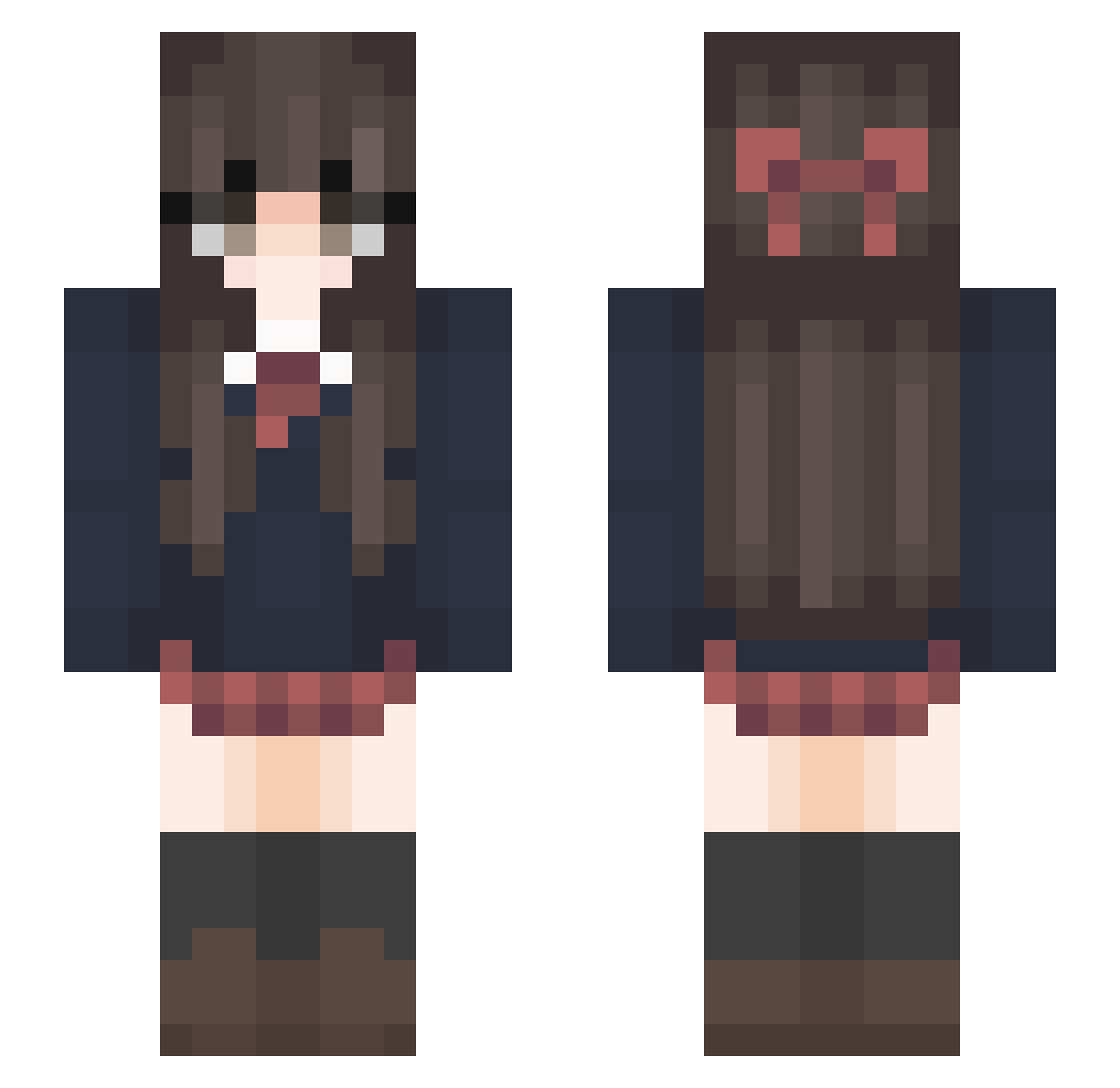
Current Minecraft skin of the player Love_Senpai, loaded from the official Mojang API. Rotate the 3D model with your mouse or finger, then download the skin as a PNG file and use it in Minecraft: Bedrock Edition or Java Edition for free. When Love_Senpai changes their skin, this page updates automatically and the old skin stays in the history below.
Other players with this skin (241)
Love_Senpai was the 129th player we have seen with this skin, first spotted on 22.09.2026. The same skin was seen on these players. Open a nickname to see their current skin and skin history.
 _Hylie_ Crisax_ rwaarr tylersus TDS_MaRok MelindaP16 Kopquake Atsuke_ Feer_Castro matthew7208 lalalalion1234 Charibotte Sambac Nightsky666 Reesewarp briannalawleyy Miu_Miyu FreeHolyHub CRYINGV silie psvxd Hikariame1 yeonhwa197 Aleyna236 xymax QledNoJb Yukino4545 box_combo Zerdek Chinesemalo HANDSOME_OTTO juan_arbuckle esyena Vladantz Bellarin6 MapleNe Meronpan25 102drag BrennanFitz Panddolin Taiki0119 Emi_Senpaii _sandy_c rixdah SDGwM_0428 TUKUYOMI8686 Coryskittle Killua6568 Grillex182 LeVassal adwag MatressGuyy YoungRaiden vyko2 Maipomuu Alyssa2385 Guanlai Amnesia_Soul MicroMiner77 Anmoul_QWQ
More Bow Minecraft skins
How to install the Love_Senpai skin
- Press the Download button above to save the skin as a PNG file.
- Minecraft: Bedrock Edition (PE): open the Dressing Room from the main menu (or tap your character → Edit Character), go to Classic Skins → Owned, press the + (new skin) button, choose the downloaded PNG and pick the Slim (Alex) model. Works on PC and mobile; consoles cannot import custom skins.
- Minecraft: Java Edition: open the Minecraft Launcher, go to the Skins tab, click New Skin, load the PNG, pick the Slim (Alex) model and press Save & Use. You can also upload it at minecraft.net → Profile → Change Skin.
The skin does not show up after import - what should I do?
Restart Minecraft and open the Dressing Room again - imported skins sometimes appear only after a restart. Also make sure you selected the imported skin and picked the Slim (Alex) model.
Which model should I choose, Classic or Slim?
This skin is designed for the Slim (Alex) model. If you pick the wrong model, the arms of the skin will look stretched or squeezed.
Is the skin of Love_Senpai free to download?
Yes. Press Download, save the PNG file and use it in Minecraft: Bedrock Edition or Java Edition - no payment or registration needed. The skin also works on multiplayer servers and Realms.
More skins
Looking for more? Go back to all Minecraft skins and check the top skins of the week, month and all time, or find any player's skin by nickname.