
LombardiTD - Minecraft Skins & Skin History
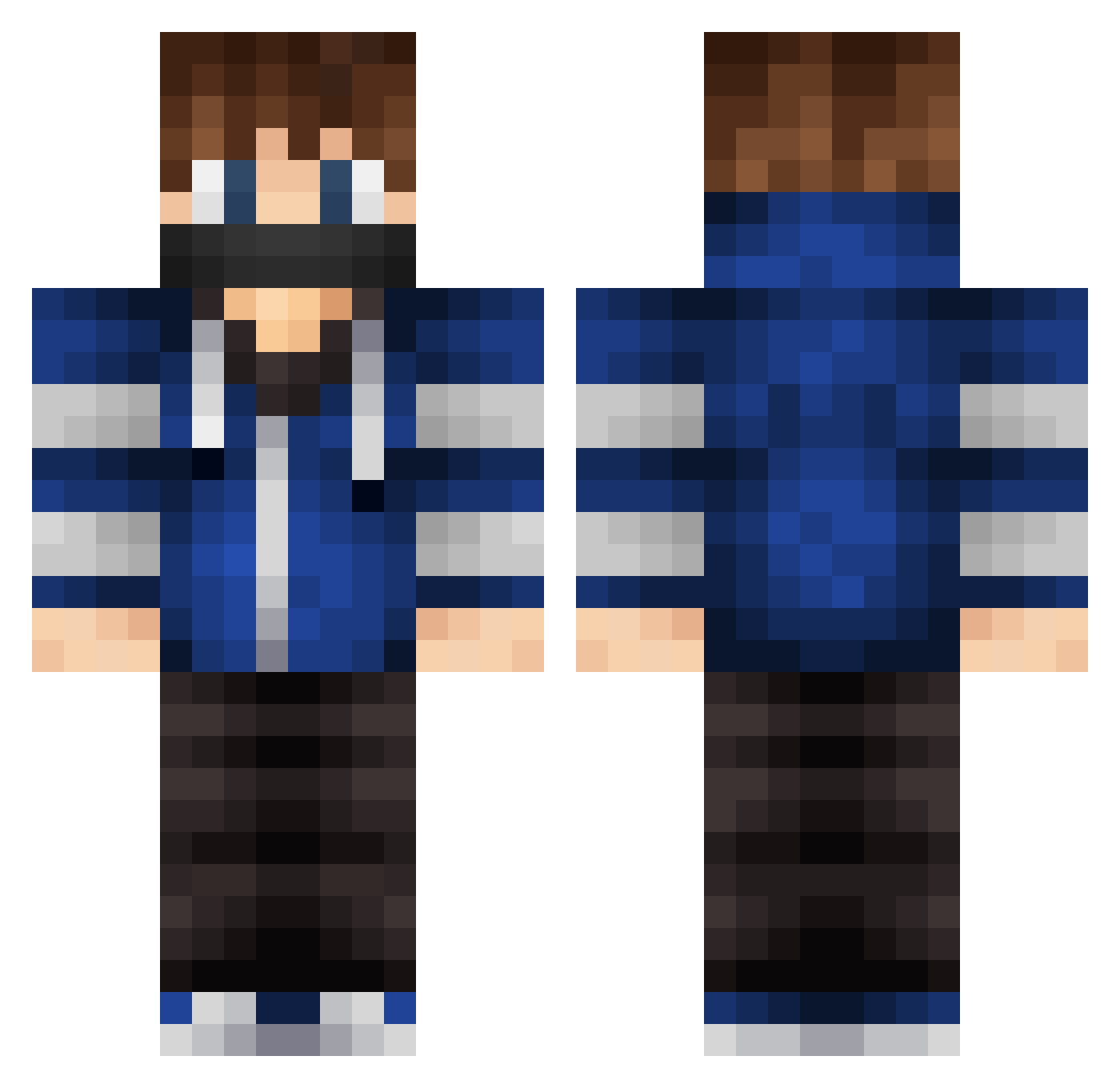
Current Minecraft skin of the player LombardiTD, loaded from the official Mojang API. Rotate the 3D model with your mouse or finger, then download the skin as a PNG file and use it in Minecraft: Bedrock Edition or Java Edition for free. When LombardiTD changes their skin, this page updates automatically and the old skin stays in the history below.
Other players with this skin (579)
LombardiTD was the 212th player we have seen with this skin, first spotted on 12.09.2026. The same skin was seen on these players. Open a nickname to see their current skin and skin history.
 DaReGh0 Kapitein2003 EpicBrian jullema Matxuss fire943 Dxviin ShawtieIkuto tylerdeath Rantanate Rampage_9 Adrian1606 DylanTheRacer Sharingan_Gamer fat_guy_ sky_pro_nl Peppmann Kino_Sample SwipeerCraftHD PluralizeGaming Screzzy L4rso Conzales Theokilher564 xkjp14 xxHugoxx Rymdis12 secreto13 ErayArk_ Andyy1976 Guydude555 lBumfuzzle GetTheOof JavierGamerPro x_MitchellvdB_x hype789 freezermink _MattPlayzMc_ Biku_qwq EpicViolin447 Alan2230 Pontus10 AkyMc_06 Zimnaco1000 DDGAMER21 psycho_watusi HarryLLL LARSsensation503 jovanchia123 xXRealmsHDXx mark_82 hugooscow noi11 PRESO_BG MortensenGamer Goldmitt88 shadows13 Optimizes Itzthe_pvpNooB tyyv
More Mask Minecraft skins
How to install the LombardiTD skin
- Press the Download button above to save the skin as a PNG file.
- Minecraft: Bedrock Edition (PE): open the Dressing Room from the main menu (or tap your character → Edit Character), go to Classic Skins → Owned, press the + (new skin) button, choose the downloaded PNG and pick the Classic (Steve) model. Works on PC and mobile; consoles cannot import custom skins.
- Minecraft: Java Edition: open the Minecraft Launcher, go to the Skins tab, click New Skin, load the PNG, pick the Classic (Steve) model and press Save & Use. You can also upload it at minecraft.net → Profile → Change Skin.
The skin does not show up after import - what should I do?
Restart Minecraft and open the Dressing Room again - imported skins sometimes appear only after a restart. Also make sure you selected the imported skin and picked the Classic (Steve) model.
Which model should I choose, Classic or Slim?
This skin is designed for the Classic (Steve) model. If you pick the wrong model, the arms of the skin will look stretched or squeezed.
Is the skin of LombardiTD free to download?
Yes. Press Download, save the PNG file and use it in Minecraft: Bedrock Edition or Java Edition - no payment or registration needed. The skin also works on multiplayer servers and Realms.
More skins
Looking for more? Go back to all Minecraft skins and check the top skins of the week, month and all time, or find any player's skin by nickname.