
Loganator553 - Minecraft Skins & Skin History
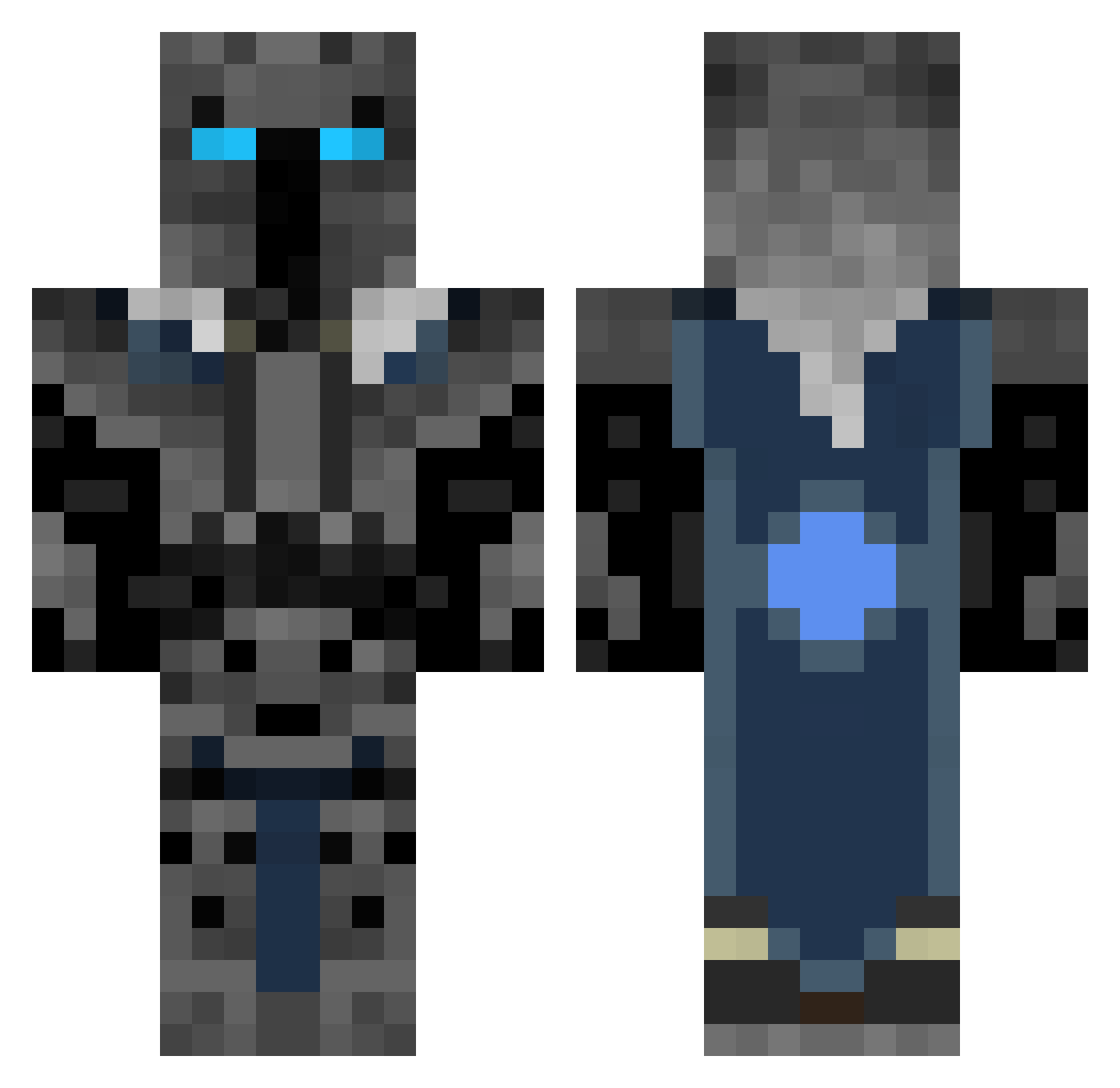
Current Minecraft skin of the player Loganator553, loaded from the official Mojang API. Rotate the 3D model with your mouse or finger, then download the skin as a PNG file and use it in Minecraft: Bedrock Edition or Java Edition for free. When Loganator553 changes their skin, this page updates automatically and the old skin stays in the history below.
Other players with this skin (313)
Loganator553 was the 107th player we have seen with this skin, first spotted on 30.08.2026. The same skin was seen on these players. Open a nickname to see their current skin and skin history.
 TheQiqi Ygeobuk 0beyAce ChrisTDM Dreadknight957 lucaswelsh BigBrainBill1 blakewitha4 Tocino_122 HalfLifeGuy100 1_Diego_1 kr0bvs spongegar86 Drew639 technoswore Zbonethug tako827 flamemaker3000 Br_0wut AnOddPotatoBoi Semamut AlphaFire88 _SME g4m1ngmasterr deathking009 polarb0w the_BIG_BASTRD efkminecraft50 EDAWGss Banshee4133 Firehunter000 BAROS_1999 Polishcow2113 eshvkb defong RAF138 yucominfast4062 brandocommando53 Arinrand SaucyNoodle18 ZEDRYICE1 sansthecomic757
 PotatoIsOp orangewriter JoePoe121 sertpro Pshycopatate13 Gage_wick yeetifiedcheese arcai iLoveMyself1987 Zade91 dankE3268 Kirbyl0ver Jokes31 SPIDERVE villlans maximusprime252 Plovered Darklukz
More Knight Minecraft skins
How to install the Loganator553 skin
- Press the Download button above to save the skin as a PNG file.
- Minecraft: Bedrock Edition (PE): open the Dressing Room from the main menu (or tap your character → Edit Character), go to Classic Skins → Owned, press the + (new skin) button, choose the downloaded PNG and pick the Classic (Steve) model. Works on PC and mobile; consoles cannot import custom skins.
- Minecraft: Java Edition: open the Minecraft Launcher, go to the Skins tab, click New Skin, load the PNG, pick the Classic (Steve) model and press Save & Use. You can also upload it at minecraft.net → Profile → Change Skin.
The skin does not show up after import - what should I do?
Restart Minecraft and open the Dressing Room again - imported skins sometimes appear only after a restart. Also make sure you selected the imported skin and picked the Classic (Steve) model.
Which model should I choose, Classic or Slim?
This skin is designed for the Classic (Steve) model. If you pick the wrong model, the arms of the skin will look stretched or squeezed.
Is the skin of Loganator553 free to download?
Yes. Press Download, save the PNG file and use it in Minecraft: Bedrock Edition or Java Edition - no payment or registration needed. The skin also works on multiplayer servers and Realms.
More skins
Looking for more? Go back to all Minecraft skins and check the top skins of the week, month and all time, or find any player's skin by nickname.