
LezGay - Minecraft Skins & Skin History
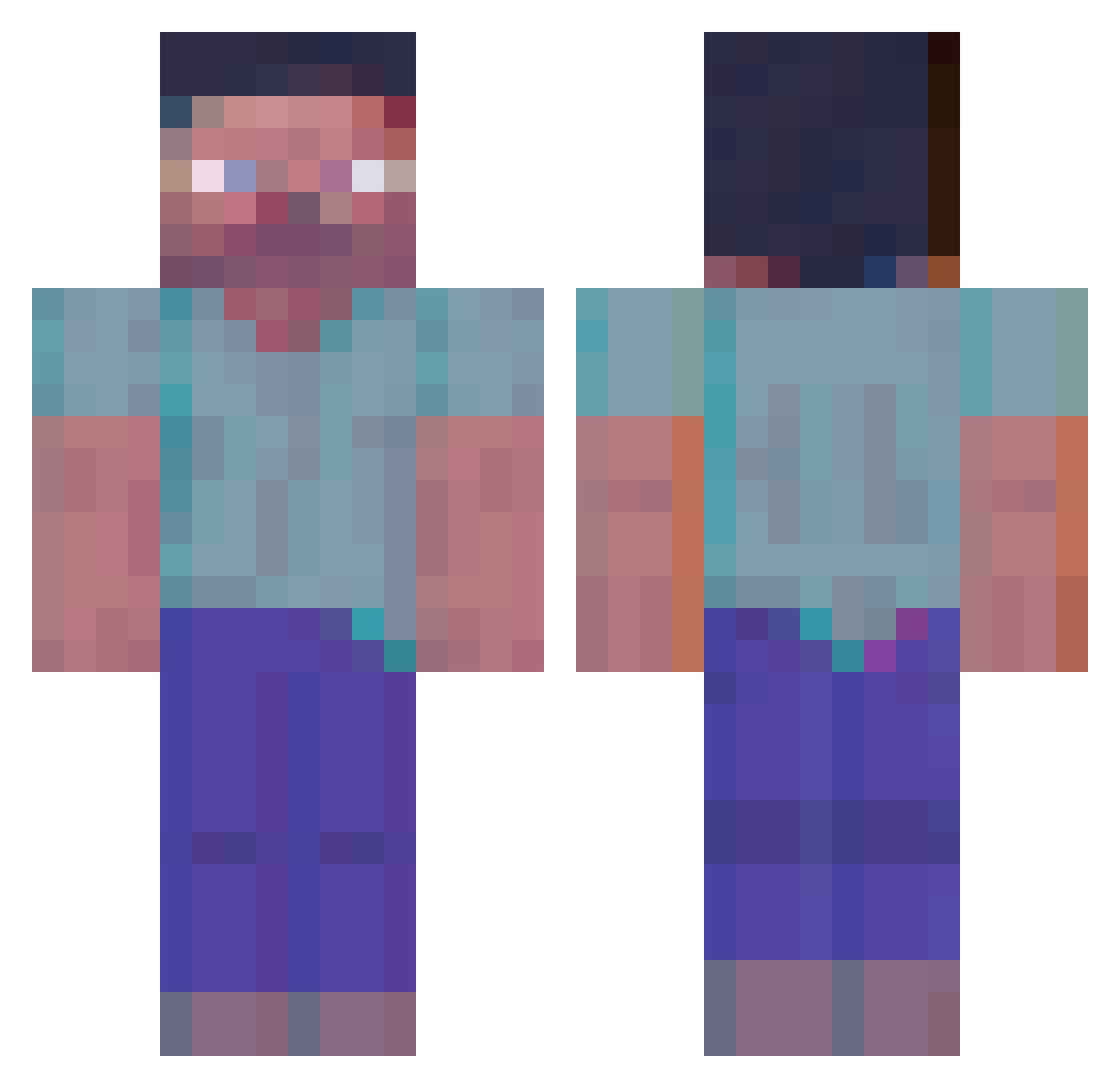
Current Minecraft skin of the player LezGay, loaded from the official Mojang API. Rotate the 3D model with your mouse or finger, then download the skin as a PNG file and use it in Minecraft: Bedrock Edition or Java Edition for free. When LezGay changes their skin, this page updates automatically and the old skin stays in the history below.
Other players with this skin (364)
LezGay was the 176th player we have seen with this skin, first spotted on 15.09.2026. The same skin was seen on these players. Open a nickname to see their current skin and skin history.
 DenVerSk8er Voyagerr_xaw Kratos_01 The1Mak Curcio KING425 JxckStiil Vizumatv4hoda aaronzendex Humb3rt0 BybLik04 TheVladas Th3EnderDr4gon RAMK44 DumDurn yekehT IMCQRN Tifus228 DownZo NB_BigBang PaleFamine Didiideas Rybbon RandomDood AstroNauticus alexxxgribx YungChestnut Dielectricc Piopopro vary_scary SnakerI mrcnwk 13700kf zhirikshtern Octolimg B16A2 Aestroo_ aeroplanething zonsan AkiraM1ya Major_32cm Gzeng1 Wilya ItsHectical DJTownend ax1lus WhatPig CHUP1T0 gwanu OnlyGravity jinhu02 noxmundi Altryve Chopsee4421 Carlangoso12 Atsuyo__ dimonDalbaeb exstezy CoozStardust IgnasFTW
More Herobrine Minecraft skins
How to install the LezGay skin
- Press the Download button above to save the skin as a PNG file.
- Minecraft: Bedrock Edition (PE): open the Dressing Room from the main menu (or tap your character → Edit Character), go to Classic Skins → Owned, press the + (new skin) button, choose the downloaded PNG and pick the Classic (Steve) model. Works on PC and mobile; consoles cannot import custom skins.
- Minecraft: Java Edition: open the Minecraft Launcher, go to the Skins tab, click New Skin, load the PNG, pick the Classic (Steve) model and press Save & Use. You can also upload it at minecraft.net → Profile → Change Skin.
The skin does not show up after import - what should I do?
Restart Minecraft and open the Dressing Room again - imported skins sometimes appear only after a restart. Also make sure you selected the imported skin and picked the Classic (Steve) model.
Which model should I choose, Classic or Slim?
This skin is designed for the Classic (Steve) model. If you pick the wrong model, the arms of the skin will look stretched or squeezed.
Is the skin of LezGay free to download?
Yes. Press Download, save the PNG file and use it in Minecraft: Bedrock Edition or Java Edition - no payment or registration needed. The skin also works on multiplayer servers and Realms.
More skins
Looking for more? Go back to all Minecraft skins and check the top skins of the week, month and all time, or find any player's skin by nickname.