
Lava01 - Minecraft Skins & Skin History
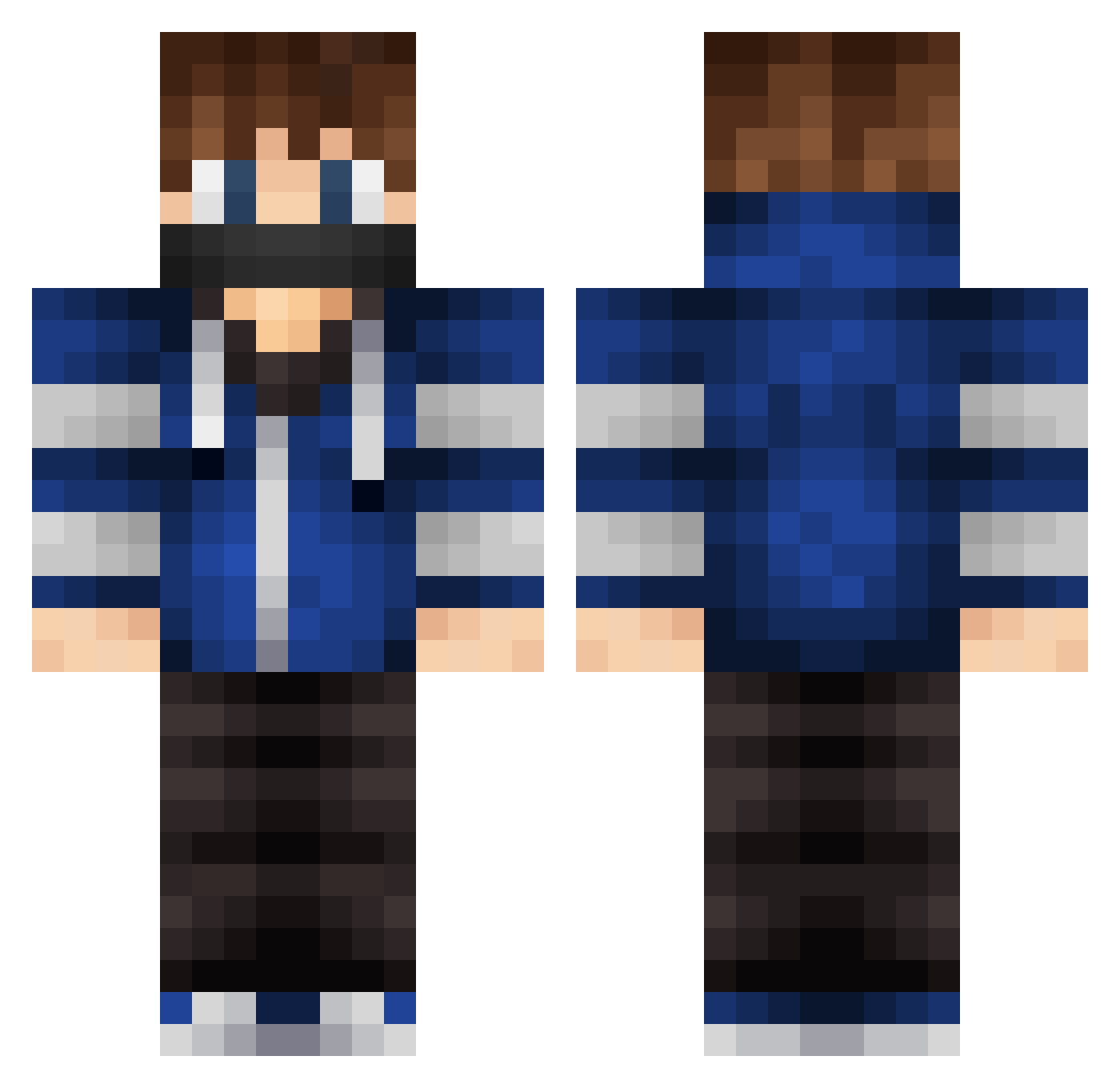
Current Minecraft skin of the player Lava01, loaded from the official Mojang API. Rotate the 3D model with your mouse or finger, then download the skin as a PNG file and use it in Minecraft: Bedrock Edition or Java Edition for free. When Lava01 changes their skin, this page updates automatically and the old skin stays in the history below.
Other players with this skin (578)
Lava01 was the 26th player we have seen with this skin, first spotted on 29.07.2026. The same skin was seen on these players. Open a nickname to see their current skin and skin history.
 bram_wally_vdb MrIknowitallj221 kwonghanchon JJoopi Emilgru08 cashtyles54 Death_Process kuggu Cat_gamerHD Breigner01 ElgordoCHAK Chef_Luka30 adri_05_kr Swaggerton_OG milow123 ComputerGeeking Weitje74 M1K3L2004 BeCoolOrGoAway isakjohannesson Shidonae OskarH06 LogoXanthos IDuvan bahaokz Entity2k3 themisterbuster CAPTAINVMC herrmannjonas Jeckot DeathBySky Skeli_bob larsminer12 KillingMaster weaslerrr sebastianak koeniscool5 KingBlueBoom MinecraftGirl921 MSP_NL mashedtaterbrain ItzJacbo_ Maceo102 ThemHooks Xbros_Line Boldest Natan2007 goldlover7 lingeboy mikail809 ZacksUniverse AnotherChanell BiboyCG DarkRising100 xXLeon_de Darce223 catofdoom44 chong_mak RelaxinHD Xblayzer286
More Mask Minecraft skins
How to install the Lava01 skin
- Press the Download button above to save the skin as a PNG file.
- Minecraft: Bedrock Edition (PE): open the Dressing Room from the main menu (or tap your character → Edit Character), go to Classic Skins → Owned, press the + (new skin) button, choose the downloaded PNG and pick the Classic (Steve) model. Works on PC and mobile; consoles cannot import custom skins.
- Minecraft: Java Edition: open the Minecraft Launcher, go to the Skins tab, click New Skin, load the PNG, pick the Classic (Steve) model and press Save & Use. You can also upload it at minecraft.net → Profile → Change Skin.
The skin does not show up after import - what should I do?
Restart Minecraft and open the Dressing Room again - imported skins sometimes appear only after a restart. Also make sure you selected the imported skin and picked the Classic (Steve) model.
Which model should I choose, Classic or Slim?
This skin is designed for the Classic (Steve) model. If you pick the wrong model, the arms of the skin will look stretched or squeezed.
Is the skin of Lava01 free to download?
Yes. Press Download, save the PNG file and use it in Minecraft: Bedrock Edition or Java Edition - no payment or registration needed. The skin also works on multiplayer servers and Realms.
More skins
Looking for more? Go back to all Minecraft skins and check the top skins of the week, month and all time, or find any player's skin by nickname.