
Ksioka - Minecraft Skins & Skin History
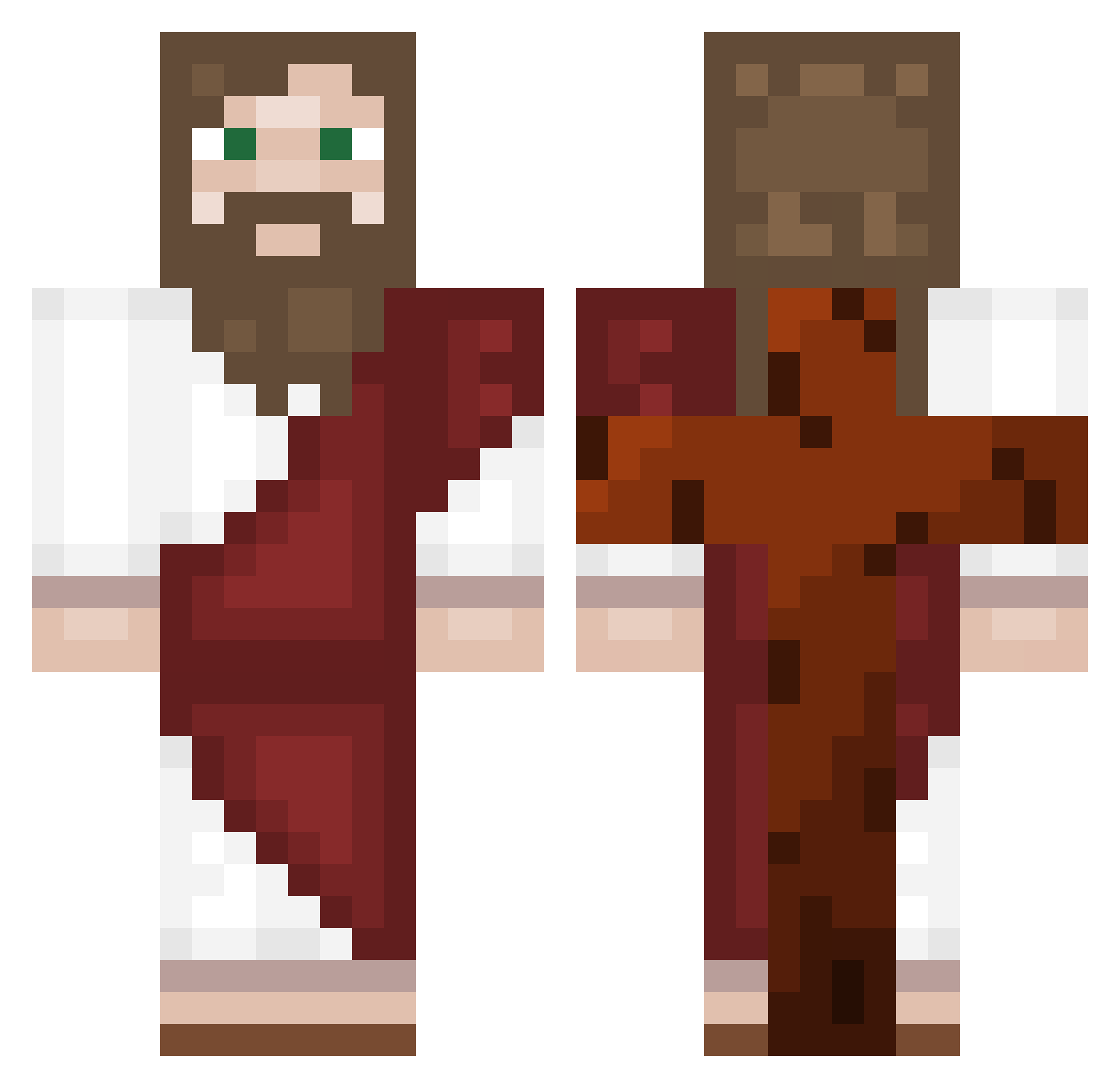
Current Minecraft skin of the player Ksioka, loaded from the official Mojang API. Rotate the 3D model with your mouse or finger, then download the skin as a PNG file and use it in Minecraft: Bedrock Edition or Java Edition for free. When Ksioka changes their skin, this page updates automatically and the old skin stays in the history below.
Other players with this skin (557)
Ksioka was the 140th player we have seen with this skin, first spotted on 22.08.2026. The same skin was seen on these players. Open a nickname to see their current skin and skin history.
 OriginalRizT lukitadamian777 OEGO777 LordNelson04 Da_is_best maiky133 NANOXDXP XxColonizerxX Davi_Antunes Olowz zYoumi kasztan_tak Pistoleto Kaiquebraga11 BIGPPLORD123 Haru9265 __Jesus_ Waroo007 itzEndless ocean3353305 barney28 GDF1601 Agamidae Stepka_GOD mtw1gs kelyan5 siemenscold JTG600 JANUARY0714 KassouX59 Veanril Tagoculiao Ucandemir SpaghettiWes muraaata
 makezt BB_fatboy kitai727 ThKerem CHOBANIMUS
 Leon_Westerveld NOT_santiago Mlody2115 MrMarsel
 MTDwins G3mma_12 JUJUUJ Flinq_ Sh4dow_15 PanMalone H_bert TheyCxllMeKing B_Gae Jacobiuss _Annas_
 iZayrox789 Coldarm_ hursock methrxd CavanRich9
More Biblical Minecraft skins
How to install the Ksioka skin
- Press the Download button above to save the skin as a PNG file.
- Minecraft: Bedrock Edition (PE): open the Dressing Room from the main menu (or tap your character → Edit Character), go to Classic Skins → Owned, press the + (new skin) button, choose the downloaded PNG and pick the Classic (Steve) model. Works on PC and mobile; consoles cannot import custom skins.
- Minecraft: Java Edition: open the Minecraft Launcher, go to the Skins tab, click New Skin, load the PNG, pick the Classic (Steve) model and press Save & Use. You can also upload it at minecraft.net → Profile → Change Skin.
The skin does not show up after import - what should I do?
Restart Minecraft and open the Dressing Room again - imported skins sometimes appear only after a restart. Also make sure you selected the imported skin and picked the Classic (Steve) model.
Which model should I choose, Classic or Slim?
This skin is designed for the Classic (Steve) model. If you pick the wrong model, the arms of the skin will look stretched or squeezed.
Is the skin of Ksioka free to download?
Yes. Press Download, save the PNG file and use it in Minecraft: Bedrock Edition or Java Edition - no payment or registration needed. The skin also works on multiplayer servers and Realms.
More skins
Looking for more? Go back to all Minecraft skins and check the top skins of the week, month and all time, or find any player's skin by nickname.