
KrulHutykatowice - Minecraft Skins & Skin History
Current Minecraft skin of the player KrulHutykatowice, loaded from the official Mojang API. Rotate the 3D model with your mouse or finger, then download the skin as a PNG file and use it in Minecraft: Bedrock Edition or Java Edition for free. When KrulHutykatowice changes their skin, this page updates automatically and the old skin stays in the history below.
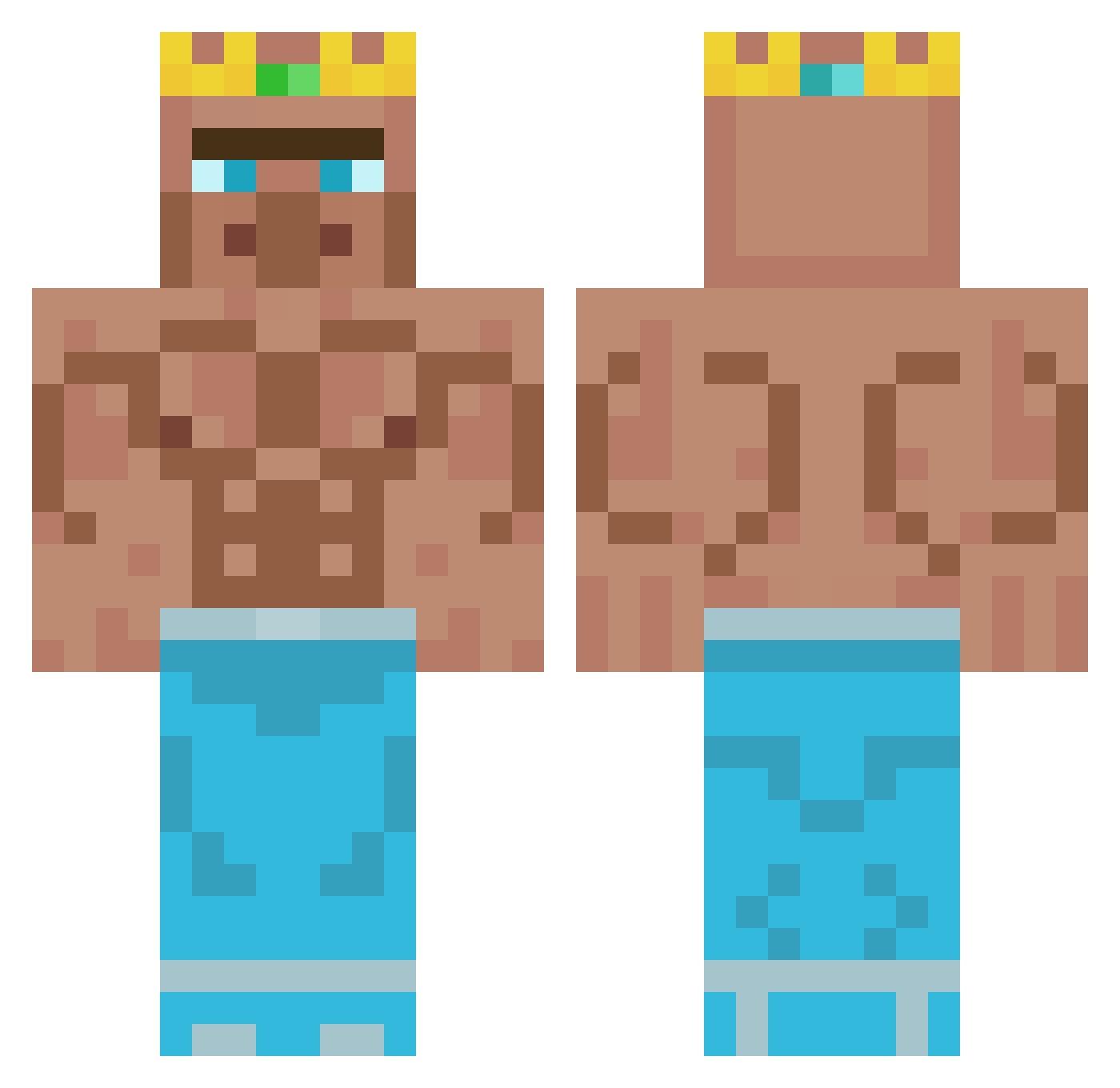
Other players with this skin (348)
KrulHutykatowice was the 258th player we have seen with this skin, first spotted on 04.10.2026. The same skin was seen on these players. Open a nickname to see their current skin and skin history.
 EclipseMadara mikolaj09q A754363 lbockhorny Gokhan_Memis Lmanburg aliosman57 Yeeeeeeblock Pxbli Logan6797 KingRath Zashaboi Yasuo_chun Molukkerr TereBOOM sammekebammeke1 GamerRandom leo20100816 Cobralord2156 PanPuszysty BabyYodaJuan Plewel dani518d Shadicee murre0998 Crazy_Luck28 serekman MathMut_la_flute Shawno2484 Big_Jorgen HellForcee rionold aktiver_Zizzy EnimeX SINTHA6IX Walks2K 0cupuss nnova831 Simpatheman River11As confad3 PLOORL xNyck CT850 WeKaJay nobelman_drag Stewzah AndyMessi98 Blade_is_blade 712yang SoldierYOLO CetrikvanDarm Kipschnitzel558 lolek401 PUPPERGUTZ SlackKibbles Linuzilla IggyKing2 Joncho_o Kitannaa
More Buff Minecraft skins
How to install the KrulHutykatowice skin
- Press the Download button above to save the skin as a PNG file.
- Minecraft: Bedrock Edition (PE): open the Dressing Room from the main menu (or tap your character → Edit Character), go to Classic Skins → Owned, press the + (new skin) button, choose the downloaded PNG and pick the Classic (Steve) model. Works on PC and mobile; consoles cannot import custom skins.
- Minecraft: Java Edition: open the Minecraft Launcher, go to the Skins tab, click New Skin, load the PNG, pick the Classic (Steve) model and press Save & Use. You can also upload it at minecraft.net → Profile → Change Skin.
The skin does not show up after import - what should I do?
Restart Minecraft and open the Dressing Room again - imported skins sometimes appear only after a restart. Also make sure you selected the imported skin and picked the Classic (Steve) model.
Which model should I choose, Classic or Slim?
This skin is designed for the Classic (Steve) model. If you pick the wrong model, the arms of the skin will look stretched or squeezed.
Is the skin of KrulHutykatowice free to download?
Yes. Press Download, save the PNG file and use it in Minecraft: Bedrock Edition or Java Edition - no payment or registration needed. The skin also works on multiplayer servers and Realms.
More skins
Looking for more? Go back to all Minecraft skins and check the top skins of the week, month and all time, or find any player's skin by nickname.