
Kopacek_several9 - Minecraft Skins & Skin History
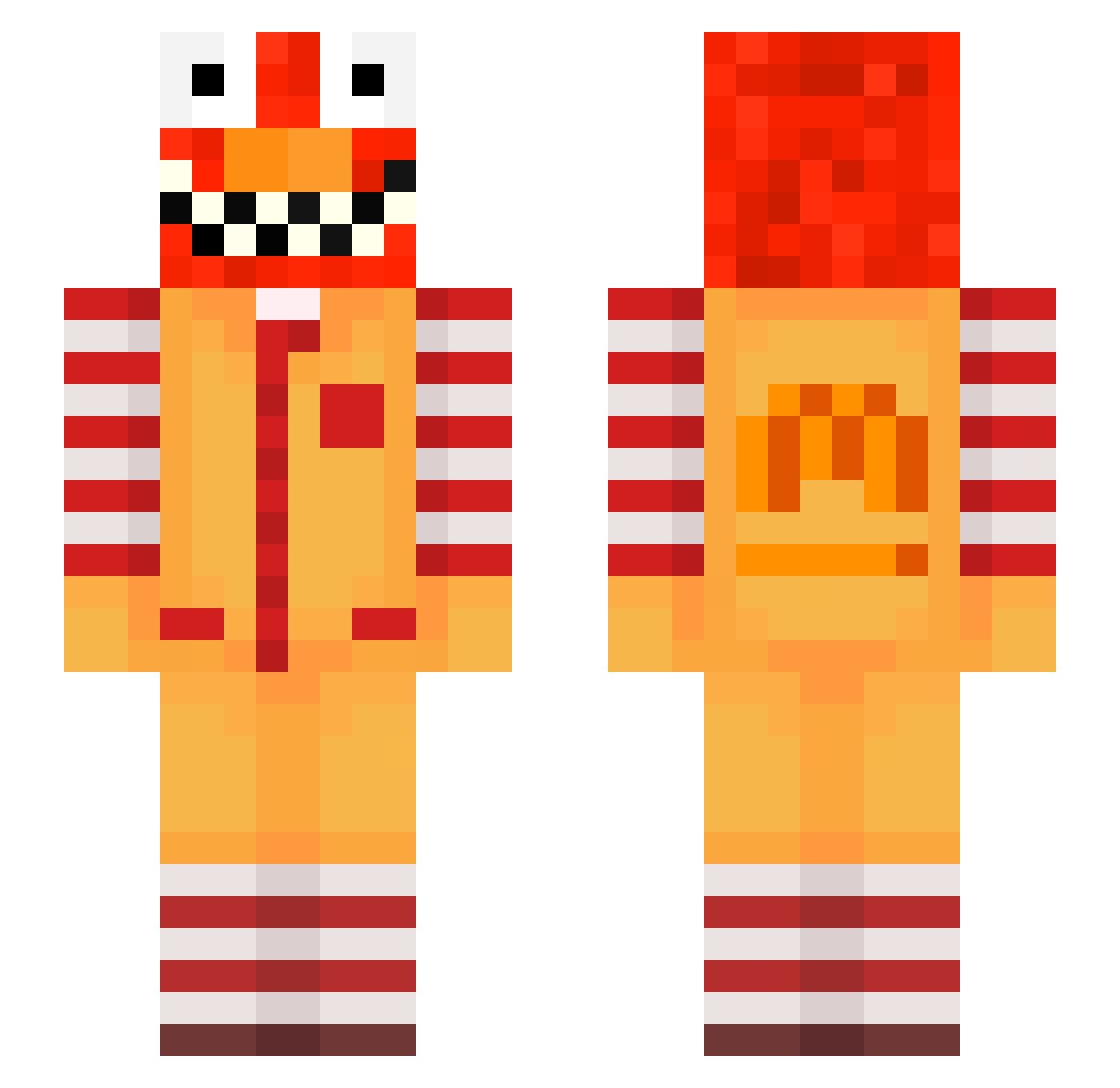
Current Minecraft skin of the player Kopacek_several9, loaded from the official Mojang API. Rotate the 3D model with your mouse or finger, then download the skin as a PNG file and use it in Minecraft: Bedrock Edition or Java Edition for free. When Kopacek_several9 changes their skin, this page updates automatically and the old skin stays in the history below.
Other players with this skin (660)
Kopacek_several9 was the 353rd player we have seen with this skin, first spotted on 23.09.2026. The same skin was seen on these players. Open a nickname to see their current skin and skin history.
 Entitilo_hzuDr postoperativeCn MolneaAI tell_squiggly615 TGhouL Maybeyes999 nnemis2007 Eyadevil PizzaV_Bot1 Nowden_faithful4 cn_t elknaus_acidic90 itsnoahbtw zzxgp_obBlK LinhSky4slUwU Tactationn Hogune kwksu CitroenoverBMW esreau_fabulous5 Harrs_lonely22 Zenxias do10quarrelsome6 zab_7YKyQ_08_01 raveZjYhQp9o otd_msmc_45i raveTotV48MO Sv2NiUokh7UBsSv2 msmc_w0s SilverScripter Wazilinwpopie meow_SNFmr_28 mmo_msmc_ujl atte2positive171 rom_bGgM0_03_06 daniel_deciga PASIRgf60xt5six2 bz_OFazB_10_25 0yf_Evil_iwc LinhhZYrt0127 Rajchel_amused2 m3z_DcVault_h0e BobbyBigFknMove LinhKWBxT1122 PILOTODEFUGA244 LinhkZsVi0112 PapLeezes namos745 lpain_monthly155 erlini_metallic7 5tm_msmc_xi1 xthonkismWsCDj Hetfield_poor9 LinhNwpTb0302 ttmann8rotating4 ashizumevital939 Snorlaxlove1 RaveAlts_iDbke HFMB_mVTSk_02_26 Yarell21
More Ronald Mcdonald Minecraft skins
See all 135 Ronald Mcdonald skins
How to install the Kopacek_several9 skin
- Press the Download button above to save the skin as a PNG file.
- Minecraft: Bedrock Edition (PE): open the Dressing Room from the main menu (or tap your character → Edit Character), go to Classic Skins → Owned, press the + (new skin) button, choose the downloaded PNG and pick the Slim (Alex) model. Works on PC and mobile; consoles cannot import custom skins.
- Minecraft: Java Edition: open the Minecraft Launcher, go to the Skins tab, click New Skin, load the PNG, pick the Slim (Alex) model and press Save & Use. You can also upload it at minecraft.net → Profile → Change Skin.
The skin does not show up after import - what should I do?
Restart Minecraft and open the Dressing Room again - imported skins sometimes appear only after a restart. Also make sure you selected the imported skin and picked the Slim (Alex) model.
Which model should I choose, Classic or Slim?
This skin is designed for the Slim (Alex) model. If you pick the wrong model, the arms of the skin will look stretched or squeezed.
Is the skin of Kopacek_several9 free to download?
Yes. Press Download, save the PNG file and use it in Minecraft: Bedrock Edition or Java Edition - no payment or registration needed. The skin also works on multiplayer servers and Realms.
More skins
Looking for more? Go back to all Minecraft skins and check the top skins of the week, month and all time, or find any player's skin by nickname.