
Kilo_V - Minecraft Skins & Skin History
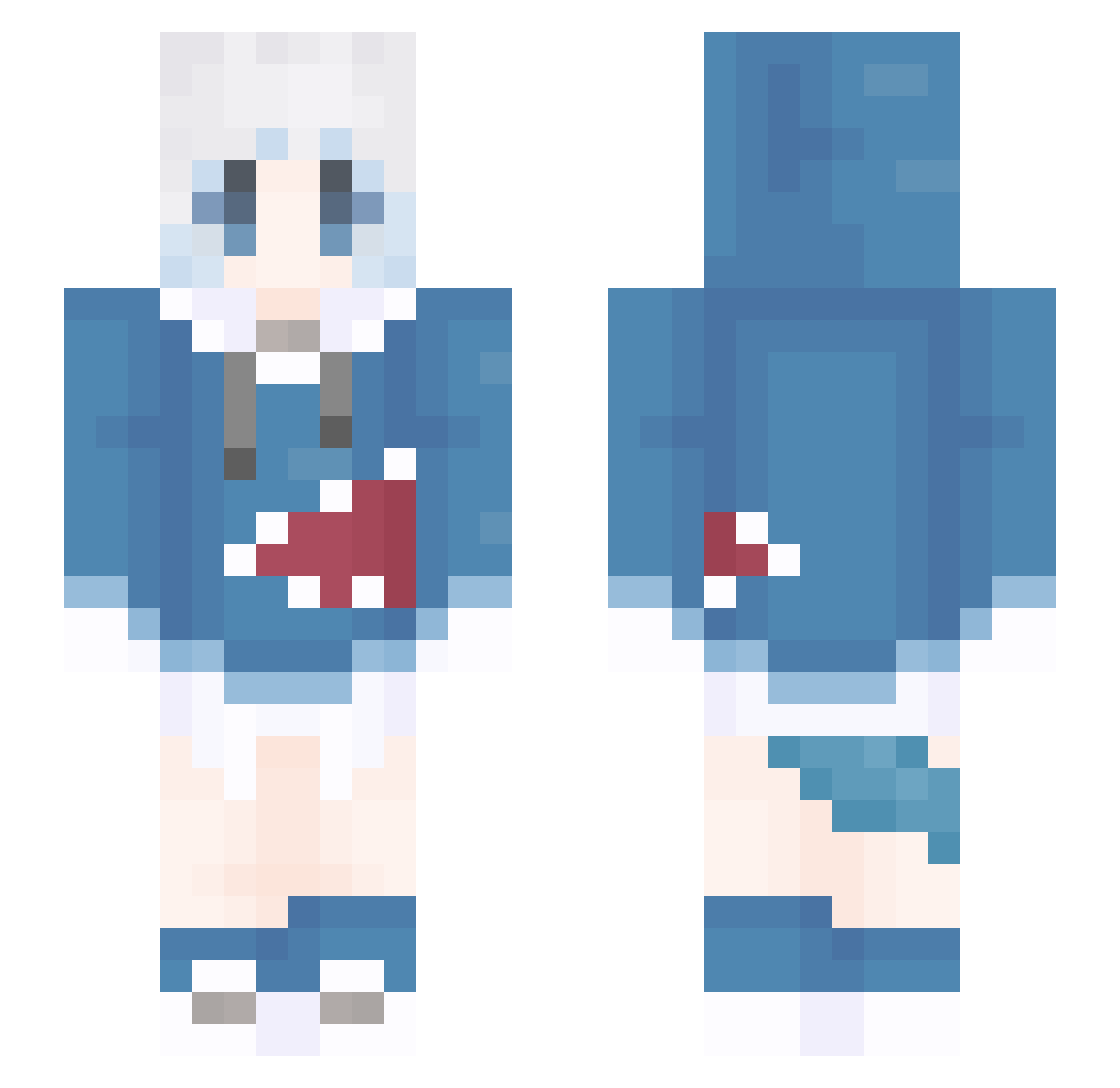
Current Minecraft skin of the player Kilo_V, loaded from the official Mojang API. Rotate the 3D model with your mouse or finger, then download the skin as a PNG file and use it in Minecraft: Bedrock Edition or Java Edition for free. When Kilo_V changes their skin, this page updates automatically and the old skin stays in the history below.
Other players with this skin (1309)
Kilo_V was the 887th player we have seen with this skin, first spotted on 06.10.2026. The same skin was seen on these players. Open a nickname to see their current skin and skin history.
 cccx123 Yaneri TM0153 aryyyui CIyo5 152kun guiiiZK NetsumeAnan stmppq gumesa Xiubianla Dash1ON Yueyue_zi Ruyaya ThousandEye BIGLOOG theBEstCN Originrabbit ywain999 TIRFOR Gura_Cat muguu_ ANDY5594 QyAk Zy353 whirtesir LanPants Z_17 Gbyuan Sept22 Tucker_BEnd_ FreeBear_ JOSE213 BL_LOLI Kutinai asdef AXAXAX123 XiaoQi747 rain2026 Lizhien0 Gou_er LuxByron YQuan ThYame March666 Zjkl Yusuzxc wwwtian aiwobiezou7 xiaobeizzzzz Brave_Devil xiuge xiaobobo114514 RAVEN_DY xiangrenyan lizi1752 sdzpxbd ggw0421 qweeeeeerer AceEcho_0320
More Gawr Gura Minecraft skins
How to install the Kilo_V skin
- Press the Download button above to save the skin as a PNG file.
- Minecraft: Bedrock Edition (PE): open the Dressing Room from the main menu (or tap your character → Edit Character), go to Classic Skins → Owned, press the + (new skin) button, choose the downloaded PNG and pick the Slim (Alex) model. Works on PC and mobile; consoles cannot import custom skins.
- Minecraft: Java Edition: open the Minecraft Launcher, go to the Skins tab, click New Skin, load the PNG, pick the Slim (Alex) model and press Save & Use. You can also upload it at minecraft.net → Profile → Change Skin.
The skin does not show up after import - what should I do?
Restart Minecraft and open the Dressing Room again - imported skins sometimes appear only after a restart. Also make sure you selected the imported skin and picked the Slim (Alex) model.
Which model should I choose, Classic or Slim?
This skin is designed for the Slim (Alex) model. If you pick the wrong model, the arms of the skin will look stretched or squeezed.
Is the skin of Kilo_V free to download?
Yes. Press Download, save the PNG file and use it in Minecraft: Bedrock Edition or Java Edition - no payment or registration needed. The skin also works on multiplayer servers and Realms.
More skins
Looking for more? Go back to all Minecraft skins and check the top skins of the week, month and all time, or find any player's skin by nickname.