
KieTheShadow9 - Minecraft Skins & Skin History
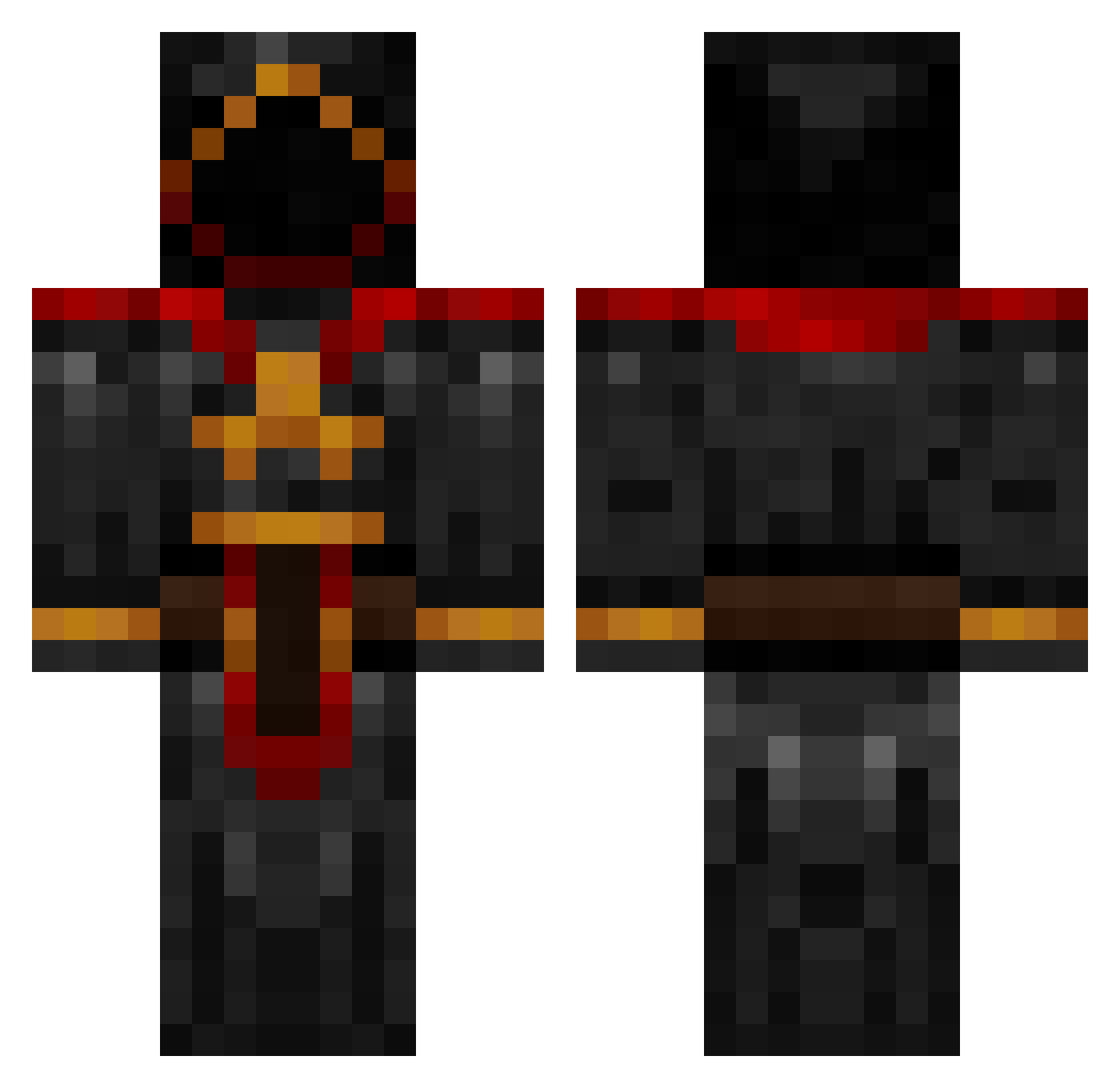
Current Minecraft skin of the player KieTheShadow9, loaded from the official Mojang API. Rotate the 3D model with your mouse or finger, then download the skin as a PNG file and use it in Minecraft: Bedrock Edition or Java Edition for free. When KieTheShadow9 changes their skin, this page updates automatically and the old skin stays in the history below.
Other players with this skin (885)
KieTheShadow9 was the 474th player we have seen with this skin, first spotted on 24.09.2026. The same skin was seen on these players. Open a nickname to see their current skin and skin history.
 Zheill Sneaky2k12 TopComic rednife ChiperSpace Bludshot87 mushi69 Xz_KRATOS_zX Anuubis LordZiphi Brofessor_X Kb_99 malcolm_0908 Feon_Kensai Renacles Node101 FamilyStory Kent751 Rigg GloriousSKiiNG raccoon78 Clover_ Brolyson cerxis bytedragon bradrules121 deejays2000 HuskerMath RougeTrooper hexhammer tasakel cwwoodsy Galdr GrimGhillie ZTornateHD Akatosh89 JinFreeks Lijah99 unwishinghades cso_ dansack Disgustimus23 mat8845 Scaretail Brugarion epicsmailer mhicks Dark_Night09 Jazzap nmyoungblood bombs2012 DestroyerEMP EliteGully Pollux___ TheGameNeverends soccerpro2003 anakesmortem TenBel0w m3br00t Mohep
More Cultist Minecraft skins
How to install the KieTheShadow9 skin
- Press the Download button above to save the skin as a PNG file.
- Minecraft: Bedrock Edition (PE): open the Dressing Room from the main menu (or tap your character → Edit Character), go to Classic Skins → Owned, press the + (new skin) button, choose the downloaded PNG and pick the Classic (Steve) model. Works on PC and mobile; consoles cannot import custom skins.
- Minecraft: Java Edition: open the Minecraft Launcher, go to the Skins tab, click New Skin, load the PNG, pick the Classic (Steve) model and press Save & Use. You can also upload it at minecraft.net → Profile → Change Skin.
The skin does not show up after import - what should I do?
Restart Minecraft and open the Dressing Room again - imported skins sometimes appear only after a restart. Also make sure you selected the imported skin and picked the Classic (Steve) model.
Which model should I choose, Classic or Slim?
This skin is designed for the Classic (Steve) model. If you pick the wrong model, the arms of the skin will look stretched or squeezed.
Is the skin of KieTheShadow9 free to download?
Yes. Press Download, save the PNG file and use it in Minecraft: Bedrock Edition or Java Edition - no payment or registration needed. The skin also works on multiplayer servers and Realms.
More skins
Looking for more? Go back to all Minecraft skins and check the top skins of the week, month and all time, or find any player's skin by nickname.