
KevinsPapa - Minecraft Skins & Skin History
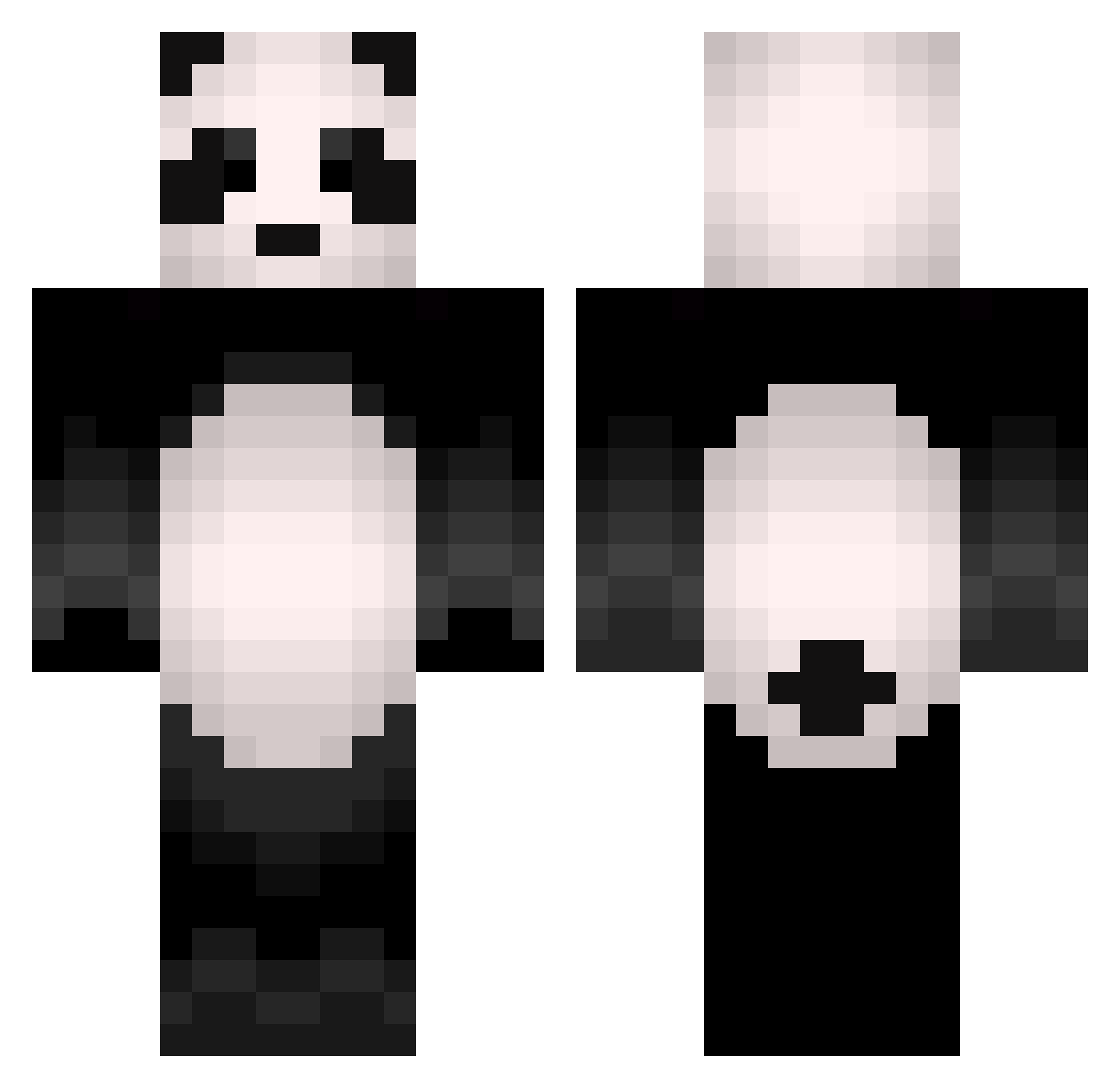
Current Minecraft skin of the player KevinsPapa, loaded from the official Mojang API. Rotate the 3D model with your mouse or finger, then download the skin as a PNG file and use it in Minecraft: Bedrock Edition or Java Edition for free. When KevinsPapa changes their skin, this page updates automatically and the old skin stays in the history below.
Other players with this skin (505)
KevinsPapa was the 266th player we have seen with this skin, first spotted on 25.09.2026. The same skin was seen on these players. Open a nickname to see their current skin and skin history.
 Mihi3116 Grifcass todosan ImNotAPanda1 Algaphino KungFu_Panda08 PixeledOut RocketPanda_X mizuxt iTzN3kro Panda_MH LandenxFilms RudyHorseBones Miloada JPderPanda miguel99llamas Guinchi marksen23 BurningRedPanda fabi610 mattsarter1 Bl4ckDutchess zaccbot23 yanikasu3 Knetterijsje StarryChesa Yu_Matsu AzertyMat laylah358 laarocaa mynkcom17 ludoo3 PODOGI kikito2 AnchoredPanda sarafm China_Panda1 Egayov SuperPandzioch1 ShinBae NicKSouRz __hyeon__ lostfuture Ozzywizowzki Clemdy Canny3n mushroomfangs Szwagierq fufua_128 __Pumbaa__ Latte_09 ChaWoo24 huahani JonasHo onunnun MasterPanda333 88Penguins kskk5023 goofboll StrafingPanda_
More Animal Minecraft skins
How to install the KevinsPapa skin
- Press the Download button above to save the skin as a PNG file.
- Minecraft: Bedrock Edition (PE): open the Dressing Room from the main menu (or tap your character → Edit Character), go to Classic Skins → Owned, press the + (new skin) button, choose the downloaded PNG and pick the Classic (Steve) model. Works on PC and mobile; consoles cannot import custom skins.
- Minecraft: Java Edition: open the Minecraft Launcher, go to the Skins tab, click New Skin, load the PNG, pick the Classic (Steve) model and press Save & Use. You can also upload it at minecraft.net → Profile → Change Skin.
The skin does not show up after import - what should I do?
Restart Minecraft and open the Dressing Room again - imported skins sometimes appear only after a restart. Also make sure you selected the imported skin and picked the Classic (Steve) model.
Which model should I choose, Classic or Slim?
This skin is designed for the Classic (Steve) model. If you pick the wrong model, the arms of the skin will look stretched or squeezed.
Is the skin of KevinsPapa free to download?
Yes. Press Download, save the PNG file and use it in Minecraft: Bedrock Edition or Java Edition - no payment or registration needed. The skin also works on multiplayer servers and Realms.
More skins
Looking for more? Go back to all Minecraft skins and check the top skins of the week, month and all time, or find any player's skin by nickname.