
Kev19798 - Minecraft Skins & Skin History
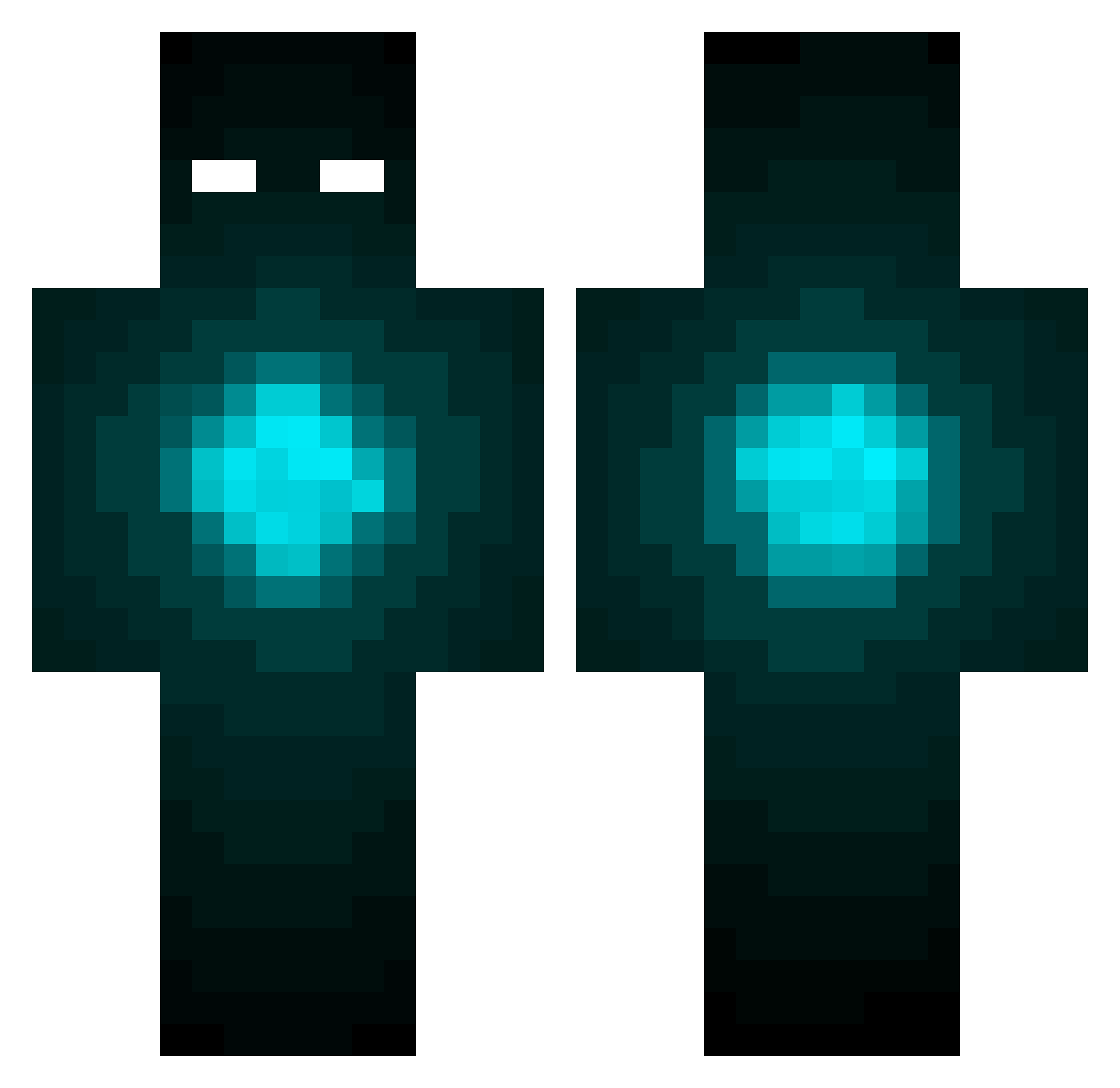
Current Minecraft skin of the player Kev19798, loaded from the official Mojang API. Rotate the 3D model with your mouse or finger, then download the skin as a PNG file and use it in Minecraft: Bedrock Edition or Java Edition for free. When Kev19798 changes their skin, this page updates automatically and the old skin stays in the history below.
Other players with this skin (425)
Kev19798 was the 46th player we have seen with this skin, first spotted on 04.08.2026. The same skin was seen on these players. Open a nickname to see their current skin and skin history.
 TimTamSlam101 MadsTheGreat27 SpeedyPvP01 _exe__ henrik5 tinytops1 TheSh4d0w HaseoKysi xSilvawolfx HoneyBadger22 RogueWolf16 ShirishMaharjan oKorz Troopster Kapten_NubbeN fenstein Royal_xFIREx 8miners Ghoztly1985 HomoHamsterLP Syks_44 Tomas7523 catabord FamzPlays arabellab GoldenKing123 Slaschiin Indemoniado Xixth jordanmc2017 Shark_king SpaddledALT kiichi908 jaydonkrieger LOCOZANO Bryant413 M3ss1L0v3r10 Xgen359 Kryeternal Stubbed omen_ andi1 ProCycl0 Sircit _Crazy_Diamond Jimmy4Murder Kamileusz69 dot_net BlunterHD CyanideExploder caro928 KenanMarquis116 RyderJ22 Kaspermeyer123 IIcanadianII nico0915 iKryptical falcloraz Suaved Escend
More Glowing Eyes Minecraft skins
See all 2673 Glowing Eyes skins
How to install the Kev19798 skin
- Press the Download button above to save the skin as a PNG file.
- Minecraft: Bedrock Edition (PE): open the Dressing Room from the main menu (or tap your character → Edit Character), go to Classic Skins → Owned, press the + (new skin) button, choose the downloaded PNG and pick the Classic (Steve) model. Works on PC and mobile; consoles cannot import custom skins.
- Minecraft: Java Edition: open the Minecraft Launcher, go to the Skins tab, click New Skin, load the PNG, pick the Classic (Steve) model and press Save & Use. You can also upload it at minecraft.net → Profile → Change Skin.
The skin does not show up after import - what should I do?
Restart Minecraft and open the Dressing Room again - imported skins sometimes appear only after a restart. Also make sure you selected the imported skin and picked the Classic (Steve) model.
Which model should I choose, Classic or Slim?
This skin is designed for the Classic (Steve) model. If you pick the wrong model, the arms of the skin will look stretched or squeezed.
Is the skin of Kev19798 free to download?
Yes. Press Download, save the PNG file and use it in Minecraft: Bedrock Edition or Java Edition - no payment or registration needed. The skin also works on multiplayer servers and Realms.
More skins
Looking for more? Go back to all Minecraft skins and check the top skins of the week, month and all time, or find any player's skin by nickname.