
Keezx32 - Minecraft Skins & Skin History
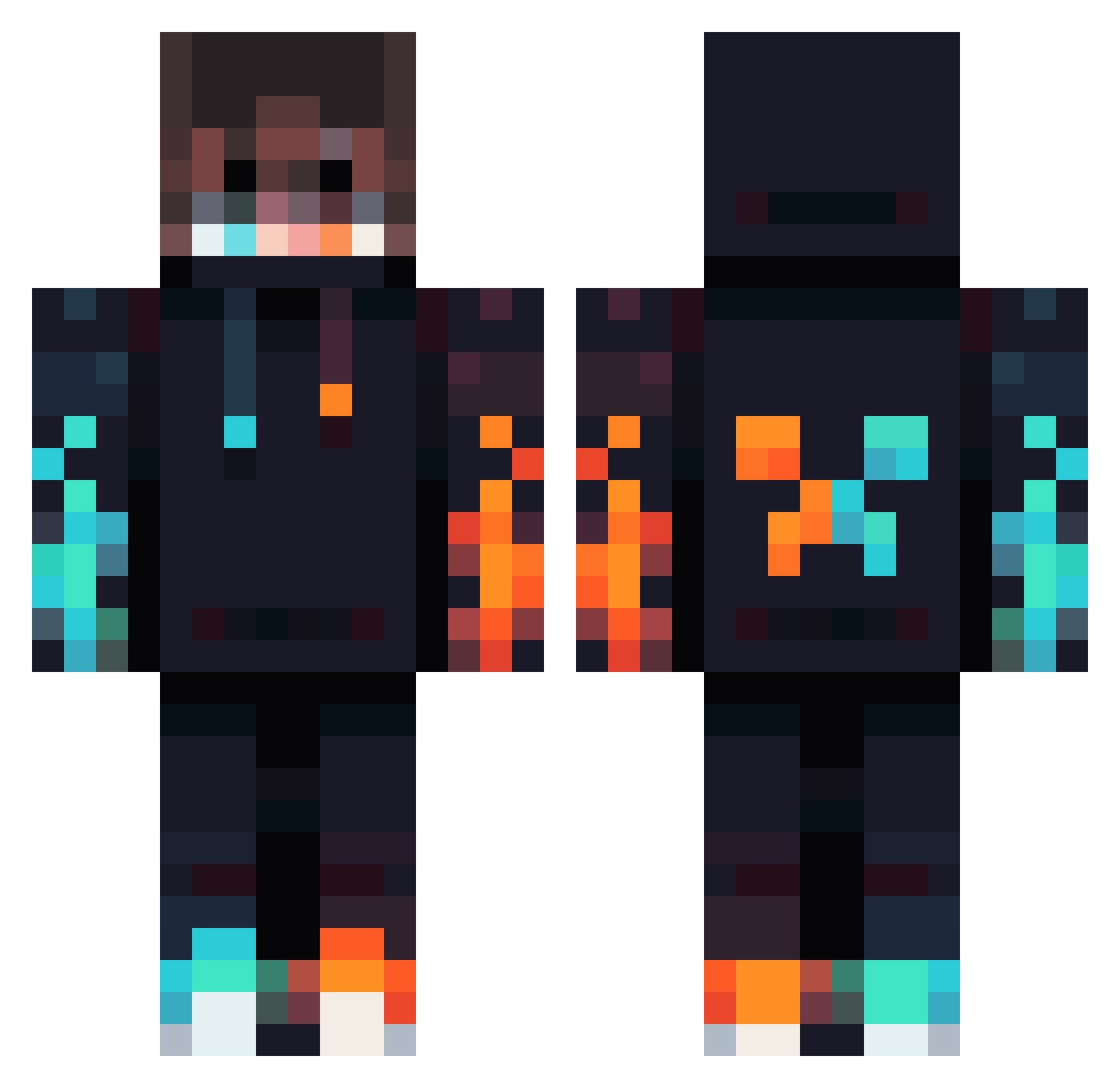
Current Minecraft skin of the player Keezx32, loaded from the official Mojang API. Rotate the 3D model with your mouse or finger, then download the skin as a PNG file and use it in Minecraft: Bedrock Edition or Java Edition for free. When Keezx32 changes their skin, this page updates automatically and the old skin stays in the history below.
Other players with this skin (834)
Keezx32 was the 412th player we have seen with this skin, first spotted on 19.09.2026. The same skin was seen on these players. Open a nickname to see their current skin and skin history.
 Sbiox Markitozxy RikDennkaamp JefeDeJuegos NicoGamer2 Ghazipro djillucid PingerKinduin1 MauricioUwU frabprokiller Pedrotuba EnderPlum66 slade15fr XpertRp Jerzuuu Gabuksx disabledwtrbottl staringHS BeyMaster1000 orwazip Rayak8 Ole_Hawi hmooj11 accidenti_al_sin Timeless2k Spacerowicz kukuudon Leoneidas tmj_msmc_is6 Yopugcrew Zylko4565 Panos2912 Pomidorek291 Quaadsa HummingBird9952 mmarcoo nos1dee Jiday35 HBadger118 Ken_Kaneki456 Runicsavage30 luigi48642 ItsJustin1111 Yena_The_Duck IcefireMaster81 kirkliffe1 Anthon64 TheGamer772 pvpplayer1000 Edgardo3718 Turbomakkara123 ZealGameing EdFlack Mattplayzyt2323 Kiwikruza T5CA progammerez saronte JALMARZ Fz_SePeHr
More Fire Minecraft skins
How to install the Keezx32 skin
- Press the Download button above to save the skin as a PNG file.
- Minecraft: Bedrock Edition (PE): open the Dressing Room from the main menu (or tap your character → Edit Character), go to Classic Skins → Owned, press the + (new skin) button, choose the downloaded PNG and pick the Classic (Steve) model. Works on PC and mobile; consoles cannot import custom skins.
- Minecraft: Java Edition: open the Minecraft Launcher, go to the Skins tab, click New Skin, load the PNG, pick the Classic (Steve) model and press Save & Use. You can also upload it at minecraft.net → Profile → Change Skin.
The skin does not show up after import - what should I do?
Restart Minecraft and open the Dressing Room again - imported skins sometimes appear only after a restart. Also make sure you selected the imported skin and picked the Classic (Steve) model.
Which model should I choose, Classic or Slim?
This skin is designed for the Classic (Steve) model. If you pick the wrong model, the arms of the skin will look stretched or squeezed.
Is the skin of Keezx32 free to download?
Yes. Press Download, save the PNG file and use it in Minecraft: Bedrock Edition or Java Edition - no payment or registration needed. The skin also works on multiplayer servers and Realms.
More skins
Looking for more? Go back to all Minecraft skins and check the top skins of the week, month and all time, or find any player's skin by nickname.