
Keeenann - Minecraft Skins & Skin History
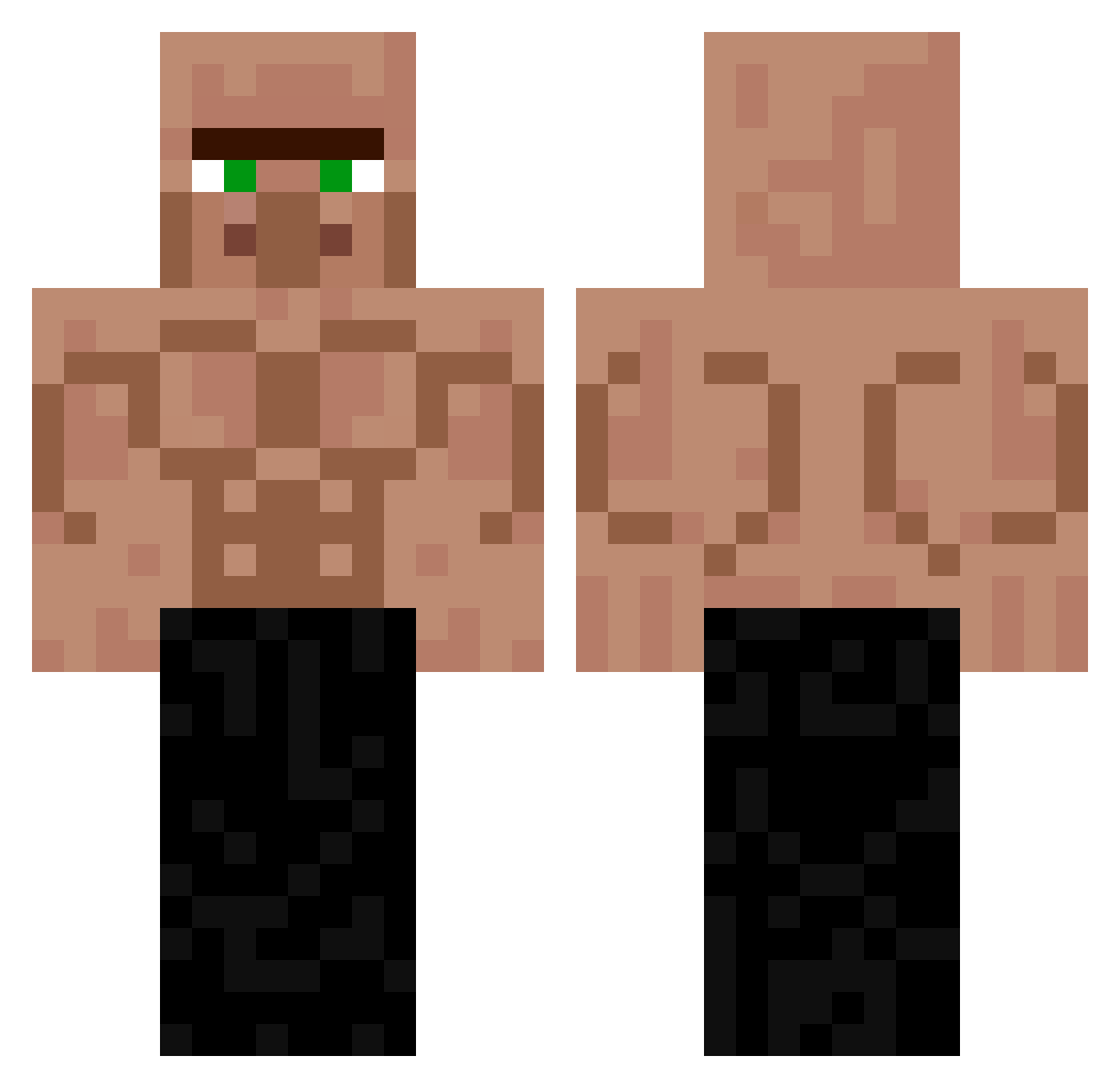
Current Minecraft skin of the player Keeenann, loaded from the official Mojang API. Rotate the 3D model with your mouse or finger, then download the skin as a PNG file and use it in Minecraft: Bedrock Edition or Java Edition for free. When Keeenann changes their skin, this page updates automatically and the old skin stays in the history below.
Other players with this skin (225)
Keeenann was the 58th player we have seen with this skin, first spotted on 18.08.2026. The same skin was seen on these players. Open a nickname to see their current skin and skin history.
 JustPeachy1887
 victorgb1357 LINGXIN_122265 Nicc_Qc murasakimiya plusq1 lilluvdog sobottik1
 Saulo_roel_bava morcina848 Ranasss nalesnik_17 Inwoo__ xtwinkeey Velcooo Xmenas Santinezi Adiantado nikolay032 bulldooo JuninEstelionato redhana Psychologus chachou194 PietroW10 danzhuang educapo PBJ_07 pizzalasagna PuteroHistorico tarzou5 Aguero1620 Dakoms0 seungsik123 _DorfDepp_ PixelDonkey64 zak0lako 7ctm vininomi G0DZ1LL4__ SparkGHG Charlie_Kirk523 parkymin TheDanishDude Ning8888 totolongo H1rono FlankerR7 PERORON6868
 Toft30 mellipa SeanLin0416 Flatixx_ xiaowei2024517 PrinceMiles Trovejar 3MVMERT SEBLO420 shade795 cb1hc
More Buff Minecraft skins
How to install the Keeenann skin
- Press the Download button above to save the skin as a PNG file.
- Minecraft: Bedrock Edition (PE): open the Dressing Room from the main menu (or tap your character → Edit Character), go to Classic Skins → Owned, press the + (new skin) button, choose the downloaded PNG and pick the Classic (Steve) model. Works on PC and mobile; consoles cannot import custom skins.
- Minecraft: Java Edition: open the Minecraft Launcher, go to the Skins tab, click New Skin, load the PNG, pick the Classic (Steve) model and press Save & Use. You can also upload it at minecraft.net → Profile → Change Skin.
The skin does not show up after import - what should I do?
Restart Minecraft and open the Dressing Room again - imported skins sometimes appear only after a restart. Also make sure you selected the imported skin and picked the Classic (Steve) model.
Which model should I choose, Classic or Slim?
This skin is designed for the Classic (Steve) model. If you pick the wrong model, the arms of the skin will look stretched or squeezed.
Is the skin of Keeenann free to download?
Yes. Press Download, save the PNG file and use it in Minecraft: Bedrock Edition or Java Edition - no payment or registration needed. The skin also works on multiplayer servers and Realms.
More skins
Looking for more? Go back to all Minecraft skins and check the top skins of the week, month and all time, or find any player's skin by nickname.