
Kazimir77 - Minecraft Skins & Skin History
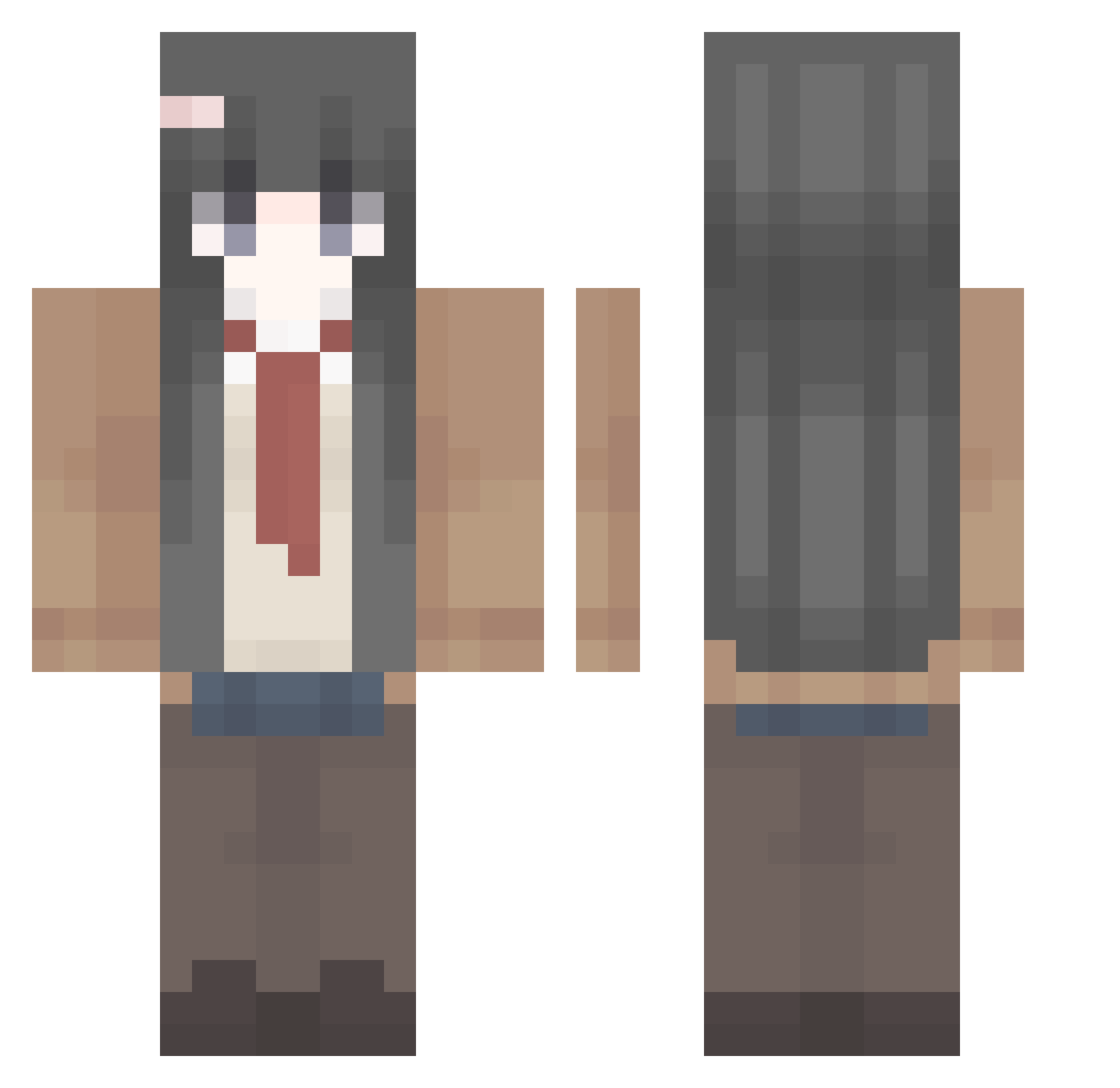
Current Minecraft skin of the player Kazimir77, loaded from the official Mojang API. Rotate the 3D model with your mouse or finger, then download the skin as a PNG file and use it in Minecraft: Bedrock Edition or Java Edition for free. When Kazimir77 changes their skin, this page updates automatically and the old skin stays in the history below.
Other players with this skin (410)
Kazimir77 was the 215th player we have seen with this skin, first spotted on 20.09.2026. The same skin was seen on these players. Open a nickname to see their current skin and skin history.
 supercoolkid10 SuperEngineer3 pngo GUANYU1216 amelliu pliim zxzivcos CzechCore alex_44302 Agosthetic tst1632 3moer WindSunRain prin0915 IMAINGEMSTONE_ SoUP_Dda shuangzhang maikeas SingaBunny grandma____ SushiZzx KoikatsuParty Ak1r3 lxd02 Hepic6 TachibanaHika2ri dracoitt luj1ii Swifes Ligodyu1 DarkF1ameMaster IM_AREPITAVZ Cangjin kw_baylin cocoapebbles6 lovelytu Ajayf Tkuku xueram loliemile09 willie1010 ailada Nyareinna Pratry Bloodthirsty7722 Shakfrog Muxzy skycay Pubff smilelsa StarCarverAltair 1n_xuel LaylaBooo9 eiennoyoso YuAn9475 Dhhh666 AZUSA1125 kurwenmahn lin2004 kendokubbbb
More School Uniform Minecraft skins
See all 6652 School Uniform skins
How to install the Kazimir77 skin
- Press the Download button above to save the skin as a PNG file.
- Minecraft: Bedrock Edition (PE): open the Dressing Room from the main menu (or tap your character → Edit Character), go to Classic Skins → Owned, press the + (new skin) button, choose the downloaded PNG and pick the Classic (Steve) model. Works on PC and mobile; consoles cannot import custom skins.
- Minecraft: Java Edition: open the Minecraft Launcher, go to the Skins tab, click New Skin, load the PNG, pick the Classic (Steve) model and press Save & Use. You can also upload it at minecraft.net → Profile → Change Skin.
The skin does not show up after import - what should I do?
Restart Minecraft and open the Dressing Room again - imported skins sometimes appear only after a restart. Also make sure you selected the imported skin and picked the Classic (Steve) model.
Which model should I choose, Classic or Slim?
This skin is designed for the Classic (Steve) model. If you pick the wrong model, the arms of the skin will look stretched or squeezed.
Is the skin of Kazimir77 free to download?
Yes. Press Download, save the PNG file and use it in Minecraft: Bedrock Edition or Java Edition - no payment or registration needed. The skin also works on multiplayer servers and Realms.
More skins
Looking for more? Go back to all Minecraft skins and check the top skins of the week, month and all time, or find any player's skin by nickname.