
Kaunik007 - Minecraft Skins & Skin History
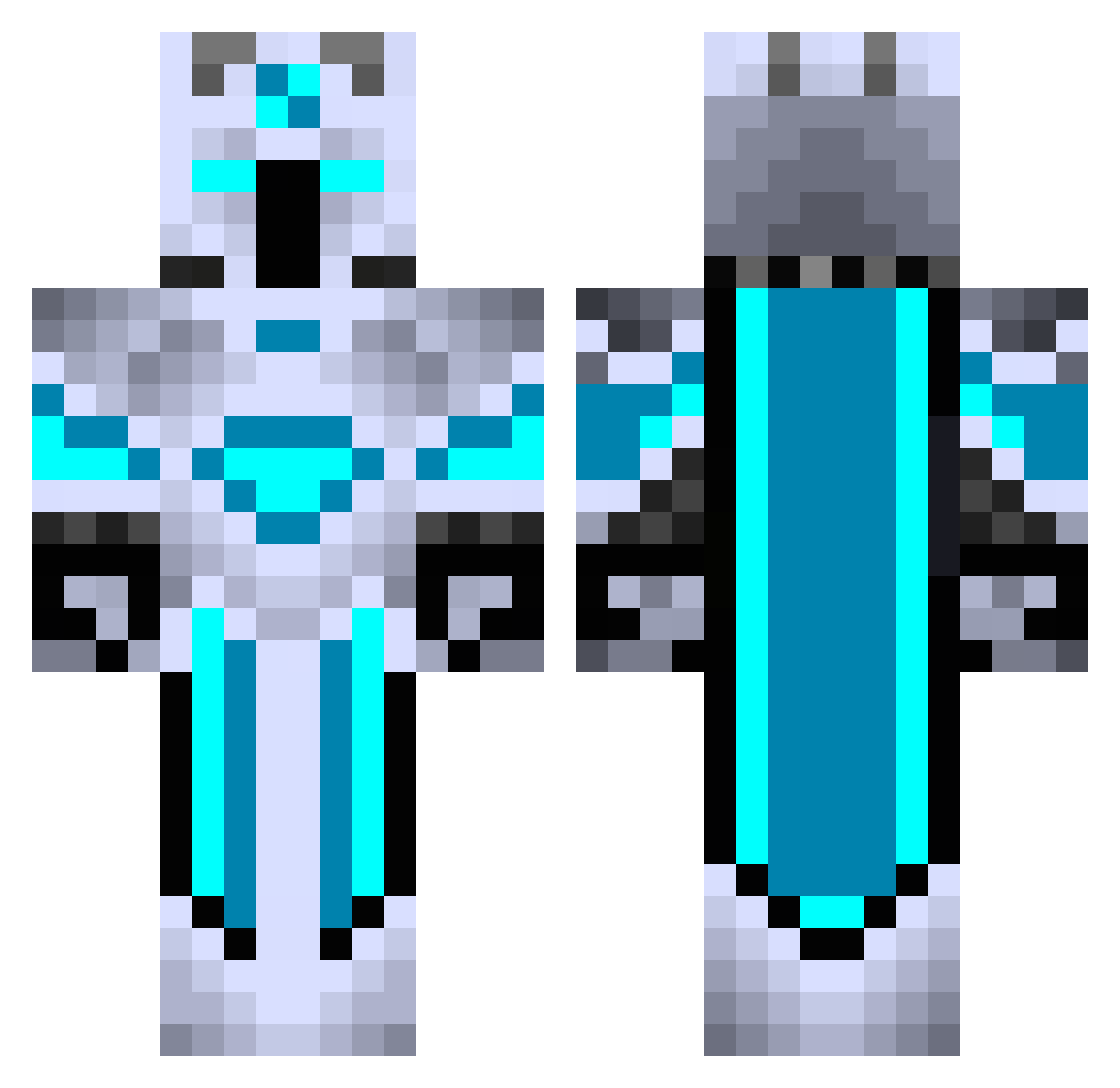
Current Minecraft skin of the player Kaunik007, loaded from the official Mojang API. Rotate the 3D model with your mouse or finger, then download the skin as a PNG file and use it in Minecraft: Bedrock Edition or Java Edition for free. When Kaunik007 changes their skin, this page updates automatically and the old skin stays in the history below.
Other players with this skin (440)
Kaunik007 was the 261st player we have seen with this skin, first spotted on 01.10.2026. The same skin was seen on these players. Open a nickname to see their current skin and skin history.
 SniffyRainCloud GameFra05 nyashwarrior420 Steelspartan15 JimLahey5153 WarriorIRG xiaoshou6 LAKChamps_2012 Eugix2006 Thiago_Rafael Mythperson Lio14 God_Lemmi Redneck1776 snaggy8145 MCDude909 Irfan_Korkmaz BIGBOSS_snake FlexerYT CaptAwesome07 SpookAction 22teeman22 IMNOTLONELY Puffifi LegendaryFrost L_wntr2003 Realiity Super3400 PardionMC Cagesss FIcahans Spectralscarf ofri280109 VARAD_GAMING Dromaer753 oskar328green supershooter457 yanboxi vans13 YoCMonster MuuBlockBuster Ironpikachu Grathom4025 Flaary anderluke LethalPressure44 ProfDrNickBright Metalarms10 GameJack1229 _Glowsticks_ Shiokara008 mamba707 Mkronos HiteshB KuruczPeti Auratixx06 Shoop64 VDANI77 RickSanches Pyrokarkar
More Glowing Minecraft skins
How to install the Kaunik007 skin
- Press the Download button above to save the skin as a PNG file.
- Minecraft: Bedrock Edition (PE): open the Dressing Room from the main menu (or tap your character → Edit Character), go to Classic Skins → Owned, press the + (new skin) button, choose the downloaded PNG and pick the Classic (Steve) model. Works on PC and mobile; consoles cannot import custom skins.
- Minecraft: Java Edition: open the Minecraft Launcher, go to the Skins tab, click New Skin, load the PNG, pick the Classic (Steve) model and press Save & Use. You can also upload it at minecraft.net → Profile → Change Skin.
The skin does not show up after import - what should I do?
Restart Minecraft and open the Dressing Room again - imported skins sometimes appear only after a restart. Also make sure you selected the imported skin and picked the Classic (Steve) model.
Which model should I choose, Classic or Slim?
This skin is designed for the Classic (Steve) model. If you pick the wrong model, the arms of the skin will look stretched or squeezed.
Is the skin of Kaunik007 free to download?
Yes. Press Download, save the PNG file and use it in Minecraft: Bedrock Edition or Java Edition - no payment or registration needed. The skin also works on multiplayer servers and Realms.
More skins
Looking for more? Go back to all Minecraft skins and check the top skins of the week, month and all time, or find any player's skin by nickname.