
Kaaatziii - Minecraft Skins & Skin History
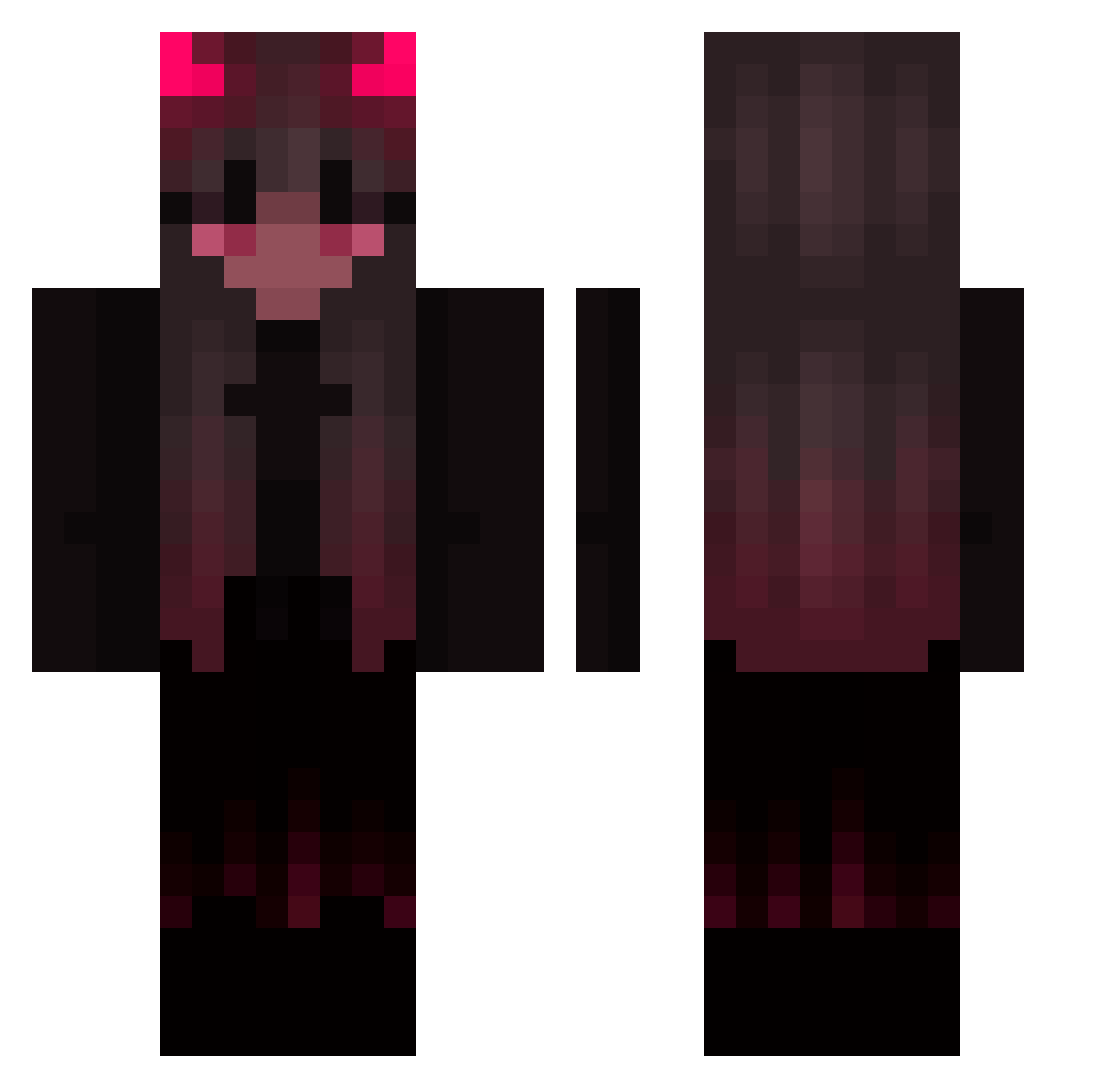
Current Minecraft skin of the player Kaaatziii, loaded from the official Mojang API. Rotate the 3D model with your mouse or finger, then download the skin as a PNG file and use it in Minecraft: Bedrock Edition or Java Edition for free. When Kaaatziii changes their skin, this page updates automatically and the old skin stays in the history below.
Other players with this skin (423)
Kaaatziii was the 87th player we have seen with this skin, first spotted on 14.08.2026. The same skin was seen on these players. Open a nickname to see their current skin and skin history.
 mosh_2904 bebekj0 Aery5555 R0CKST4RR Spuntiik13 frelella Nogueira99 RazzorinX CR4P3 m3thz Hazzi3 Lythh04 Alexiths silver732 deadcoupe viioletmoon Leavenoo LingLingisBossJr j0z1 Ebollai Sheenee666 kturtle11 k1llj1ll03 Refugia Tenko_777 metamfe Artsiom007 demon_girl Yourn3xtex Matvei_YT szynee Natalya1988_pro Pattinete SaynBeats Sarah_Naemi Babyhandz05 Nikees madamgrim PODGOLKA brodylen notshizo xpeachiepitx 3WVN aziponn SenHrz Klaucys _ad__ Cute_Thing Itz_PoisoN Iluv_urmom ELECTRICBUNNY36 AkemiHomuraSama Exxnis Juliatb Lucky_Colstone Mxrtiina Peachydoe Hon07 JNC0_ isagamer_YT
More Demon Minecraft skins
How to install the Kaaatziii skin
- Press the Download button above to save the skin as a PNG file.
- Minecraft: Bedrock Edition (PE): open the Dressing Room from the main menu (or tap your character → Edit Character), go to Classic Skins → Owned, press the + (new skin) button, choose the downloaded PNG and pick the Classic (Steve) model. Works on PC and mobile; consoles cannot import custom skins.
- Minecraft: Java Edition: open the Minecraft Launcher, go to the Skins tab, click New Skin, load the PNG, pick the Classic (Steve) model and press Save & Use. You can also upload it at minecraft.net → Profile → Change Skin.
The skin does not show up after import - what should I do?
Restart Minecraft and open the Dressing Room again - imported skins sometimes appear only after a restart. Also make sure you selected the imported skin and picked the Classic (Steve) model.
Which model should I choose, Classic or Slim?
This skin is designed for the Classic (Steve) model. If you pick the wrong model, the arms of the skin will look stretched or squeezed.
Is the skin of Kaaatziii free to download?
Yes. Press Download, save the PNG file and use it in Minecraft: Bedrock Edition or Java Edition - no payment or registration needed. The skin also works on multiplayer servers and Realms.
More skins
Looking for more? Go back to all Minecraft skins and check the top skins of the week, month and all time, or find any player's skin by nickname.