
KRuross - Minecraft Skins & Skin History
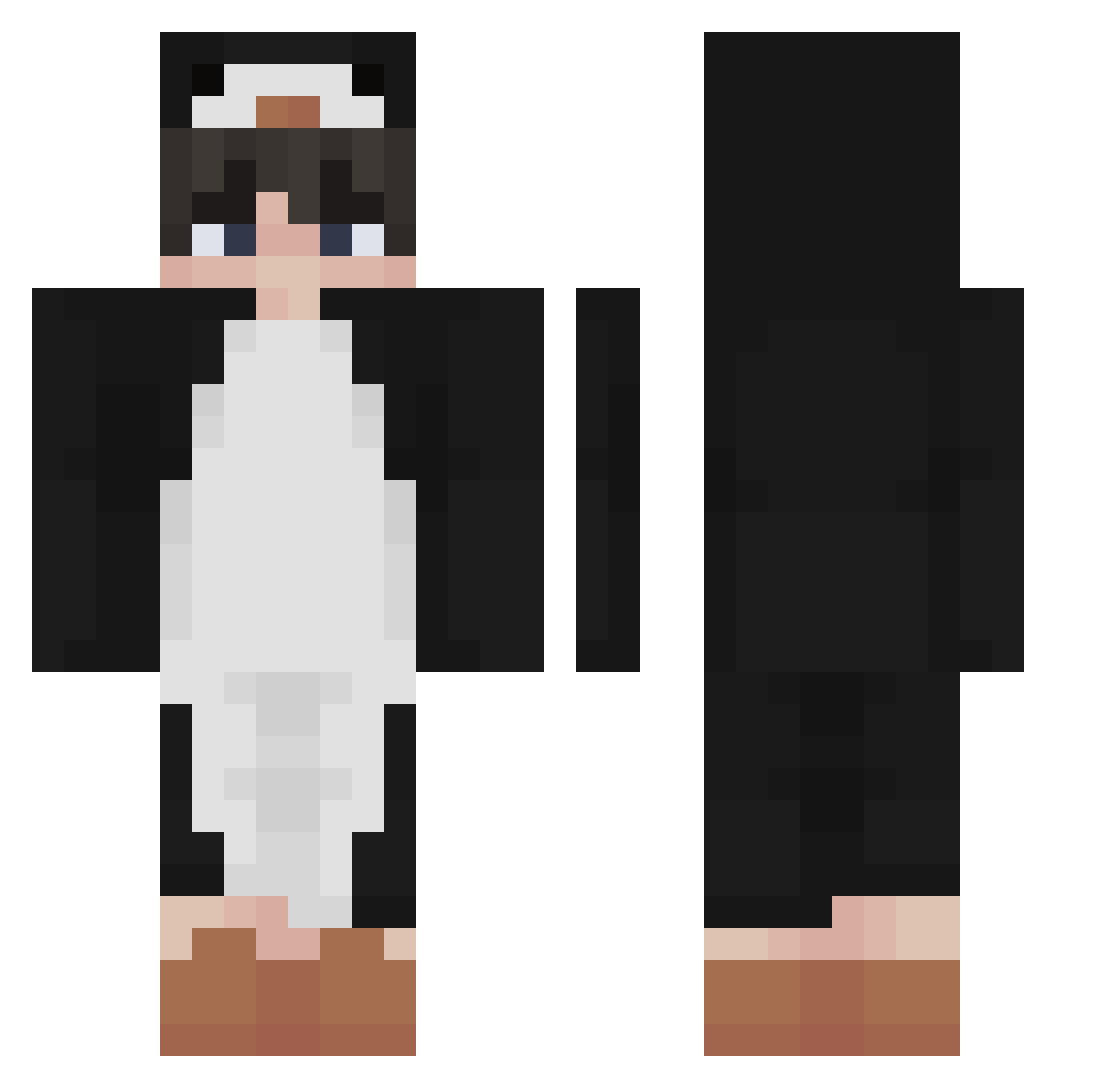
Current Minecraft skin of the player KRuross, loaded from the official Mojang API. Rotate the 3D model with your mouse or finger, then download the skin as a PNG file and use it in Minecraft: Bedrock Edition or Java Edition for free. When KRuross changes their skin, this page updates automatically and the old skin stays in the history below.
Other players with this skin (340)
KRuross was the 282nd player we have seen with this skin, first spotted on 06.10.2026. The same skin was seen on these players. Open a nickname to see their current skin and skin history.
 sinister373 XiaoPangood juliusderbre DarkbastiplaysYT INNVER parle_ wkahstmxj5096 Stephenuneven noaway321 vo1k_ hasekou2011 Rigel_GG AustinIsAbsent CoolestCorpse SkillzForMe B1nj1 Sentu Lightning5K _BocktNicht_ Adam_2125 Skorpfly pingox Jose_Strada Noo_Doo Mik_aeiz Kazuki_Kun Guavalito carlinnX Blazztw white96z Gullish Syubaru10 _Matsuri PetiteFriteMayo ilililililllilil JulyZz CreeZ3r Joachim09 MichaelDeSanta NexGGs NovaTheGooner MeowsterMeowMeow Cachenba Peddy711 itsjordanwang kyky_EZ Andrei6k Not_Blaze_YT chlrh_ Violet_Little qDrax nelsondu68 rkxmc koushi0122 Robert_TheGreat Donut5369 maurice3986 papabear0205 frostyyzephyr J4K0Bx
More Penguin Minecraft skins
How to install the KRuross skin
- Press the Download button above to save the skin as a PNG file.
- Minecraft: Bedrock Edition (PE): open the Dressing Room from the main menu (or tap your character → Edit Character), go to Classic Skins → Owned, press the + (new skin) button, choose the downloaded PNG and pick the Classic (Steve) model. Works on PC and mobile; consoles cannot import custom skins.
- Minecraft: Java Edition: open the Minecraft Launcher, go to the Skins tab, click New Skin, load the PNG, pick the Classic (Steve) model and press Save & Use. You can also upload it at minecraft.net → Profile → Change Skin.
The skin does not show up after import - what should I do?
Restart Minecraft and open the Dressing Room again - imported skins sometimes appear only after a restart. Also make sure you selected the imported skin and picked the Classic (Steve) model.
Which model should I choose, Classic or Slim?
This skin is designed for the Classic (Steve) model. If you pick the wrong model, the arms of the skin will look stretched or squeezed.
Is the skin of KRuross free to download?
Yes. Press Download, save the PNG file and use it in Minecraft: Bedrock Edition or Java Edition - no payment or registration needed. The skin also works on multiplayer servers and Realms.
More skins
Looking for more? Go back to all Minecraft skins and check the top skins of the week, month and all time, or find any player's skin by nickname.