
KIYOKU_ - Minecraft Skins & Skin History
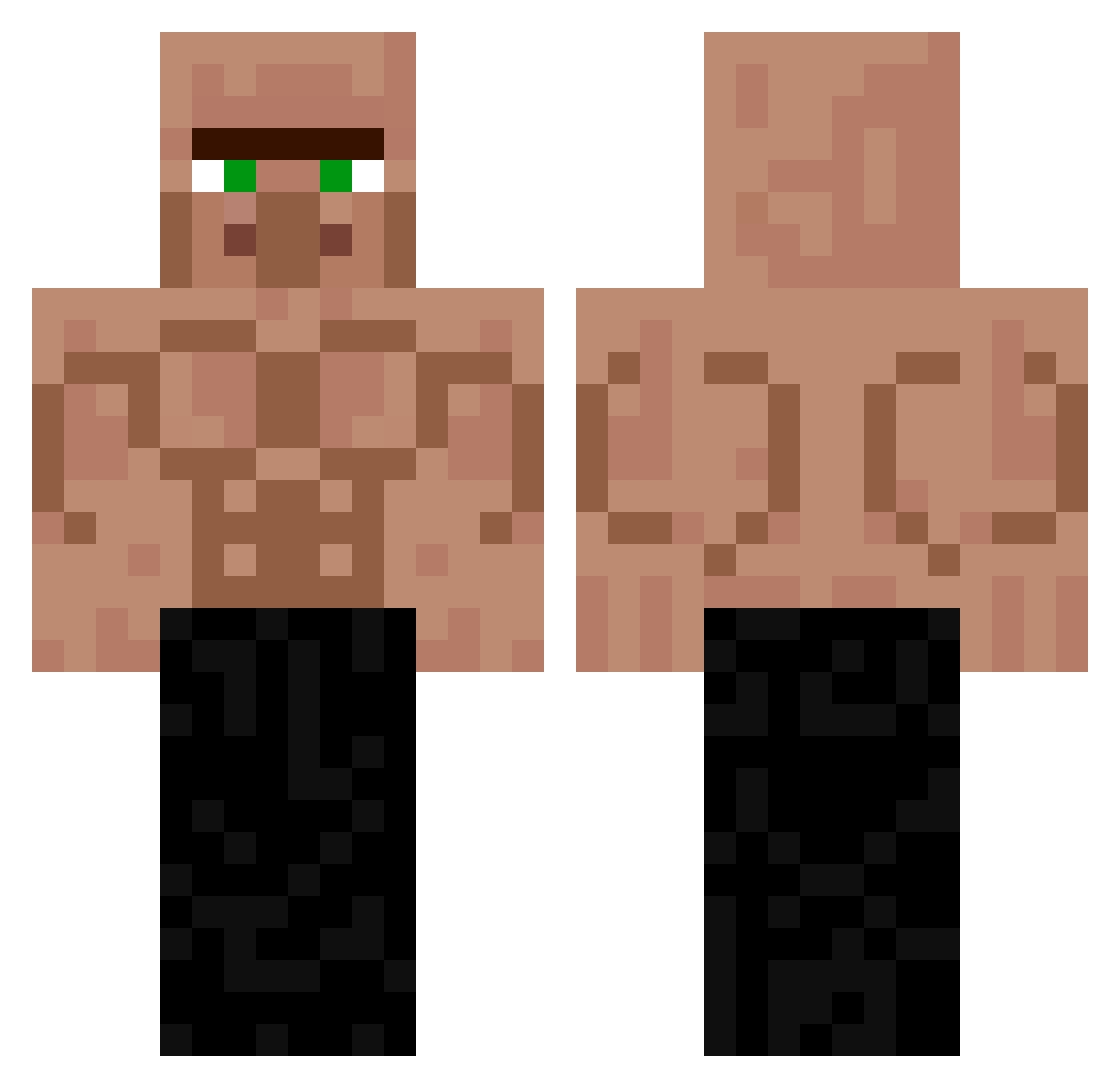
Current Minecraft skin of the player KIYOKU_, loaded from the official Mojang API. Rotate the 3D model with your mouse or finger, then download the skin as a PNG file and use it in Minecraft: Bedrock Edition or Java Edition for free. When KIYOKU_ changes their skin, this page updates automatically and the old skin stays in the history below.
Other players with this skin (285)
KIYOKU_ was the 228th player we have seen with this skin, first spotted on 21.10.2026. The same skin was seen on these players. Open a nickname to see their current skin and skin history.
 BigBoogBoi Astid2000 DreamBrice kenkaneki_toxic bkfdaniel_ masterhong Otidub Enzo12125 INFERN011 Ralle_G17 SuShi6080 RpG127 BebyLocko kexlang gr4e_ Symen1612 dimetilpropan rladusdn9 Luisardo3321 Mshockarif szymi321 Zza096 badicoot24 Lukson_123 ThorfiNF Unowhono HeisserWai Undxecisive Metalille09 Nijork Wojciech2234 Lokus123 Franlute Bilalus szymcioatleta elvoltt doyul4675 siikira Chaltteok_1 KameloDriped One__Tap DIEG0000D Pierogi4k fflloorraa Gorilla18 Floetenmann_ Gumba4 Lxrs__03 Nepotu19 Skycrepper11 Tosho_Pompata Qilgamesh NefMao P_larBear CynthiaYang Skoo2 Gabriel2011Gamer patoloko1628 miaou57 NoPotatoNoLove
More Buff Minecraft skins
How to install the KIYOKU_ skin
- Press the Download button above to save the skin as a PNG file.
- Minecraft: Bedrock Edition (PE): open the Dressing Room from the main menu (or tap your character → Edit Character), go to Classic Skins → Owned, press the + (new skin) button, choose the downloaded PNG and pick the Classic (Steve) model. Works on PC and mobile; consoles cannot import custom skins.
- Minecraft: Java Edition: open the Minecraft Launcher, go to the Skins tab, click New Skin, load the PNG, pick the Classic (Steve) model and press Save & Use. You can also upload it at minecraft.net → Profile → Change Skin.
The skin does not show up after import - what should I do?
Restart Minecraft and open the Dressing Room again - imported skins sometimes appear only after a restart. Also make sure you selected the imported skin and picked the Classic (Steve) model.
Which model should I choose, Classic or Slim?
This skin is designed for the Classic (Steve) model. If you pick the wrong model, the arms of the skin will look stretched or squeezed.
Is the skin of KIYOKU_ free to download?
Yes. Press Download, save the PNG file and use it in Minecraft: Bedrock Edition or Java Edition - no payment or registration needed. The skin also works on multiplayer servers and Realms.
More skins
Looking for more? Go back to all Minecraft skins and check the top skins of the week, month and all time, or find any player's skin by nickname.