
KING_EDWARD3 - Minecraft Skins & Skin History
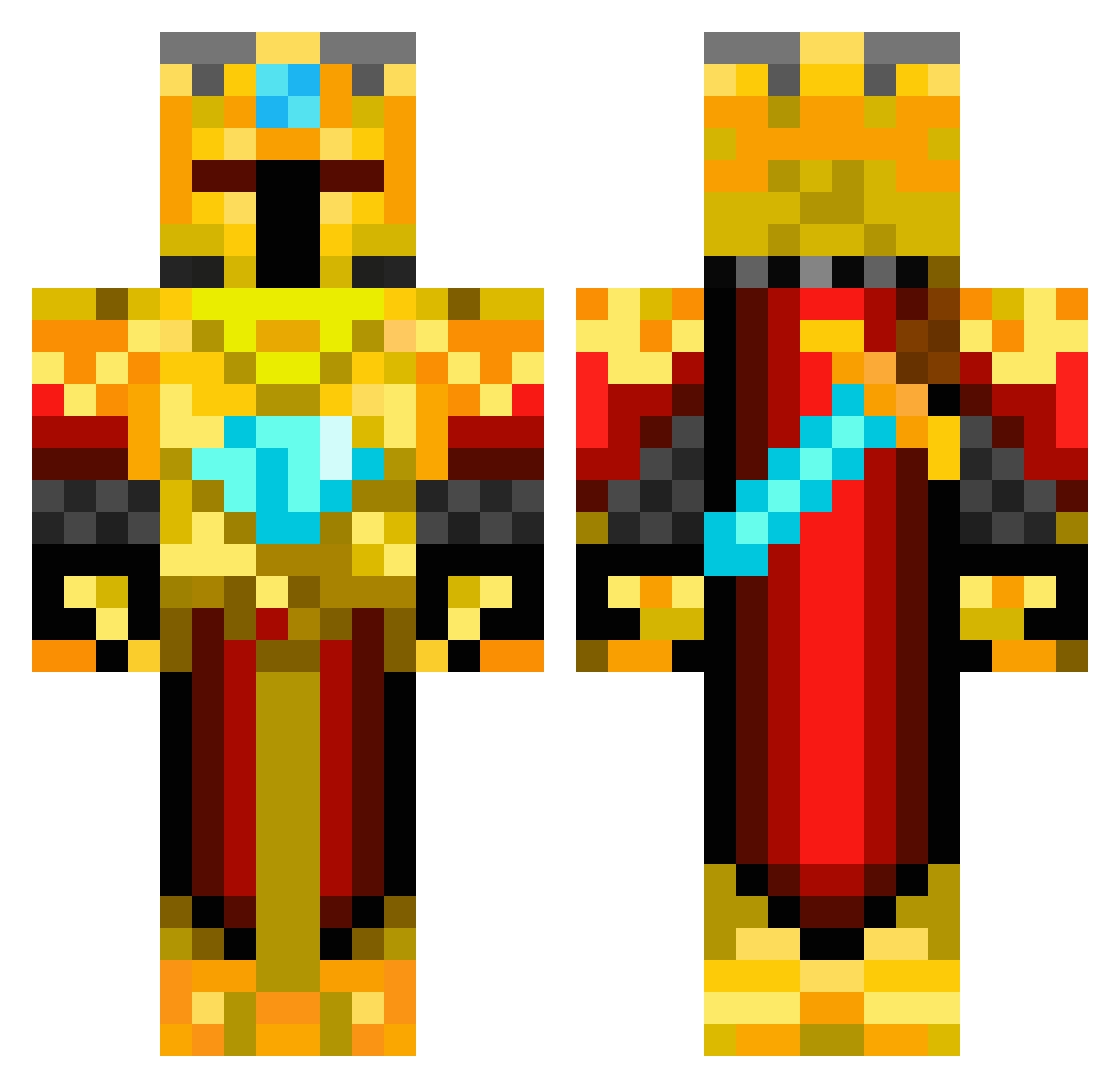
Current Minecraft skin of the player KING_EDWARD3, loaded from the official Mojang API. Rotate the 3D model with your mouse or finger, then download the skin as a PNG file and use it in Minecraft: Bedrock Edition or Java Edition for free. When KING_EDWARD3 changes their skin, this page updates automatically and the old skin stays in the history below.
Other players with this skin (419)
KING_EDWARD3 was the 295th player we have seen with this skin, first spotted on 01.10.2026. The same skin was seen on these players. Open a nickname to see their current skin and skin history.
 mumel999 Risskey TheBavarian Creator2889 menku minometer Clayboy_55 monsterminer135 sportsplaya10 boca13 frogjr21 enderking6731 TroniqzHD atomicdegree LutherNDevon Hampus_Rosen camder xXToxicrazyXx raulalejandro1 AENOH pikawu473 s9s9s9 shredder2013 The_Golden_King1 Rimathian Prins2012 revilo1411 Kyratalor ravenge55 captingamer jts579 AwesomeMrGuy stilltheman1 LegitDavis close10 linus_pinus fortunewheel M4GikZ denn05 Magic_Knight_YT matteomader WillyWonka225 Gverne9 bungyjumper358 Sp33dKill AlxTheGreat1 Shadowdown florikel wildercreeper rovert90 IAmLaggy celticsfan01 Malleii TheDarkPrinceXD ArneDragon VerboseCorn OrionAegis likojakub Kick_Shot Lord_of_Fries54
More Golden Armor Minecraft skins
See all 170 Golden Armor skins
How to install the KING_EDWARD3 skin
- Press the Download button above to save the skin as a PNG file.
- Minecraft: Bedrock Edition (PE): open the Dressing Room from the main menu (or tap your character → Edit Character), go to Classic Skins → Owned, press the + (new skin) button, choose the downloaded PNG and pick the Classic (Steve) model. Works on PC and mobile; consoles cannot import custom skins.
- Minecraft: Java Edition: open the Minecraft Launcher, go to the Skins tab, click New Skin, load the PNG, pick the Classic (Steve) model and press Save & Use. You can also upload it at minecraft.net → Profile → Change Skin.
The skin does not show up after import - what should I do?
Restart Minecraft and open the Dressing Room again - imported skins sometimes appear only after a restart. Also make sure you selected the imported skin and picked the Classic (Steve) model.
Which model should I choose, Classic or Slim?
This skin is designed for the Classic (Steve) model. If you pick the wrong model, the arms of the skin will look stretched or squeezed.
Is the skin of KING_EDWARD3 free to download?
Yes. Press Download, save the PNG file and use it in Minecraft: Bedrock Edition or Java Edition - no payment or registration needed. The skin also works on multiplayer servers and Realms.
More skins
Looking for more? Go back to all Minecraft skins and check the top skins of the week, month and all time, or find any player's skin by nickname.