
K3vinEleven - Minecraft Skins & Skin History
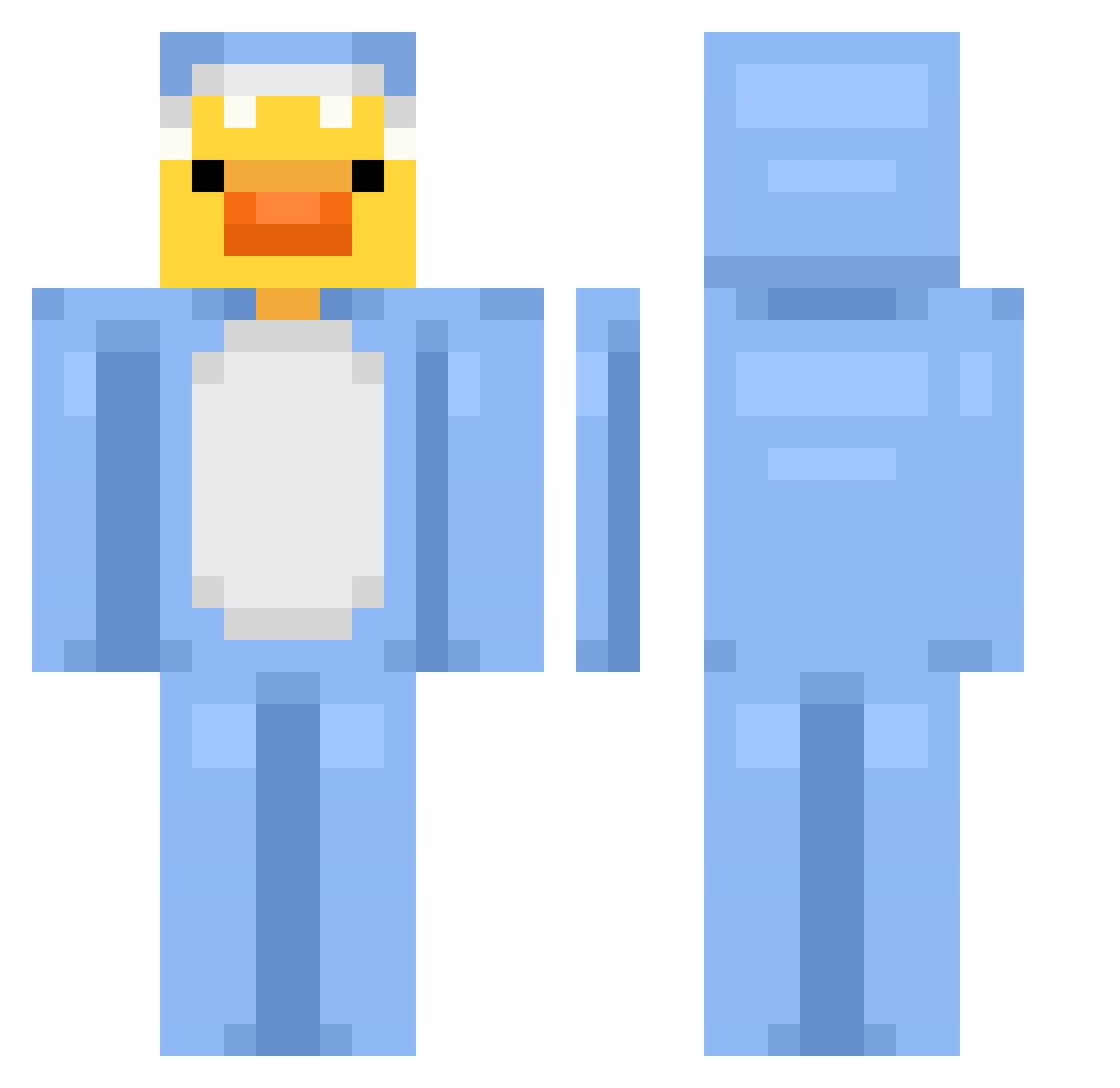
Current Minecraft skin of the player K3vinEleven, loaded from the official Mojang API. Rotate the 3D model with your mouse or finger, then download the skin as a PNG file and use it in Minecraft: Bedrock Edition or Java Edition for free. When K3vinEleven changes their skin, this page updates automatically and the old skin stays in the history below.
Other players with this skin (820)
K3vinEleven was the 404th player we have seen with this skin, first spotted on 20.09.2026. The same skin was seen on these players. Open a nickname to see their current skin and skin history.
 dcykhome01 Skync n0t_Kajaa rukiXX seotakk neptune67 Wmilka Katd03 MetalCatt xImBosS robriss CJBLegend 69sai74 slintshanks G0212666 Alexaa_16 WUujaszek littlewicky Okkii__ CamiUT MegaBen338 Kor_SENKA Soup1218 Smug99 Kristen1337 RIPbaba LasorRazor ItsMellium marcelpronin Xavye6 B0t24T whosada sassybreath34 Drekavellir Bella2131 lengggg333 Juanka_230 7Sheng_ JackPlanet09 livvv___ rusl03 cloudlee_exe DuckFacee AlexMistrovsky Thistle_Thatch Law_wai Wztson_ luukieboy2011 sztywny_szczurek WafflesOnDemand MauMau2013 Newai_zfx Dev_ming wuliyou Ronplays3451 MatheuX0X zhfe10 Sazukaa PaQu_ juneoor
More Onesie Minecraft skins
How to install the K3vinEleven skin
- Press the Download button above to save the skin as a PNG file.
- Minecraft: Bedrock Edition (PE): open the Dressing Room from the main menu (or tap your character → Edit Character), go to Classic Skins → Owned, press the + (new skin) button, choose the downloaded PNG and pick the Classic (Steve) model. Works on PC and mobile; consoles cannot import custom skins.
- Minecraft: Java Edition: open the Minecraft Launcher, go to the Skins tab, click New Skin, load the PNG, pick the Classic (Steve) model and press Save & Use. You can also upload it at minecraft.net → Profile → Change Skin.
The skin does not show up after import - what should I do?
Restart Minecraft and open the Dressing Room again - imported skins sometimes appear only after a restart. Also make sure you selected the imported skin and picked the Classic (Steve) model.
Which model should I choose, Classic or Slim?
This skin is designed for the Classic (Steve) model. If you pick the wrong model, the arms of the skin will look stretched or squeezed.
Is the skin of K3vinEleven free to download?
Yes. Press Download, save the PNG file and use it in Minecraft: Bedrock Edition or Java Edition - no payment or registration needed. The skin also works on multiplayer servers and Realms.
More skins
Looking for more? Go back to all Minecraft skins and check the top skins of the week, month and all time, or find any player's skin by nickname.