
Jun_1829 - Minecraft Skins & Skin History
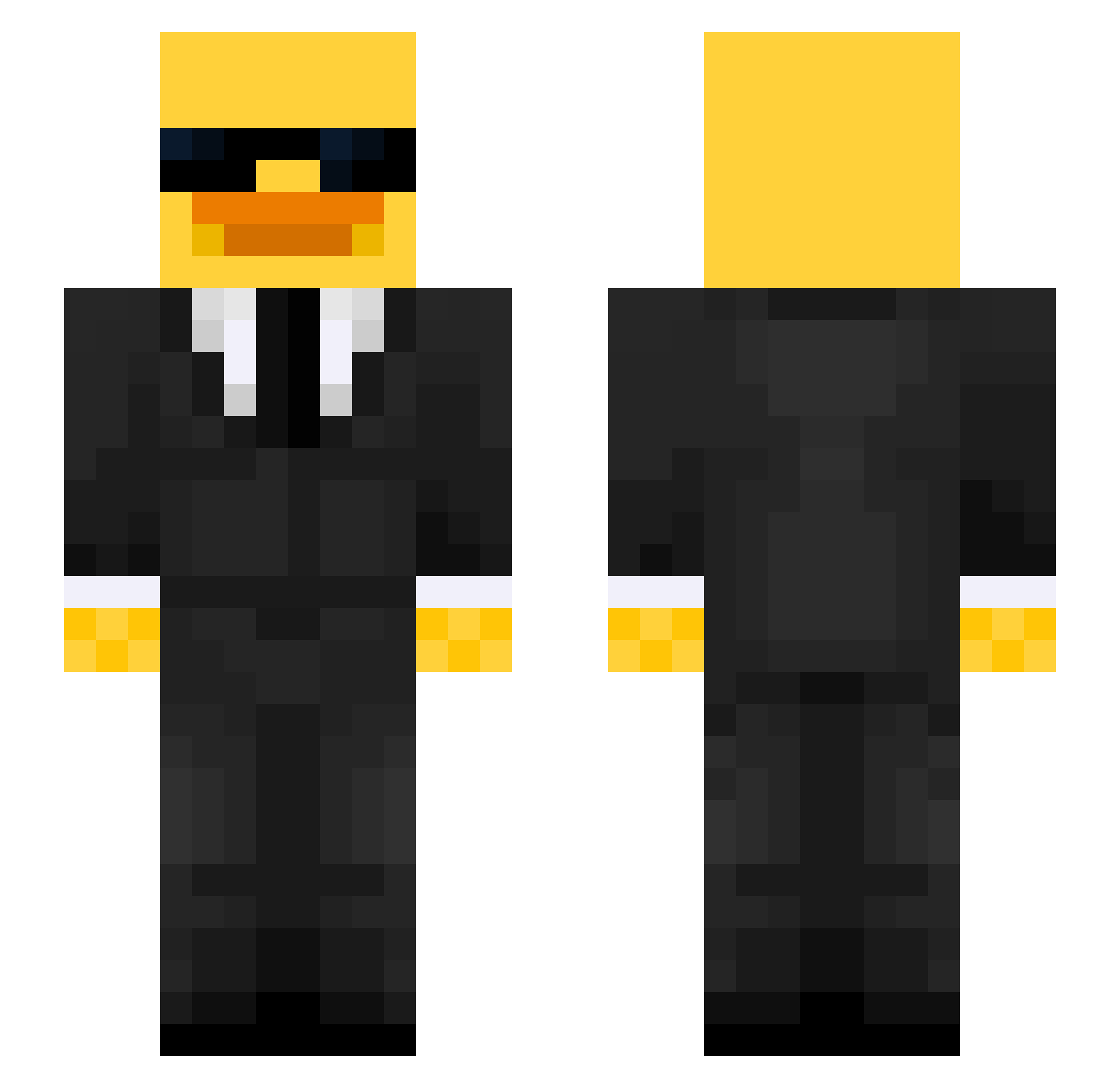
Current Minecraft skin of the player Jun_1829, loaded from the official Mojang API. Rotate the 3D model with your mouse or finger, then download the skin as a PNG file and use it in Minecraft: Bedrock Edition or Java Edition for free. When Jun_1829 changes their skin, this page updates automatically and the old skin stays in the history below.
Other players with this skin (515)
Jun_1829 was the 44th player we have seen with this skin, first spotted on 02.08.2026. The same skin was seen on these players. Open a nickname to see their current skin and skin history.
 ronnatheloner Bogobil Raz_taz scvelo Superwhy31
 ZawaisOG HarryBe150214 jjjacobb MRZOMBIE28 SHUEL777 Wilsxn1 Schnilipp_4 Topa_Pro tujoselito powermaxpro TheBigBeano DiegoXavSantos10 azculy FunGamers Bruno_Bro Duck_Sauce999 DaddyHell Arkadix_Frixback OGForky _zype TojaSzynomm TakeHere RealSnickers_ Ultraspike1 Caracciolo2 Brayns_ Ekx1 Ch1ntas jpegmeowfia itsWell kaktusak_ LiLCiTyyy DarthDamian
 Kasparenzo LE4DER Dukzx 4Miki4 AlexVintec Cyanwolf55 Hereticuss Sadmex04 LaidbackLegend Samiss3 Awwal_King Dosty22 OCEfrosty SylvesterSB SpicyPickle360 YoVoid EDUMZAA EM1LL1E Kiljoy60 InaHurtz Hansenexe _Kaczuszekv2_
More Duck Minecraft skins
How to install the Jun_1829 skin
- Press the Download button above to save the skin as a PNG file.
- Minecraft: Bedrock Edition (PE): open the Dressing Room from the main menu (or tap your character → Edit Character), go to Classic Skins → Owned, press the + (new skin) button, choose the downloaded PNG and pick the Slim (Alex) model. Works on PC and mobile; consoles cannot import custom skins.
- Minecraft: Java Edition: open the Minecraft Launcher, go to the Skins tab, click New Skin, load the PNG, pick the Slim (Alex) model and press Save & Use. You can also upload it at minecraft.net → Profile → Change Skin.
The skin does not show up after import - what should I do?
Restart Minecraft and open the Dressing Room again - imported skins sometimes appear only after a restart. Also make sure you selected the imported skin and picked the Slim (Alex) model.
Which model should I choose, Classic or Slim?
This skin is designed for the Slim (Alex) model. If you pick the wrong model, the arms of the skin will look stretched or squeezed.
Is the skin of Jun_1829 free to download?
Yes. Press Download, save the PNG file and use it in Minecraft: Bedrock Edition or Java Edition - no payment or registration needed. The skin also works on multiplayer servers and Realms.
More skins
Looking for more? Go back to all Minecraft skins and check the top skins of the week, month and all time, or find any player's skin by nickname.