
Julle2404 - Minecraft Skins & Skin History
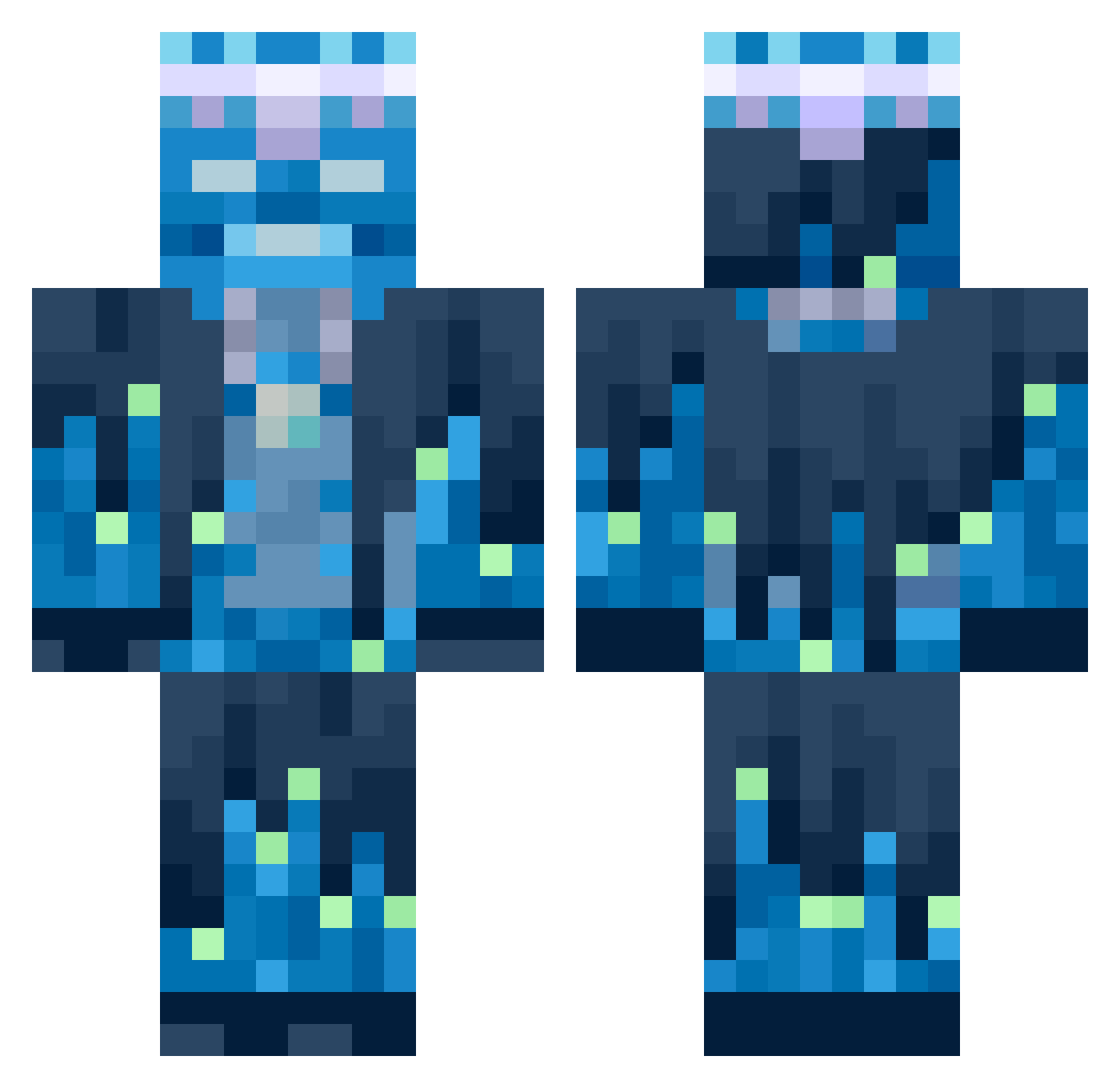
Current Minecraft skin of the player Julle2404, loaded from the official Mojang API. Rotate the 3D model with your mouse or finger, then download the skin as a PNG file and use it in Minecraft: Bedrock Edition or Java Edition for free. When Julle2404 changes their skin, this page updates automatically and the old skin stays in the history below.
Other players with this skin (652)
Julle2404 was the 193rd player we have seen with this skin, first spotted on 24.08.2026. The same skin was seen on these players. Open a nickname to see their current skin and skin history.
 MEGARACERMUS M__O__T
 VechBlade kairo9372 RoGaTkA1337
 CookieDoughPuppy Ranil6 Wuschelpuschel19 lasseXXX adleeeeee SAKUlass Snoopershibe EliteDragon8154 sitringent Jbrequi DavidHellaLooney MadMarioZ killcat2137 JollyGrim spaceboy139 piggy7766 kekssteve Kirby223_ Zynny zachthequackmc SuperBuilder163 Bawldi Aksijom
 colombzz
 JulianB31 Grandnephew Matheo5543 ZebrYntiX 7ui77 speiw1 Nikmsvie ICraveMentos Lakiez MegaColossal jesusxd2012
 Qtip_789 mity157 FrostySunflower Jack_Wang2006 BaconBerserker13 MadxGAR Moonlight342 Leclone97
 ANIK_6217 SELSKOI GodsDreams57 Braunies2006 Gythillion FRZNPandaa Louis675766 KingSam69
 Shadowlris
 Teoslav85 Luca980
 ProAyc
More Glowing Minecraft skins
How to install the Julle2404 skin
- Press the Download button above to save the skin as a PNG file.
- Minecraft: Bedrock Edition (PE): open the Dressing Room from the main menu (or tap your character → Edit Character), go to Classic Skins → Owned, press the + (new skin) button, choose the downloaded PNG and pick the Classic (Steve) model. Works on PC and mobile; consoles cannot import custom skins.
- Minecraft: Java Edition: open the Minecraft Launcher, go to the Skins tab, click New Skin, load the PNG, pick the Classic (Steve) model and press Save & Use. You can also upload it at minecraft.net → Profile → Change Skin.
The skin does not show up after import - what should I do?
Restart Minecraft and open the Dressing Room again - imported skins sometimes appear only after a restart. Also make sure you selected the imported skin and picked the Classic (Steve) model.
Which model should I choose, Classic or Slim?
This skin is designed for the Classic (Steve) model. If you pick the wrong model, the arms of the skin will look stretched or squeezed.
Is the skin of Julle2404 free to download?
Yes. Press Download, save the PNG file and use it in Minecraft: Bedrock Edition or Java Edition - no payment or registration needed. The skin also works on multiplayer servers and Realms.
More skins
Looking for more? Go back to all Minecraft skins and check the top skins of the week, month and all time, or find any player's skin by nickname.