
Jordi_El_Nino55 - Minecraft Skins & Skin History
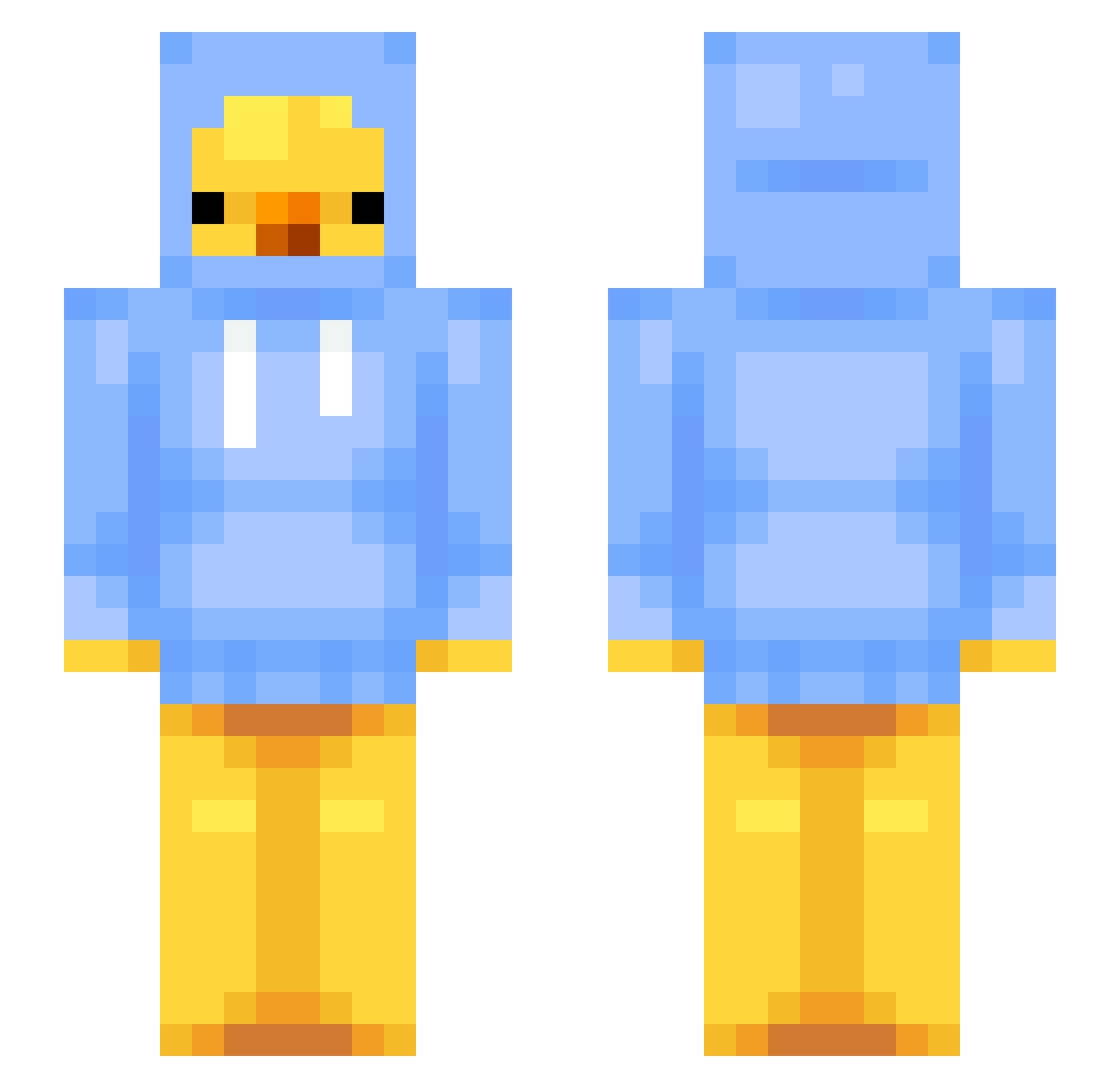
Current Minecraft skin of the player Jordi_El_Nino55, loaded from the official Mojang API. Rotate the 3D model with your mouse or finger, then download the skin as a PNG file and use it in Minecraft: Bedrock Edition or Java Edition for free. When Jordi_El_Nino55 changes their skin, this page updates automatically and the old skin stays in the history below.
Other players with this skin (45)
Jordi_El_Nino55 was the 26th player we have seen with this skin, first spotted on 17.09.2026. The same skin was seen on these players. Open a nickname to see their current skin and skin history.
 BlauerFogel Kubalowski Star_Sol Fatalochs Adamix6273 D_Craft123 Phoenix_Dragon_ VIBECAT69 dhurr xKaczek_ Colonel_Taco SOLAZ46X szczvur666 Runningbomb DirtyRatBastards nuXzz PIMPJ Nilek9 gabeisking The_Toast16 lariosop DB_Xxiong Lumix150 Askeladden24 Mclovin1909 Gwenggg MsAkihiko Zoom0rga
 Loganspelar apo_arbeitslos11 typifyyy pisonokay1 PodosUrea Crust_Crasher jingi07 ajrgamer Fillifjonka wowns_1 ALIx1_ Szczurowaty_ DDuRaDDi 4Gypsy ashhxz Ikandir ktundercover
More Duck Minecraft skins
How to install the Jordi_El_Nino55 skin
- Press the Download button above to save the skin as a PNG file.
- Minecraft: Bedrock Edition (PE): open the Dressing Room from the main menu (or tap your character → Edit Character), go to Classic Skins → Owned, press the + (new skin) button, choose the downloaded PNG and pick the Slim (Alex) model. Works on PC and mobile; consoles cannot import custom skins.
- Minecraft: Java Edition: open the Minecraft Launcher, go to the Skins tab, click New Skin, load the PNG, pick the Slim (Alex) model and press Save & Use. You can also upload it at minecraft.net → Profile → Change Skin.
The skin does not show up after import - what should I do?
Restart Minecraft and open the Dressing Room again - imported skins sometimes appear only after a restart. Also make sure you selected the imported skin and picked the Slim (Alex) model.
Which model should I choose, Classic or Slim?
This skin is designed for the Slim (Alex) model. If you pick the wrong model, the arms of the skin will look stretched or squeezed.
Is the skin of Jordi_El_Nino55 free to download?
Yes. Press Download, save the PNG file and use it in Minecraft: Bedrock Edition or Java Edition - no payment or registration needed. The skin also works on multiplayer servers and Realms.
More skins
Looking for more? Go back to all Minecraft skins and check the top skins of the week, month and all time, or find any player's skin by nickname.