
JonahBud - Minecraft Skins & Skin History
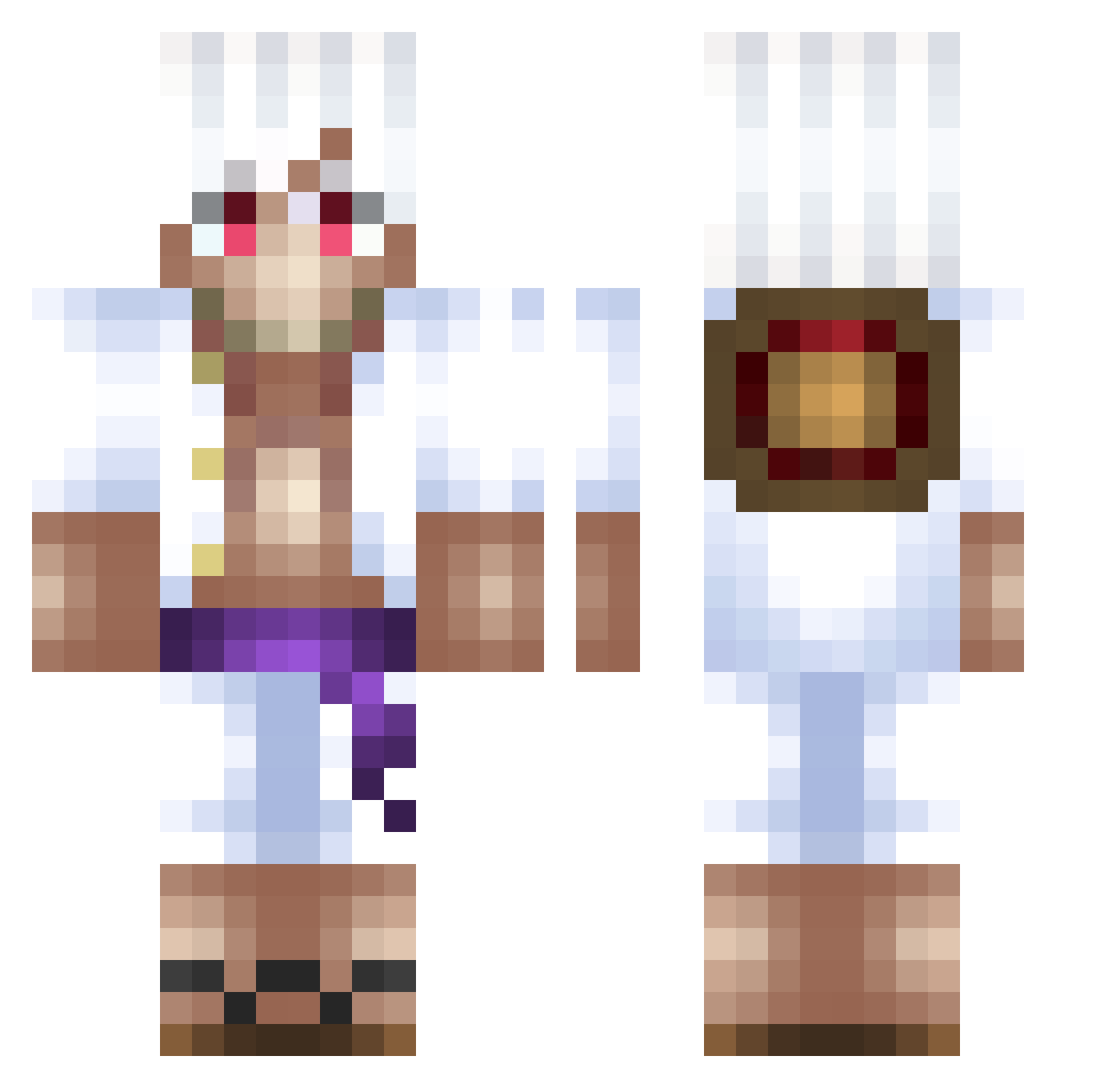
Current Minecraft skin of the player JonahBud, loaded from the official Mojang API. Rotate the 3D model with your mouse or finger, then download the skin as a PNG file and use it in Minecraft: Bedrock Edition or Java Edition for free. When JonahBud changes their skin, this page updates automatically and the old skin stays in the history below.
Other players with this skin (500)
JonahBud was the 52nd player we have seen with this skin, first spotted on 02.08.2026. The same skin was seen on these players. Open a nickname to see their current skin and skin history.
 PeVeTois cream_egg94 TsunaGo funnymonke124 S4a1ow DolunaySS Drift273 XBlitusx subsys2 nikoistoxic NotoriusMarvin bleedoo David_Ice_Out reydernss k3os Gxch Brandon___ Ornstein_1 N0MadnesS 103Melo CruzzyFV_ GregBoz7 TR4SHOUNET tiloucool 35BB poppopstone YeQuQ 2NiQUEX SoraVLR
 izoxodinho Albiar WinterAssassin2 JeLeJure jaw67_ yberkex Gabriellkw530 Kythe03 EinoruxGM StrawHatEddie NeoBox sheluvjess Coste09 PergLee master_habibi EsquiloAquatico zaritaro erik_hll phantomFlame271_ YOYI117 AmbassadorHombre AboKaReeM Shleeey xSete PHOENIXGOD191 Azureko Stevemannn crunchydelight4 Orbitzyy LostConnection56 Michael5493
More Monkey D Luffy Minecraft skins
See all 925 Monkey D Luffy skins
How to install the JonahBud skin
- Press the Download button above to save the skin as a PNG file.
- Minecraft: Bedrock Edition (PE): open the Dressing Room from the main menu (or tap your character → Edit Character), go to Classic Skins → Owned, press the + (new skin) button, choose the downloaded PNG and pick the Classic (Steve) model. Works on PC and mobile; consoles cannot import custom skins.
- Minecraft: Java Edition: open the Minecraft Launcher, go to the Skins tab, click New Skin, load the PNG, pick the Classic (Steve) model and press Save & Use. You can also upload it at minecraft.net → Profile → Change Skin.
The skin does not show up after import - what should I do?
Restart Minecraft and open the Dressing Room again - imported skins sometimes appear only after a restart. Also make sure you selected the imported skin and picked the Classic (Steve) model.
Which model should I choose, Classic or Slim?
This skin is designed for the Classic (Steve) model. If you pick the wrong model, the arms of the skin will look stretched or squeezed.
Is the skin of JonahBud free to download?
Yes. Press Download, save the PNG file and use it in Minecraft: Bedrock Edition or Java Edition - no payment or registration needed. The skin also works on multiplayer servers and Realms.
More skins
Looking for more? Go back to all Minecraft skins and check the top skins of the week, month and all time, or find any player's skin by nickname.