
AboKaReeM - Minecraft Skins & Skin History
Current Minecraft skin of the player AboKaReeM, loaded from the official Mojang API. Rotate the 3D model with your mouse or finger, then download the skin as a PNG file and use it in Minecraft: Bedrock Edition or Java Edition for free. When AboKaReeM changes their skin, this page updates automatically and the old skin stays in the history below.
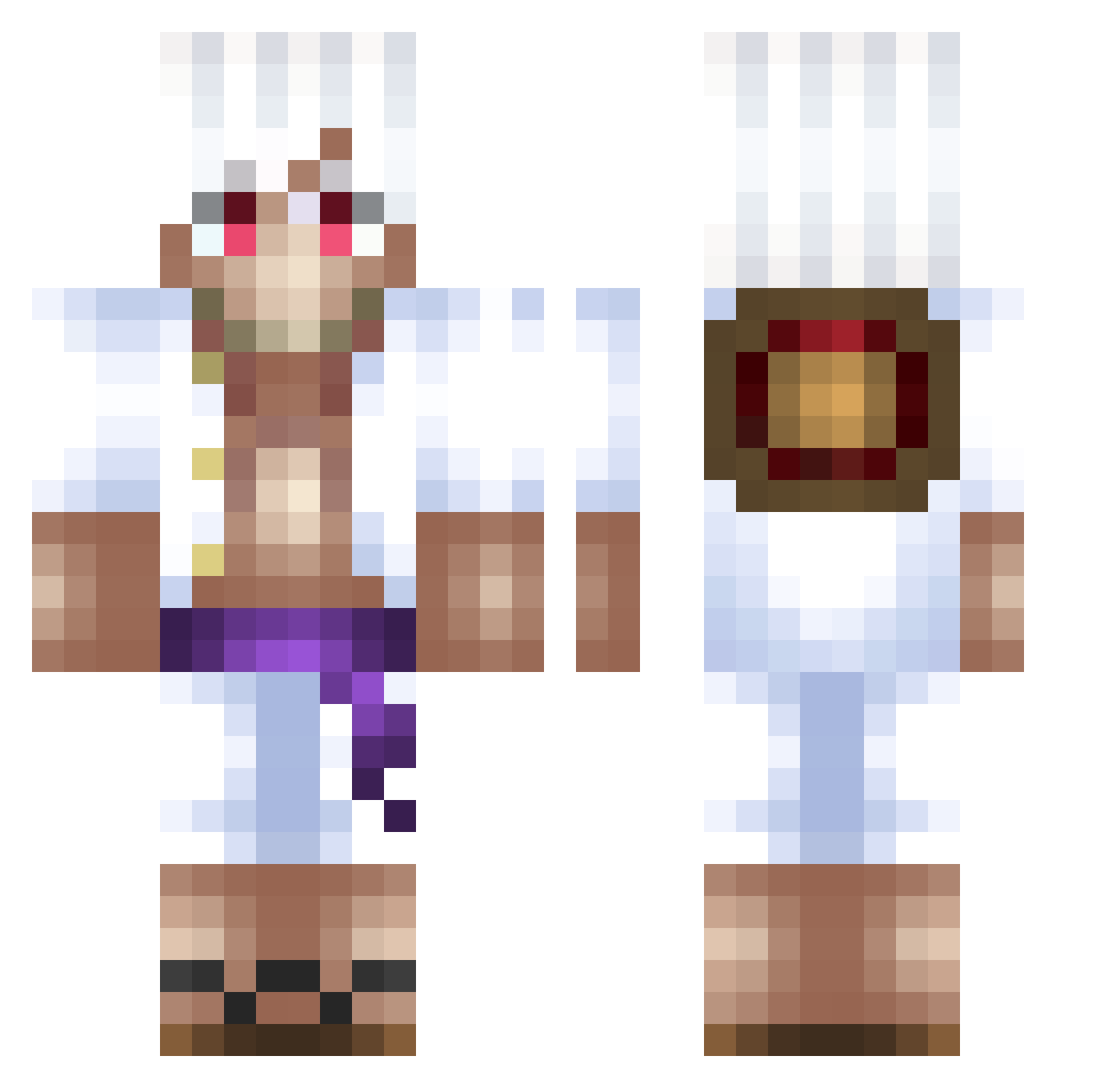
Other players with this skin (500)
AboKaReeM was the 72nd player we have seen with this skin, first spotted on 10.08.2026. The same skin was seen on these players. Open a nickname to see their current skin and skin history.
 AmbassadorHombre phantomFlame271_ zaritaro EsquiloAquatico PHOENIXGOD191 master_habibi Stevemannn NeoBox Michael5493 StrawHatEddie EinoruxGM
 lenard55 Hokaishin Gabriellkw530 yberkex ElektroGaming baranoid99 Matuasypher JeLeJure Zeph67 WinterAssassin2 Albiar Zilklis klejms NeXus661 SoraVLR wsqngs Senkuoco
 sebastiandcr vinclem84 Shchecina d9vz tiloucool Nginius Dododems Olaf2899 Zaoks2408 Mostduck08 RockyT_T Dbetterbest benji26m
 TheLastSlayer420 Norman15 Ornstein_1 Brandon___ reydernss sneaXpogger SenpapiKeev NashBw ClasiC56 Mapache_G27 mospo its_ferlo DecimalMist NotoriusMarvin ZaneKZ_ LilAbriel luvvmars1 gtsdan JonahBud
More Monkey D Luffy Minecraft skins
See all 925 Monkey D Luffy skins
How to install the AboKaReeM skin
- Press the Download button above to save the skin as a PNG file.
- Minecraft: Bedrock Edition (PE): open the Dressing Room from the main menu (or tap your character → Edit Character), go to Classic Skins → Owned, press the + (new skin) button, choose the downloaded PNG and pick the Classic (Steve) model. Works on PC and mobile; consoles cannot import custom skins.
- Minecraft: Java Edition: open the Minecraft Launcher, go to the Skins tab, click New Skin, load the PNG, pick the Classic (Steve) model and press Save & Use. You can also upload it at minecraft.net → Profile → Change Skin.
The skin does not show up after import - what should I do?
Restart Minecraft and open the Dressing Room again - imported skins sometimes appear only after a restart. Also make sure you selected the imported skin and picked the Classic (Steve) model.
Which model should I choose, Classic or Slim?
This skin is designed for the Classic (Steve) model. If you pick the wrong model, the arms of the skin will look stretched or squeezed.
Is the skin of AboKaReeM free to download?
Yes. Press Download, save the PNG file and use it in Minecraft: Bedrock Edition or Java Edition - no payment or registration needed. The skin also works on multiplayer servers and Realms.
More skins
Looking for more? Go back to all Minecraft skins and check the top skins of the week, month and all time, or find any player's skin by nickname.