
Jayjay20_ - Minecraft Skins & Skin History
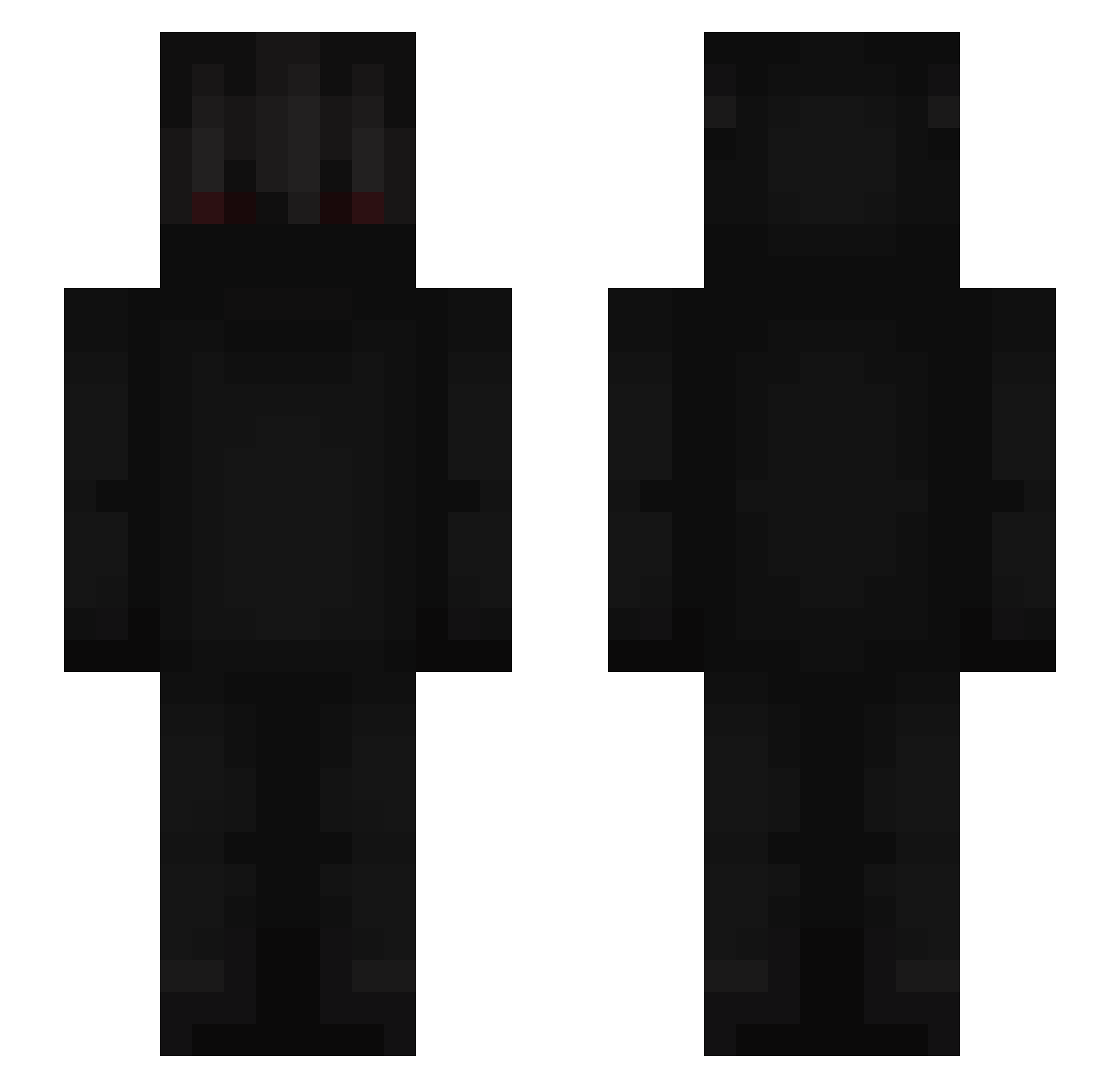
Current Minecraft skin of the player Jayjay20_, loaded from the official Mojang API. Rotate the 3D model with your mouse or finger, then download the skin as a PNG file and use it in Minecraft: Bedrock Edition or Java Edition for free. When Jayjay20_ changes their skin, this page updates automatically and the old skin stays in the history below.
Other players with this skin (761)
Jayjay20_ was the 734th player we have seen with this skin, first spotted on 16.11.2026. The same skin was seen on these players. Open a nickname to see their current skin and skin history.
 zirobu_ Kiiddark20 66Henryyxx_ Cashdeez Orideus00 caua21 Re4per_1 Mxtt_mv Inton_ Dark839 Nikonecro Shadox_38 PoSiFleR the_denote vitorp7 Tefuzzer_ Streamiixx Mypix123 DreamLastBad FrankoWojtas Grimreave_ Bulli2006 SakaWater MoonND PokyLotus MrGirona IKeT66I ikkqq George899 Xnz_ JKA09 GdDelas qwerty0205 NorthCity vvvanted LcveIy KiRxLT RustyMile aleex_esc NicoXD21 Mob_Barley rawr4me Gromjoy Chervix zxsasha sekozuzek kxuby GayVibez BERSERKER200223 matxw vtsq oDeathJB Af26r l3th3lz0mbi3 X_A_X_A Snowlofy Ambission Blacky1910 Bumbullebee xLoopyx
More Shadow Minecraft skins
How to install the Jayjay20_ skin
- Press the Download button above to save the skin as a PNG file.
- Minecraft: Bedrock Edition (PE): open the Dressing Room from the main menu (or tap your character → Edit Character), go to Classic Skins → Owned, press the + (new skin) button, choose the downloaded PNG and pick the Slim (Alex) model. Works on PC and mobile; consoles cannot import custom skins.
- Minecraft: Java Edition: open the Minecraft Launcher, go to the Skins tab, click New Skin, load the PNG, pick the Slim (Alex) model and press Save & Use. You can also upload it at minecraft.net → Profile → Change Skin.
The skin does not show up after import - what should I do?
Restart Minecraft and open the Dressing Room again - imported skins sometimes appear only after a restart. Also make sure you selected the imported skin and picked the Slim (Alex) model.
Which model should I choose, Classic or Slim?
This skin is designed for the Slim (Alex) model. If you pick the wrong model, the arms of the skin will look stretched or squeezed.
Is the skin of Jayjay20_ free to download?
Yes. Press Download, save the PNG file and use it in Minecraft: Bedrock Edition or Java Edition - no payment or registration needed. The skin also works on multiplayer servers and Realms.
More skins
Looking for more? Go back to all Minecraft skins and check the top skins of the week, month and all time, or find any player's skin by nickname.