
JamesDK16 - Minecraft Skins & Skin History
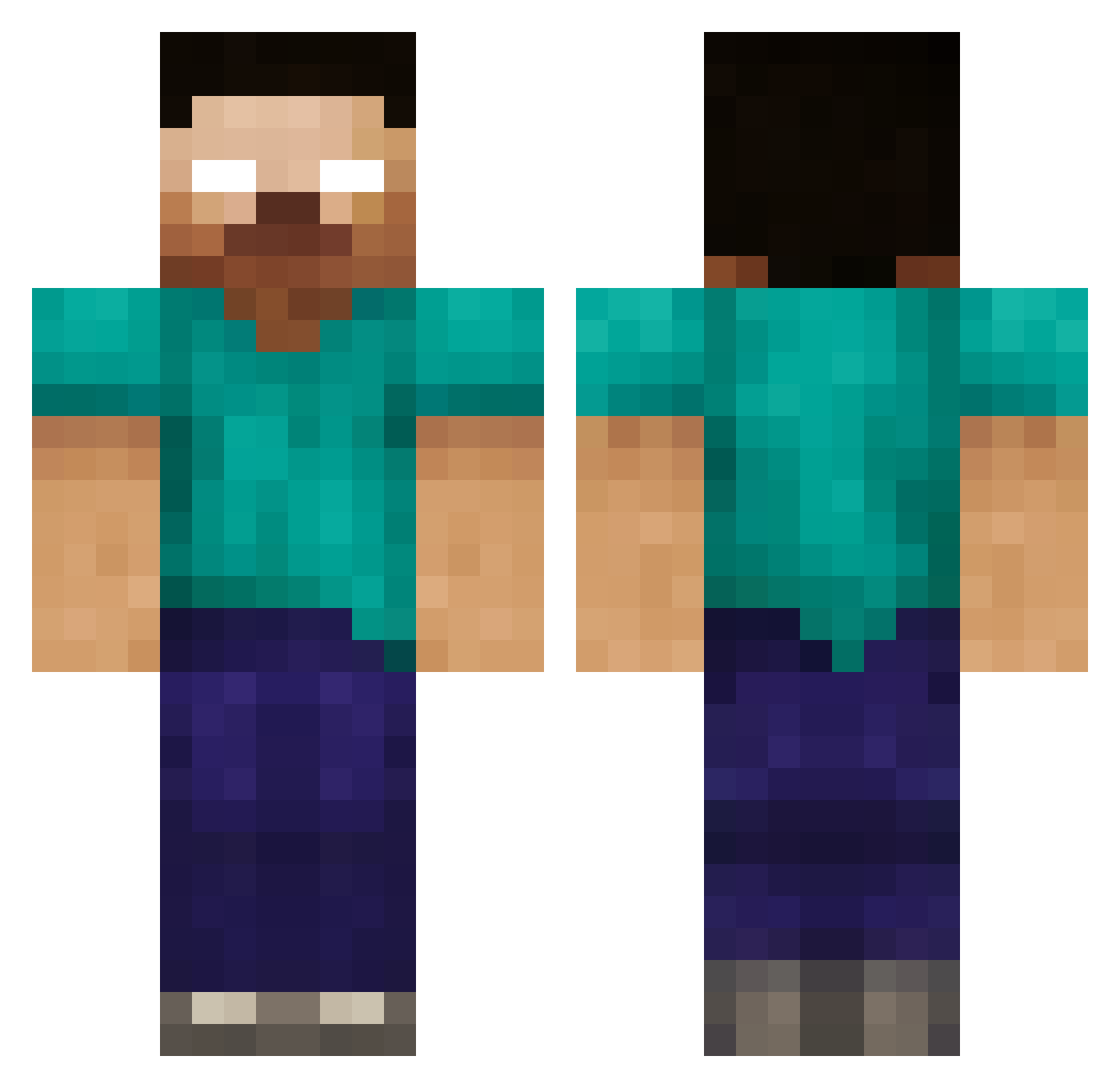
Current Minecraft skin of the player JamesDK16, loaded from the official Mojang API. Rotate the 3D model with your mouse or finger, then download the skin as a PNG file and use it in Minecraft: Bedrock Edition or Java Edition for free. When JamesDK16 changes their skin, this page updates automatically and the old skin stays in the history below.
Other players with this skin (172)
JamesDK16 was the 116th player we have seen with this skin, first spotted on 06.10.2026. The same skin was seen on these players. Open a nickname to see their current skin and skin history.
 deuryyy KCheomJi1 ZhaoDongChu Rexx_0 Killercharley P2WR victorpro1337 Trick_7 Wicheeeer beatssbyj 67AYANOKOJI Jacen_Solo_117 RaBoop BelmontDaarken teamworkjust Lucifer0208 Harper_soniestro felixbnd DynamiteEarth24 LucasHenriqueBR elysety07 ReaPeR6888 Mehmet6457352 Opi3e China520 CNMahogany woshixxs Xpender666 VengadorWeb cexyoung Gading155 Joaquim748 diomin msi0514 flemishgiants gruzzak NoTrusted DestroyerFF0 IMHEROBRYAN dddddd667 XXsilencer23 NANA0903 UltimateR4ypist_ HarryC163 1stkdh BushwickBill gangtan BEANS49 HerobrineSigma zc200809 villumerskinke usermbark DreamTaker217 Thunderplaytime PERES1 RealCameronbrine JGS04 _Om__ GoldWindowsXP Andr12
More Herobrine Minecraft skins
How to install the JamesDK16 skin
- Press the Download button above to save the skin as a PNG file.
- Minecraft: Bedrock Edition (PE): open the Dressing Room from the main menu (or tap your character → Edit Character), go to Classic Skins → Owned, press the + (new skin) button, choose the downloaded PNG and pick the Classic (Steve) model. Works on PC and mobile; consoles cannot import custom skins.
- Minecraft: Java Edition: open the Minecraft Launcher, go to the Skins tab, click New Skin, load the PNG, pick the Classic (Steve) model and press Save & Use. You can also upload it at minecraft.net → Profile → Change Skin.
The skin does not show up after import - what should I do?
Restart Minecraft and open the Dressing Room again - imported skins sometimes appear only after a restart. Also make sure you selected the imported skin and picked the Classic (Steve) model.
Which model should I choose, Classic or Slim?
This skin is designed for the Classic (Steve) model. If you pick the wrong model, the arms of the skin will look stretched or squeezed.
Is the skin of JamesDK16 free to download?
Yes. Press Download, save the PNG file and use it in Minecraft: Bedrock Edition or Java Edition - no payment or registration needed. The skin also works on multiplayer servers and Realms.
More skins
Looking for more? Go back to all Minecraft skins and check the top skins of the week, month and all time, or find any player's skin by nickname.