
JakeDanglt - Minecraft Skins & Skin History
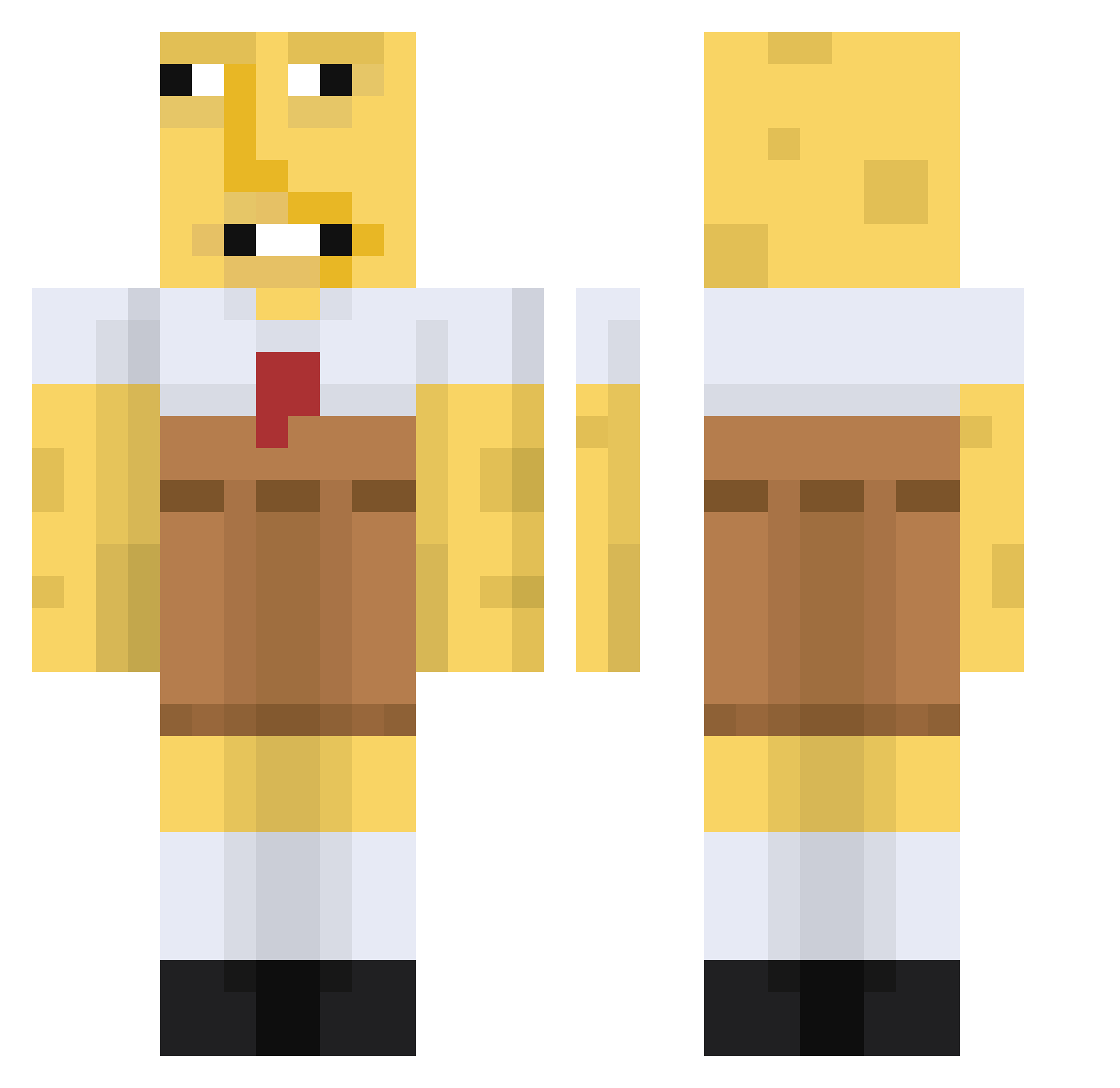
Current Minecraft skin of the player JakeDanglt, loaded from the official Mojang API. Rotate the 3D model with your mouse or finger, then download the skin as a PNG file and use it in Minecraft: Bedrock Edition or Java Edition for free. When JakeDanglt changes their skin, this page updates automatically and the old skin stays in the history below.
Other players with this skin (671)
JakeDanglt was the 264th player we have seen with this skin, first spotted on 04.09.2026. The same skin was seen on these players. Open a nickname to see their current skin and skin history.
 BabyDabbyYoda Verdrueckt hawffle XeloMotoboyola Money_Boy88 Munly Slimy67 BOBDUNCAN123178 cheezsoda38 Sycon_ BokoGames PoopyScoopy0_8 turkenzijnbeste4 Cyberspawn517 moy7ai Quak3rx boutagocrazy Apollo73 majkamajajkahihi Slecman Prowler_ oliverdk08 youngmonkey05 AllNamesInUse1 _HozonekCz_ Devil2164 ImALegitSnack radleybadly
 Bermiudez AntoonGr IAmKrik Bbp5 FNaFLova87 buulul dayvop K_Z_W WillePille10 DILLL0N MrNiceguy233 Speguntti2409 Guilleremnus610 Moseyu YoungDagger_17 Ikke1414 Timmy_sve Sospic3 haxng97 Mukky_Meo hitmer MrLaikz Il_Pavi pooc1 alvaromoralees 4g05 gojasek133712 DOTTY10 MeongMeong_Punch Jastew101 oFzht
 Jokester2001
More Spongebob Minecraft skins
How to install the JakeDanglt skin
- Press the Download button above to save the skin as a PNG file.
- Minecraft: Bedrock Edition (PE): open the Dressing Room from the main menu (or tap your character → Edit Character), go to Classic Skins → Owned, press the + (new skin) button, choose the downloaded PNG and pick the Classic (Steve) model. Works on PC and mobile; consoles cannot import custom skins.
- Minecraft: Java Edition: open the Minecraft Launcher, go to the Skins tab, click New Skin, load the PNG, pick the Classic (Steve) model and press Save & Use. You can also upload it at minecraft.net → Profile → Change Skin.
The skin does not show up after import - what should I do?
Restart Minecraft and open the Dressing Room again - imported skins sometimes appear only after a restart. Also make sure you selected the imported skin and picked the Classic (Steve) model.
Which model should I choose, Classic or Slim?
This skin is designed for the Classic (Steve) model. If you pick the wrong model, the arms of the skin will look stretched or squeezed.
Is the skin of JakeDanglt free to download?
Yes. Press Download, save the PNG file and use it in Minecraft: Bedrock Edition or Java Edition - no payment or registration needed. The skin also works on multiplayer servers and Realms.
More skins
Looking for more? Go back to all Minecraft skins and check the top skins of the week, month and all time, or find any player's skin by nickname.