
ItalianDonuts - Minecraft Skins & Skin History
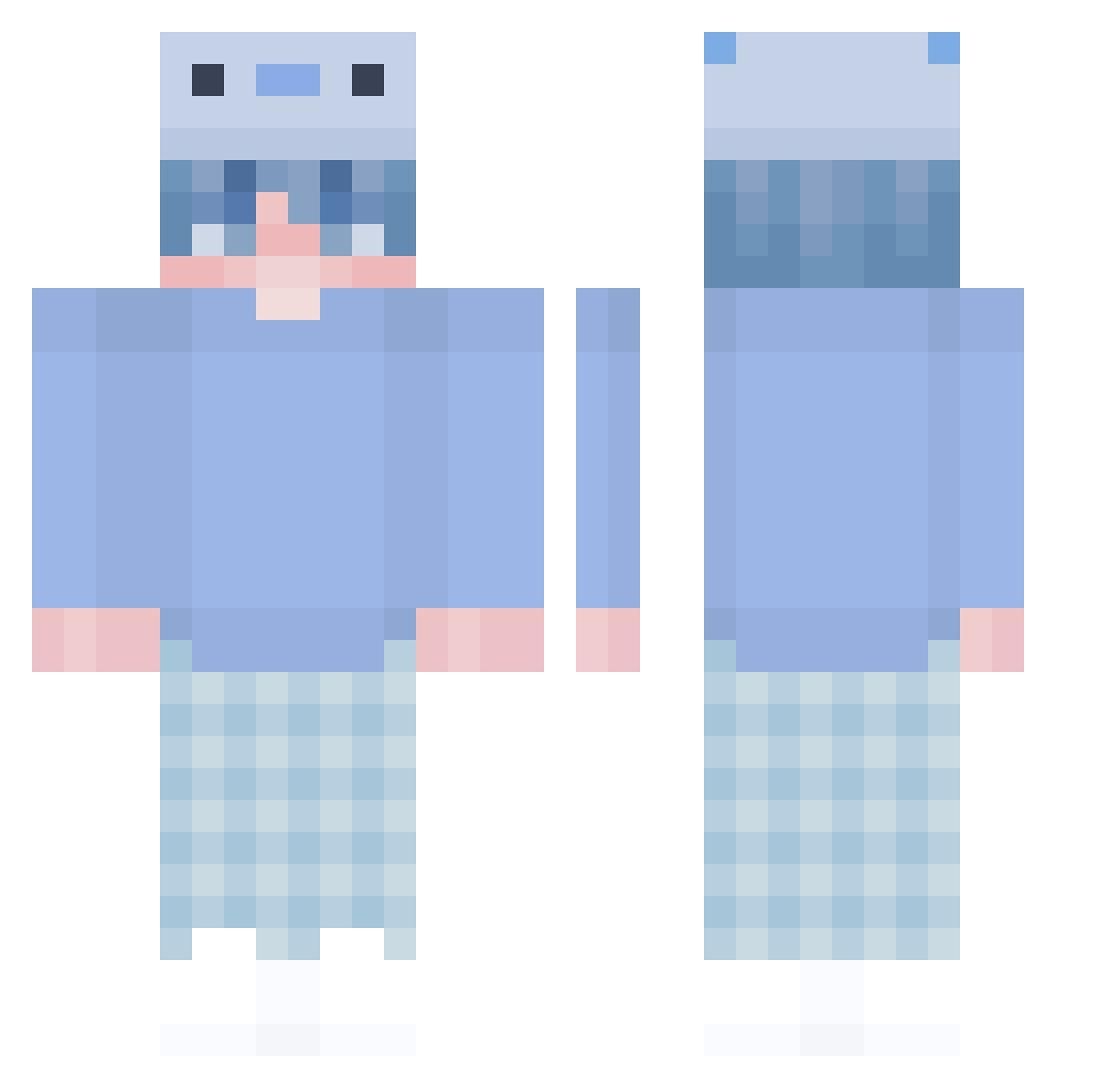
Current Minecraft skin of the player ItalianDonuts, loaded from the official Mojang API. Rotate the 3D model with your mouse or finger, then download the skin as a PNG file and use it in Minecraft: Bedrock Edition or Java Edition for free. When ItalianDonuts changes their skin, this page updates automatically and the old skin stays in the history below.
Other players with this skin (476)
ItalianDonuts was the 342nd player we have seen with this skin, first spotted on 12.10.2026. The same skin was seen on these players. Open a nickname to see their current skin and skin history.
 LonleyDead 1v9_ EraExotik szafanboy dolg_7899 Peemreem VaultzMeUp Simonplay11 ExLoVd TheNeorn 1208fs vythann Nickchung1 Aquemix ollliee SpeichelProbe staaalinrc KyungHwan1208 YESTREL SivooQ Pelimac epictaco2590 turtlehi SnowSled gokhanygit YraN_ SooSerious Date_Zeko OliwQa_ Vmous zaebatiyy Mr_NoVazzz Nukilera wveh boeboeee iimateoii MrsBiggins Samuel_Kings PYRZ1704 allestbs KingHon01 realAntonYT Falicheski Glumers ohFerocious biabO wounii Miinnmi baitang297 zVyq Nadu5 Tomichami Z3nsaia TheBlueSoc aiskun jamzeddd WizzyTW Shirobukii Nureu HerbertVega
More Axolotl Hat Minecraft skins
How to install the ItalianDonuts skin
- Press the Download button above to save the skin as a PNG file.
- Minecraft: Bedrock Edition (PE): open the Dressing Room from the main menu (or tap your character → Edit Character), go to Classic Skins → Owned, press the + (new skin) button, choose the downloaded PNG and pick the Classic (Steve) model. Works on PC and mobile; consoles cannot import custom skins.
- Minecraft: Java Edition: open the Minecraft Launcher, go to the Skins tab, click New Skin, load the PNG, pick the Classic (Steve) model and press Save & Use. You can also upload it at minecraft.net → Profile → Change Skin.
The skin does not show up after import - what should I do?
Restart Minecraft and open the Dressing Room again - imported skins sometimes appear only after a restart. Also make sure you selected the imported skin and picked the Classic (Steve) model.
Which model should I choose, Classic or Slim?
This skin is designed for the Classic (Steve) model. If you pick the wrong model, the arms of the skin will look stretched or squeezed.
Is the skin of ItalianDonuts free to download?
Yes. Press Download, save the PNG file and use it in Minecraft: Bedrock Edition or Java Edition - no payment or registration needed. The skin also works on multiplayer servers and Realms.
More skins
Looking for more? Go back to all Minecraft skins and check the top skins of the week, month and all time, or find any player's skin by nickname.