
 sock4198 kimyounsu hustleyo LeoXE1 LightMiddle _denden mhilee NordicWarrior1 knightkwt Cat_VN Mataszk Eyorry IlyasSama_ Robl_ HunTunovo lmishi MayPig DogFace122 kimdesong TDZY InstagramReels Chi_Woong m3bula luckylulu8 Zzmw boomer6j yuzuki_2901 Trynam1x CODEMINUTE_YT GreenDiarrhea heyJason LickyKage sSsXHz M3hmmad_6 Vinixyz YongE_OwO wuwei369 migiso suan_tang kc_ohw_08 Prince_YH Mint_Turtle fan_18 2Mayonnaise4U LiperizinhoGames QurbeatZ DJGames922 rakaci05 faild_man ARTOON_ gohan01417032 Benggen Poxy0802 oense cebulson_2137 lzsznbd Duki__ Noosen1 GAELGP11411 Kiiski1
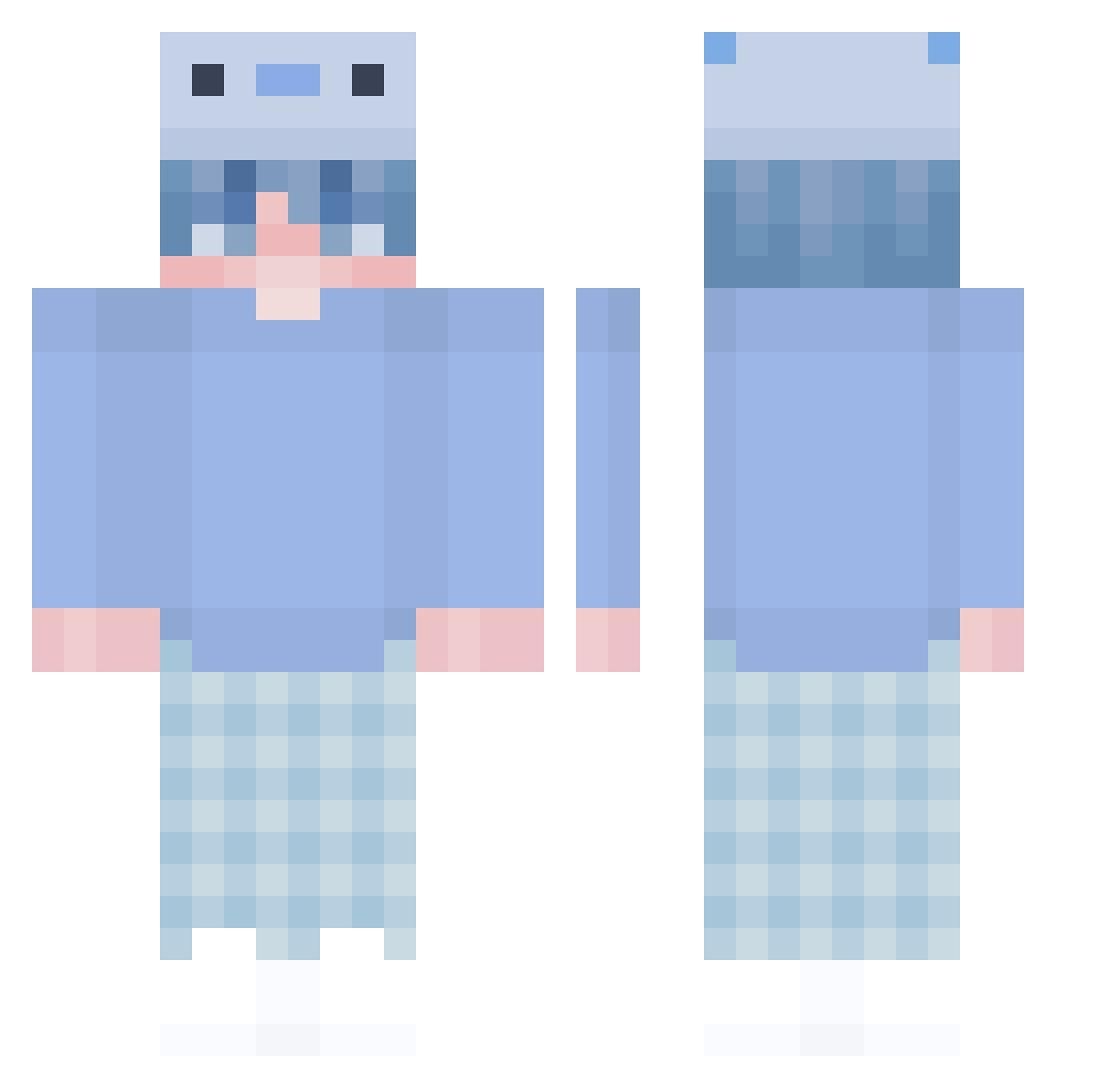
Minecraft skin of kc_ohw_08. Rotate the 3D model with your mouse or finger to view the skin from every angle, then download it as a PNG file and use it in Minecraft: Bedrock Edition or Java Edition for free. Rate the skin with stars to help other players find the best skins in our collection.
How to install the kc_ohw_08 skin
- Press the Download button above to save the skin as a PNG file.
- Minecraft: Bedrock Edition (PE): open the Dressing Room from the main menu (or tap your character → Edit Character), go to Classic Skins → Owned, press the + (new skin) button, choose the downloaded PNG and pick the Classic (Steve) model. Works on PC and mobile; consoles cannot import custom skins.
- Minecraft: Java Edition: open the Minecraft Launcher, go to the Skins tab, click New Skin, load the PNG, pick the Classic (Steve) model and press Save & Use. You can also upload it at minecraft.net → Profile → Change Skin.
The skin does not show up after import - what should I do?
Restart Minecraft and open the Dressing Room again - imported skins sometimes appear only after a restart. Also make sure you selected the imported skin and picked the Classic (Steve) model.
Which model should I choose, Classic or Slim?
This skin is designed for the Classic (Steve) model. If you pick the wrong model, the arms of the skin will look stretched or squeezed.
Is this skin free to use?
Yes. Press Download, save the PNG file and use it in Minecraft: Bedrock Edition or Java Edition - no payment or registration needed. The skin also works on multiplayer servers and Realms.
More Axolotl Hat Minecraft skins
More skins
Looking for more? Go back to all Minecraft skins and check the top skins of the week, month and all time, or find any player's skin by nickname.