
ImTiny_T - Minecraft Skins & Skin History
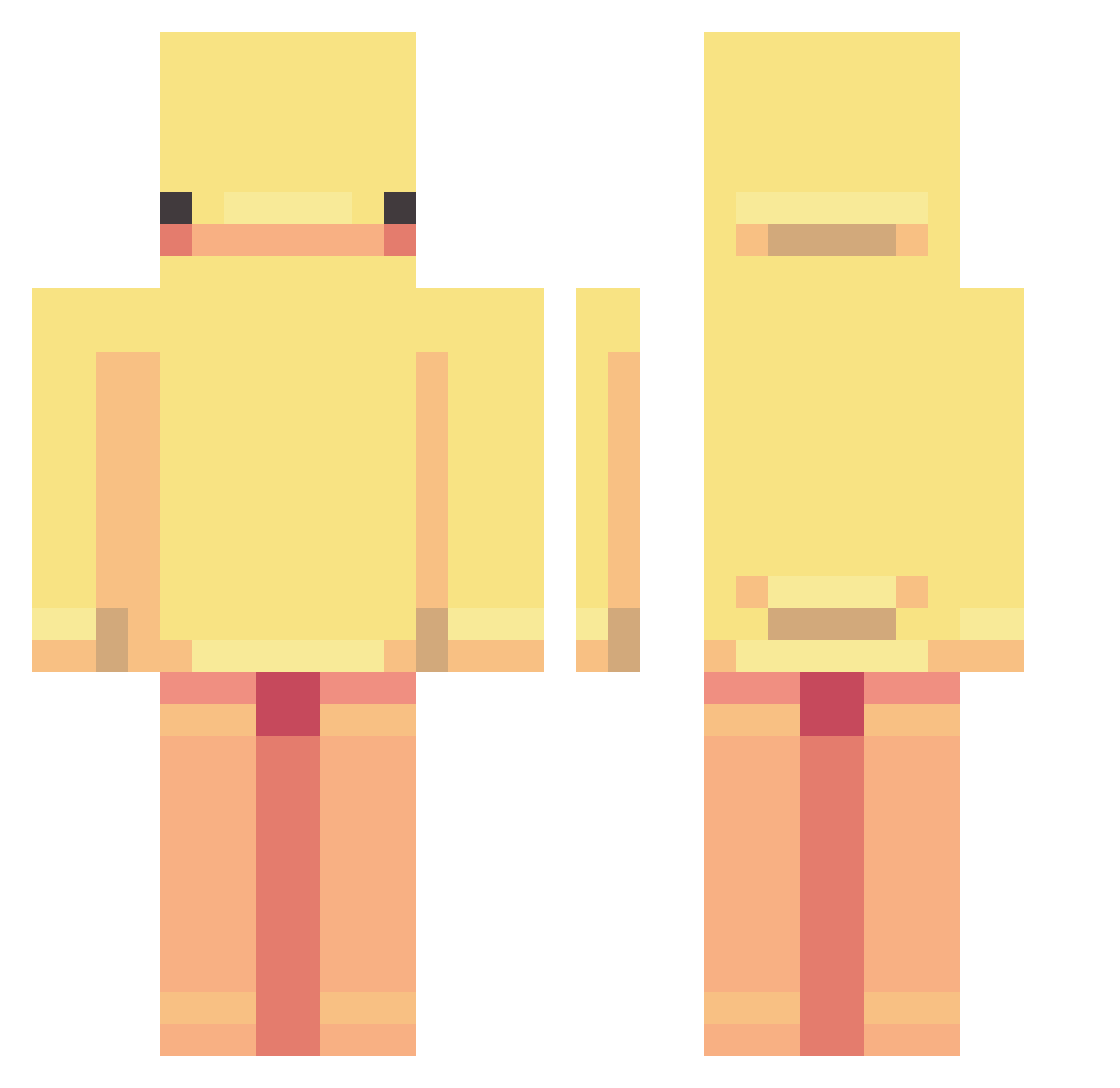
Current Minecraft skin of the player ImTiny_T, loaded from the official Mojang API. Rotate the 3D model with your mouse or finger, then download the skin as a PNG file and use it in Minecraft: Bedrock Edition or Java Edition for free. When ImTiny_T changes their skin, this page updates automatically and the old skin stays in the history below.
Other players with this skin (312)
ImTiny_T was the 274th player we have seen with this skin, first spotted on 04.11.2026. The same skin was seen on these players. Open a nickname to see their current skin and skin history.
 Kimbilde olekcomp Maxouf Chinl3ss Jossubiceps Zarol069 elooel Telroc faidrzaki Bruhhs MrAstronomer690 RAYDMA Shinooo911 MATUAH Leath_poo LoOpyTay Stickymits FivePsycho hao_dat claireissocool CrystalCookie15 Vexi222 Panja54 Kmh2152 Megaton00 SCUDERIAjulo Patchy112 addie_rose_ ItsArren OniiChanGioi snxpe_ pilldaki Papa_Pawya BunBroDude gebi450 jungkooksnose Navvs minecraftPRO_95 nibb1e Toasty_waffles_ Estrela66 ElegantPizza_0 happywei082 Fluffy9831 Morjuu GringleSpringle Grandmasterl68 MinAAngels adelina001 Flawko Jamal8ramen manu_napoli_13 MajesticOwl18 mommymiaa thhhg Josh_012 Master_Zach Liliax15 k1dhydro socil
More Duck Minecraft skins
How to install the ImTiny_T skin
- Press the Download button above to save the skin as a PNG file.
- Minecraft: Bedrock Edition (PE): open the Dressing Room from the main menu (or tap your character → Edit Character), go to Classic Skins → Owned, press the + (new skin) button, choose the downloaded PNG and pick the Classic (Steve) model. Works on PC and mobile; consoles cannot import custom skins.
- Minecraft: Java Edition: open the Minecraft Launcher, go to the Skins tab, click New Skin, load the PNG, pick the Classic (Steve) model and press Save & Use. You can also upload it at minecraft.net → Profile → Change Skin.
The skin does not show up after import - what should I do?
Restart Minecraft and open the Dressing Room again - imported skins sometimes appear only after a restart. Also make sure you selected the imported skin and picked the Classic (Steve) model.
Which model should I choose, Classic or Slim?
This skin is designed for the Classic (Steve) model. If you pick the wrong model, the arms of the skin will look stretched or squeezed.
Is the skin of ImTiny_T free to download?
Yes. Press Download, save the PNG file and use it in Minecraft: Bedrock Edition or Java Edition - no payment or registration needed. The skin also works on multiplayer servers and Realms.
More skins
Looking for more? Go back to all Minecraft skins and check the top skins of the week, month and all time, or find any player's skin by nickname.