
IkronicPvP - Minecraft Skins & Skin History
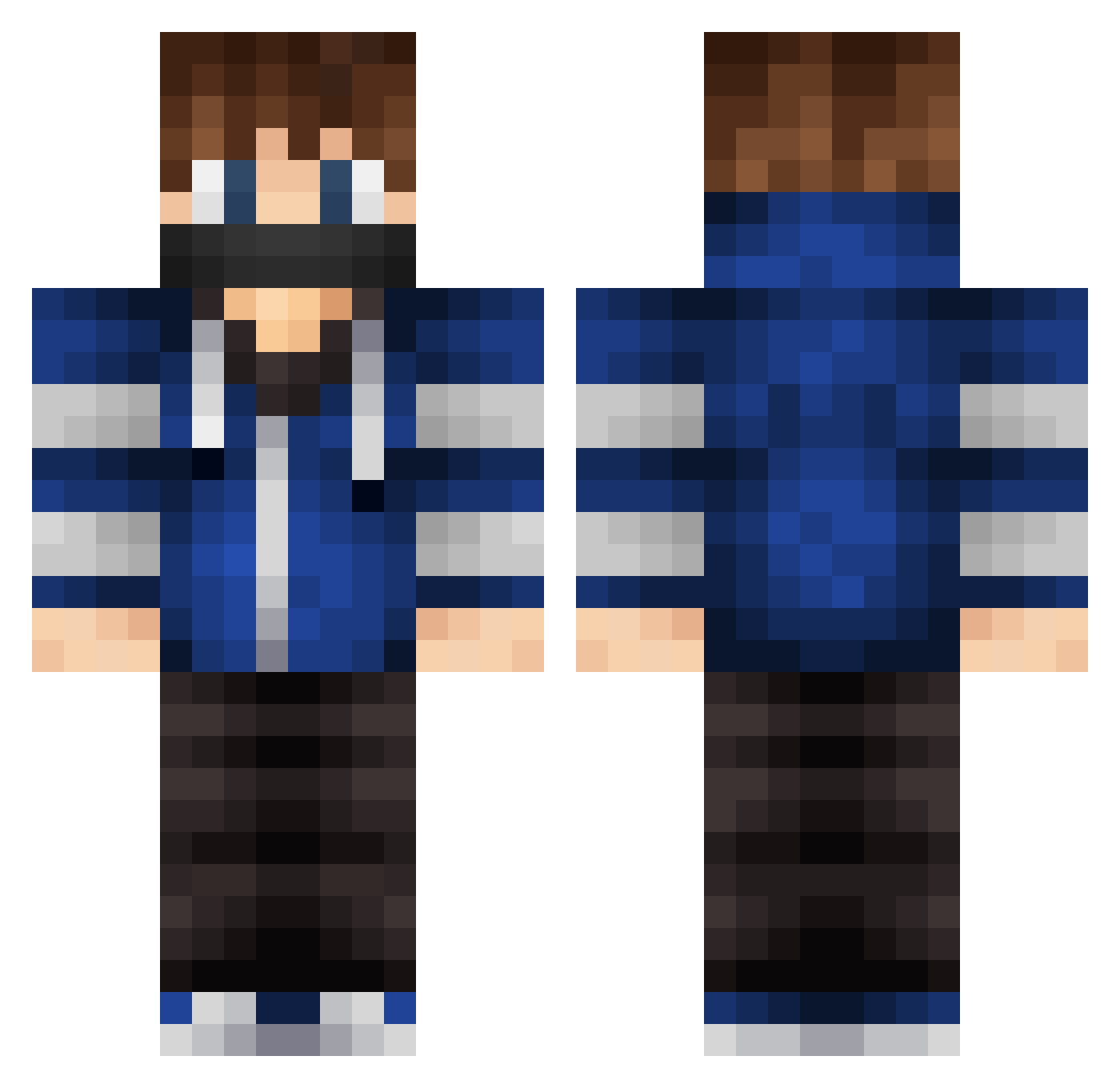
Current Minecraft skin of the player IkronicPvP, loaded from the official Mojang API. Rotate the 3D model with your mouse or finger, then download the skin as a PNG file and use it in Minecraft: Bedrock Edition or Java Edition for free. When IkronicPvP changes their skin, this page updates automatically and the old skin stays in the history below.
Other players with this skin (579)
IkronicPvP was the 110th player we have seen with this skin, first spotted on 21.08.2026. The same skin was seen on these players. Open a nickname to see their current skin and skin history.
 TCR_BlackHawk SquidNugget000 IEaGzI Aalderink Ale0037 Kyto228 Calken666 snocrafter mathis51000 CrazyPowerBruno cobra307 KK517 Nossen7 bryantj BigDBacon kingbarnaby3000 BorderAngel0504 mini_minerDK MagnusLud cambot101 StepanGamer EagleDnB TEO2005D X_BGamer332_X Govy2001 iLukaZs HE898EH morj239 thefungiz FYIYu tobby07a jepp8603 killer2395 CheekierChunk92 Lexority Persson_PvP UniversalPuncake SV0109 JonssonKingen xX_Backfisch_Xx Zgubidan ToFou markus5005 ivar_myra Striker20 Blocky009 Lajems OMGitsGareth HAL777 Lipzh SzYmO777 Joselito12 SplashCool Reallybruuh JustMonkey LetsTeo Kanmoo 04atded vallejotint ReaZon_Dev
More Mask Minecraft skins
How to install the IkronicPvP skin
- Press the Download button above to save the skin as a PNG file.
- Minecraft: Bedrock Edition (PE): open the Dressing Room from the main menu (or tap your character → Edit Character), go to Classic Skins → Owned, press the + (new skin) button, choose the downloaded PNG and pick the Classic (Steve) model. Works on PC and mobile; consoles cannot import custom skins.
- Minecraft: Java Edition: open the Minecraft Launcher, go to the Skins tab, click New Skin, load the PNG, pick the Classic (Steve) model and press Save & Use. You can also upload it at minecraft.net → Profile → Change Skin.
The skin does not show up after import - what should I do?
Restart Minecraft and open the Dressing Room again - imported skins sometimes appear only after a restart. Also make sure you selected the imported skin and picked the Classic (Steve) model.
Which model should I choose, Classic or Slim?
This skin is designed for the Classic (Steve) model. If you pick the wrong model, the arms of the skin will look stretched or squeezed.
Is the skin of IkronicPvP free to download?
Yes. Press Download, save the PNG file and use it in Minecraft: Bedrock Edition or Java Edition - no payment or registration needed. The skin also works on multiplayer servers and Realms.
More skins
Looking for more? Go back to all Minecraft skins and check the top skins of the week, month and all time, or find any player's skin by nickname.